Halloween is a busy time, full of costumes, candy, parties, and school events to plan. Our app has a full set of Halloween planner templates to help you keep track of it all. Each one comes dressed in spooky art, from grim reapers and bats to pumpkins and gravestones, so planning still feels like part of the fun. Let’s start with the main template in this collection, the Spooky Halloween Daily Task Planner.
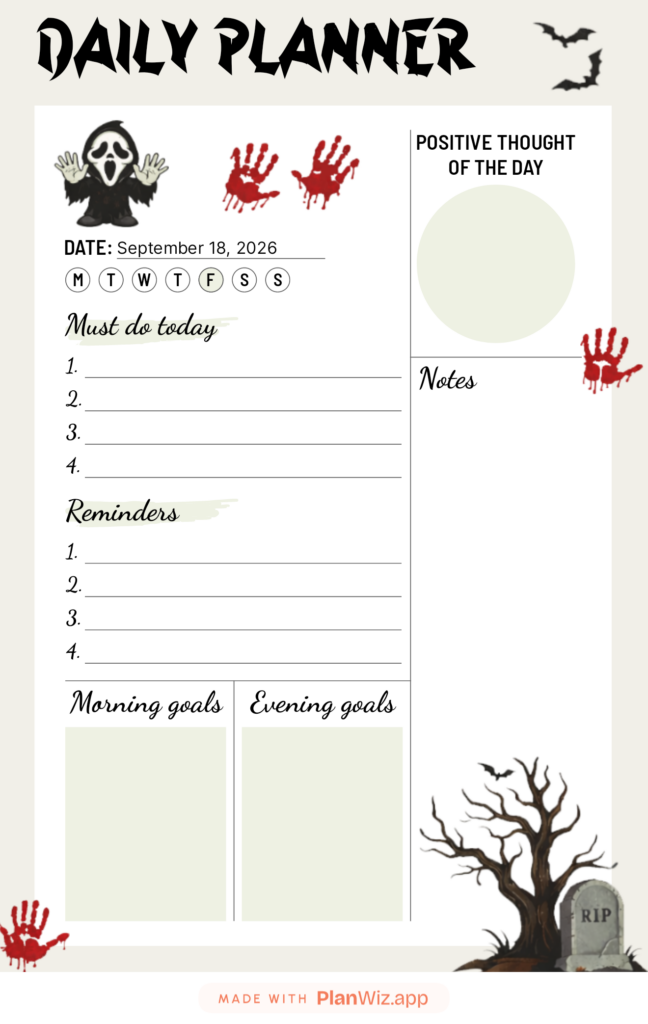
Overview of the Spooky Halloween Daily Task Planner
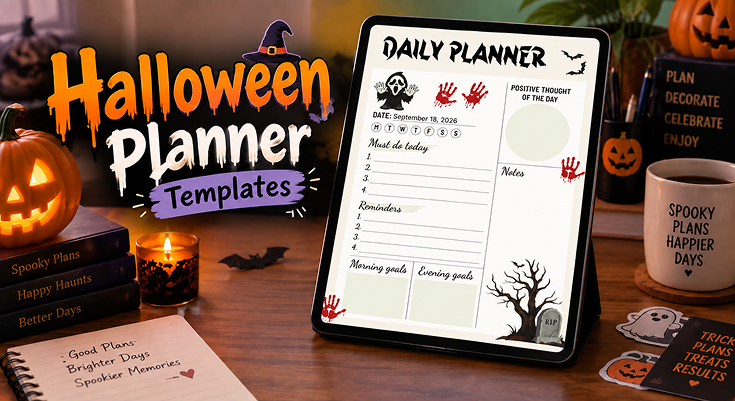
The Spooky Halloween Daily Task Planner opens with a grim reaper standing at the top of the page, hands raised, next to two red handprints. Down in the corner, a bare tree leans over a small gravestone marked “RIP,” while a pair of bats fly across the top edge. All of this spooky art frames the page without ever crowding the space you need to write in.
Inside that frame, the layout stays simple and clear:
- Must Do Today: A numbered list for your top four tasks.
- Reminders: A second list for the smaller things you don’t want to forget.
- Morning Goals and Evening Goals: Two boxes that split your day in half.
- Positive Thought of the Day: A circle for one good thought to carry with you.
- Notes: Open space for anything else, from a guest list to a shopping idea.
A row of day circles near the date line lets you mark which day of the week you’re planning for, so the page stays easy to place inside a busy month.
Practical Use Cases for the Spooky Halloween Daily Task Planner
This layout flexes to fit more than one kind of October day:
List “buy candy,” “hang decorations,” and “confirm guest list” under Must Do Today, and save Reminders for small things like ice or napkins.
Plan costume details in Morning Goals and a classroom party in Evening Goals, then use Notes for a parent volunteer list.
Write your route or meet-up time under Reminders, and use Notes for candy counts or safety tips for the kids.
Use the Positive Thought circle to set a calm tone before a busy stretch of Halloween events.
Using Icons to Prioritize Your Halloween Tasks
The images on this page aren’t just decoration. Each one can double as a small visual cue for how you plan your day.
💀 Grim Reaper: Mark What Matters Most
Use it as: A flag for your single most important task of the day.
How to apply: Write or underline that task in the space closest to him, at the top of the page.
Why it works: Your eye lands on him first, so your top task gets seen first too.
Example: “Finish costume order by 5 PM” placed right under him is hard to miss.
🩸 Red Handprints: Catch What’s Urgent
Use it as: A stop-and-look signal for anything time-sensitive.
How to apply: Jot a short note near the handprints for same-day, no-excuses tasks.
Why it works: The bold red color naturally pulls your attention before anything else on the page.
Example: “Pick up candy today” fits well in this spot.
🦇 Bats: Flag the Fun Stuff
Use it as: A marker for events and activities, not just chores.
How to apply: Star or underline any fun plan near the flying bats at the top edge.
Why it works: It keeps festive plans visible next to your daily to-dos, so fun doesn’t get buried under errands.
Example: “Pumpkin carving with the kids” earns a spot here.
🍂 Gravestone and Tree: Celebrate What’s Done
Use it as: A quiet nod to progress made.
How to apply: Glance at this corner once your Reminders list is fully checked off.
Why it works: It turns finishing your list into a small, satisfying close to the day.
Example: Clearing your reminders by evening feels like putting the day properly to rest.
Tips to Get the Most Out of This Planner
A few habits help this planner earn its keep all month long:
- Start with Must Do Today. Fill it in first thing in the morning, before anything else pulls your attention, so your top tasks are locked in early and don’t get pushed aside.
- Save the Positive Thought for last. Once your other sections are filled in, come back to this circle so it reflects how you actually want the day to go, not just how it started.
- Use Notes as a catch-all. Halloween ideas pop up at odd moments, like a costume fix or a treat recipe. Keep this space open so nothing gets lost between sections.
- Check off Reminders before bed. Clearing this list at night keeps small tasks from quietly slipping into tomorrow’s page.
Benefits of Using the Spooky Halloween Daily Task Planner
This planner brings together the small pieces that make a busy October day easier to manage:
- Everything stays in one place. Daily tasks and reminders sit side by side, so nothing about Halloween season slips through the cracks.
- Your day splits into two easy halves. The Morning and Evening Goals boxes break a full day into two smaller, more manageable parts.
- Planning feels festive, not like a chore. The grim reaper, bats, and graveyard art turn daily planning into something you look forward to, which makes it easier to stick with.
- There’s room for a calm moment. The Positive Thought circle adds a small pause inside an otherwise busy, fast-moving month.
- It works for more than one kind of planner. Parents, teachers, and anyone hosting or attending Halloween events this year can all use it the same way.
Step-by-Step Guide to Using This Planner
Follow these clear steps to make the most of your Spooky Halloween Daily Task Planner, from setup to a finished day:
Open Our PlanWiz Planner App
Open our app on your device so you can fill in your Halloween planner anytime, anywhere.
Find the Template
Go to the Halloween template collection and select the Spooky Halloween Daily Task Planner to start with a ready-to-use layout.
Set the Date and Day
Fill in the date line and mark the correct day circle (M, T, W, T, F, S, S), so the page lines up with the rest of your week.
Add Your Tasks and Reminders
List your top four tasks under Must Do Today, then use the Reminders list for smaller things you don’t want to forget.
Fill In Your Goals
Split the day into Morning Goals and Evening Goals, and jot down what you want to get done in each half.
Finish with a Positive Thought and Notes
Add one good thought to the circle to carry with you, then use Notes for anything extra, from a shopping list to a party idea.
Explore Halloween Seasonal Event
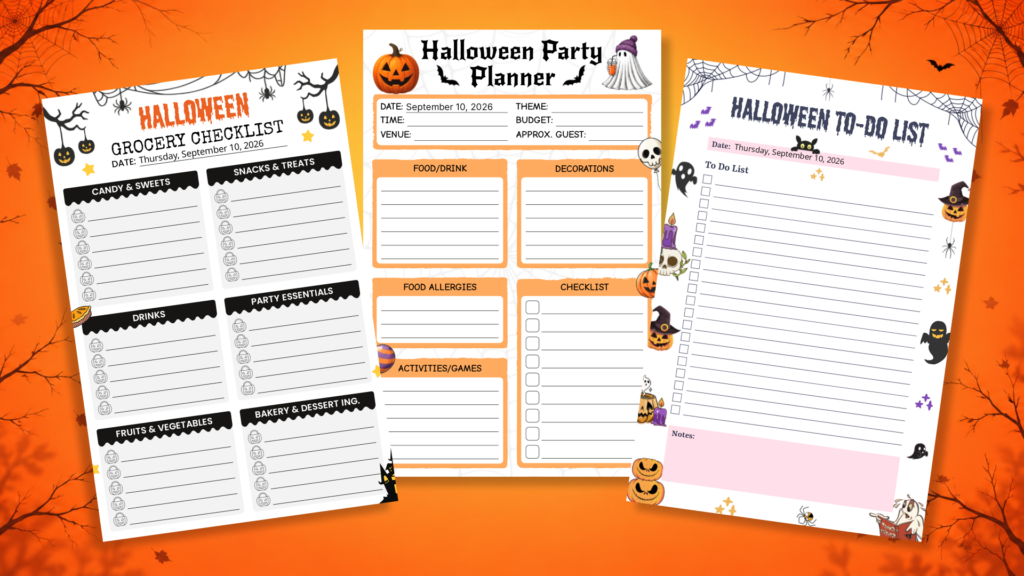
Our app provides a seasonal Halloween planning experience with themed planner templates for different planning needs. Users can explore themed planner templates to organise Halloween activities, party plans, preparations, important tasks, and everyday to-dos. They can choose a template that fits their plans, personalise it, and keep everything organised in one app throughout the Halloween season.
More Halloween Planner Templates
Beyond the daily task planner, our app has a full set of Halloween templates. Each one is built for a specific part of your October, and each one carries its own bit of spooky style.
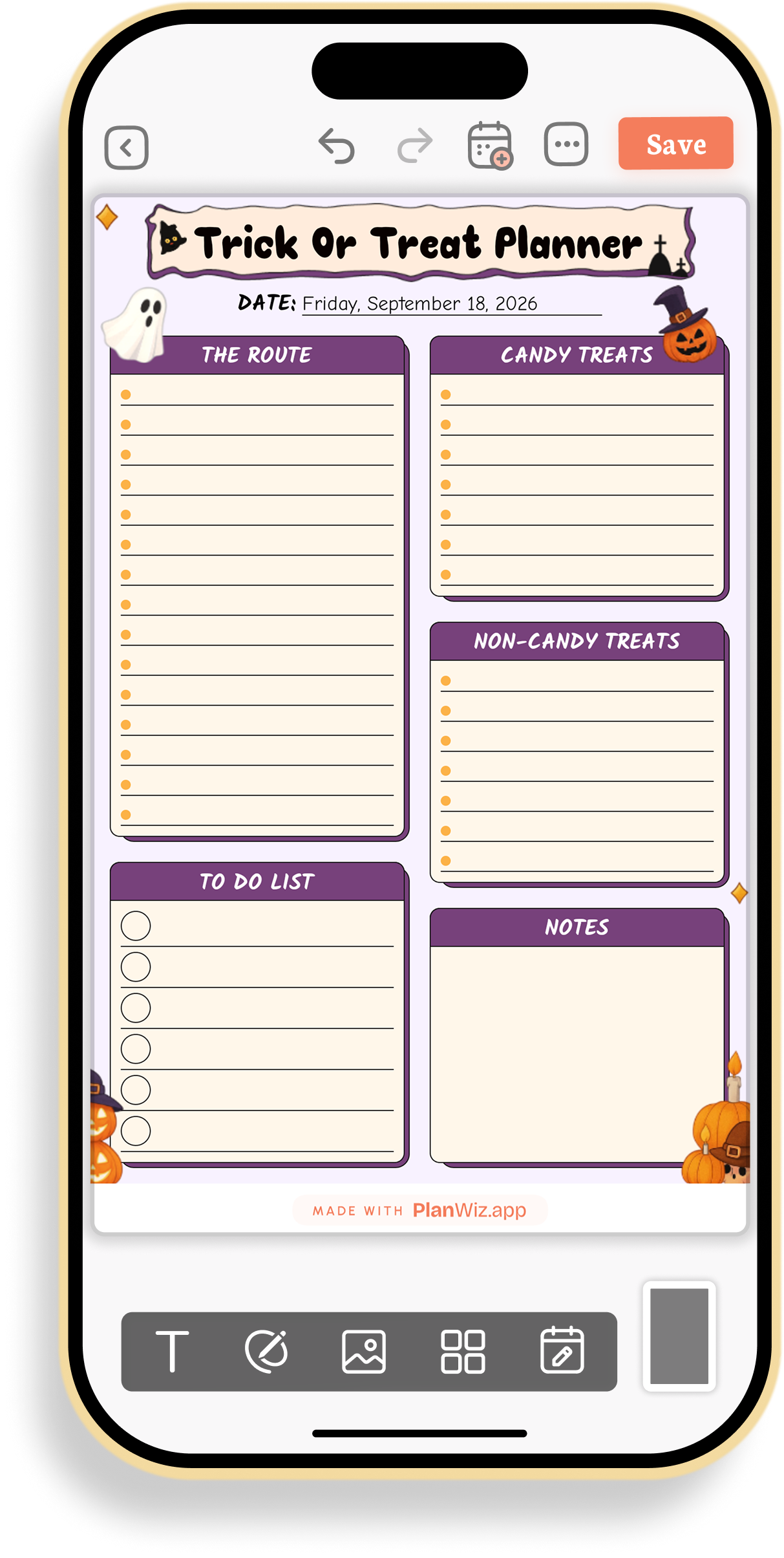
Halloween Trick-or-Treat Route Planner
This template works well for planning trick-or-treat night with kids across multiple houses or a group meet-up. Keeping the route, candy inventory, and last-minute errands together in one place means nothing gets forgotten right before heading out the door.
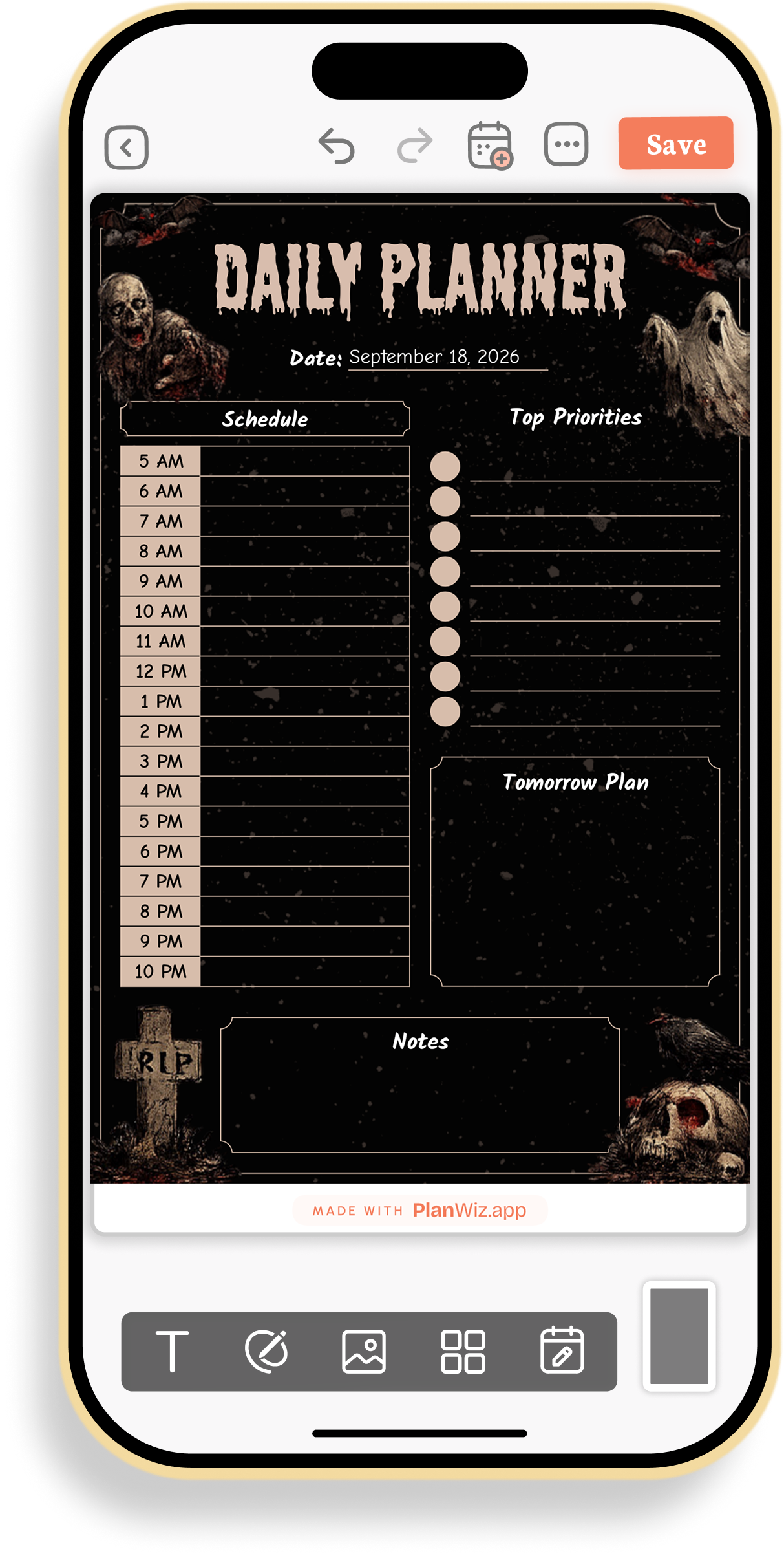
Halloween Graveyard Hourly Schedule Planner
This planner suits a packed Halloween day with back-to-back errands, a party, and school pickup. Breaking the day into hourly blocks keeps overlapping commitments from colliding, while the priorities box keeps focus on what matters most.
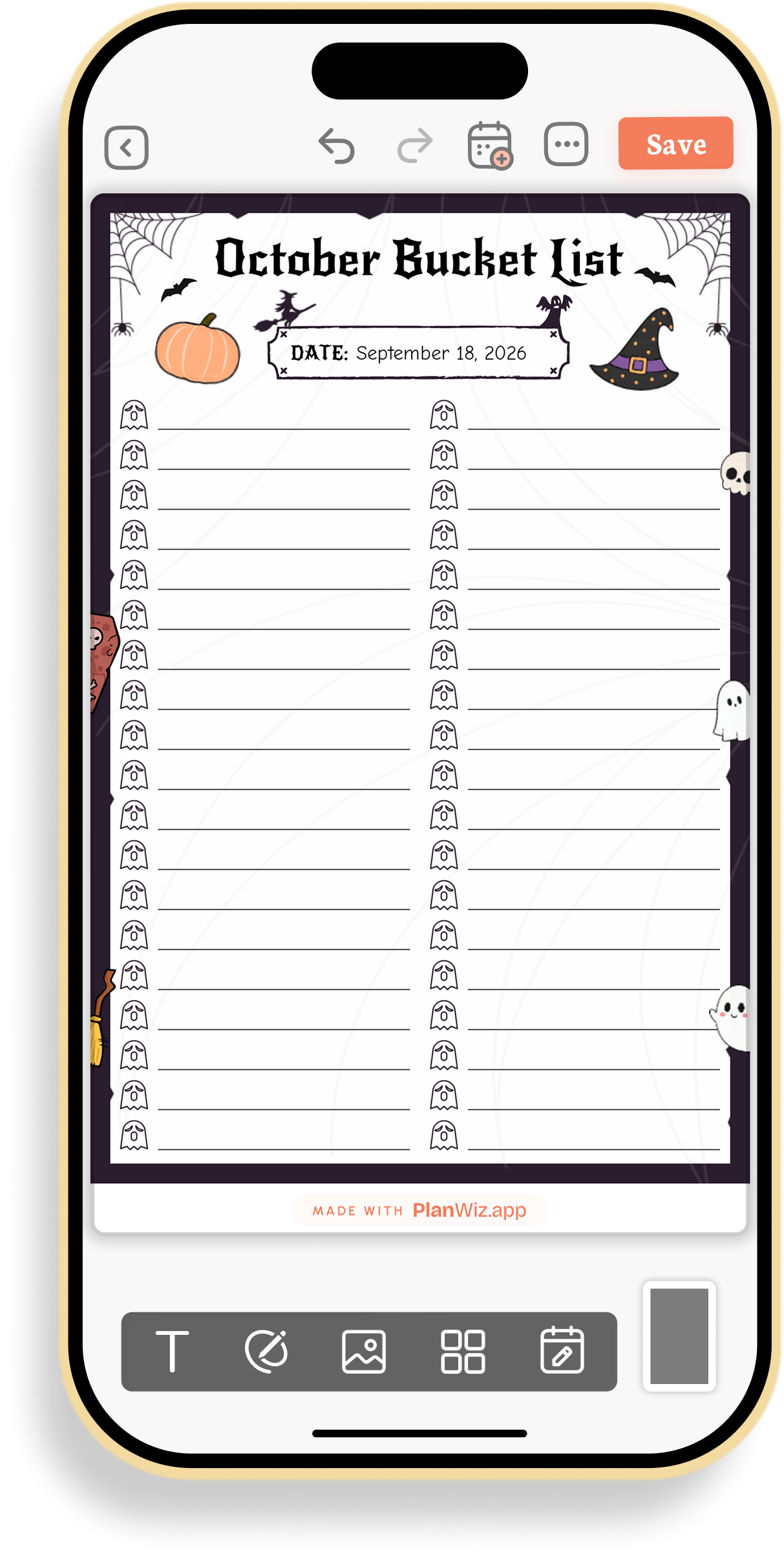
Halloween October Bucket List
This template is built for planning out every seasonal activity you want to do before Halloween, from pumpkin picking to costume shopping to a haunted house visit. Having one running list means fun ideas that come up mid-month don’t get lost or forgotten.
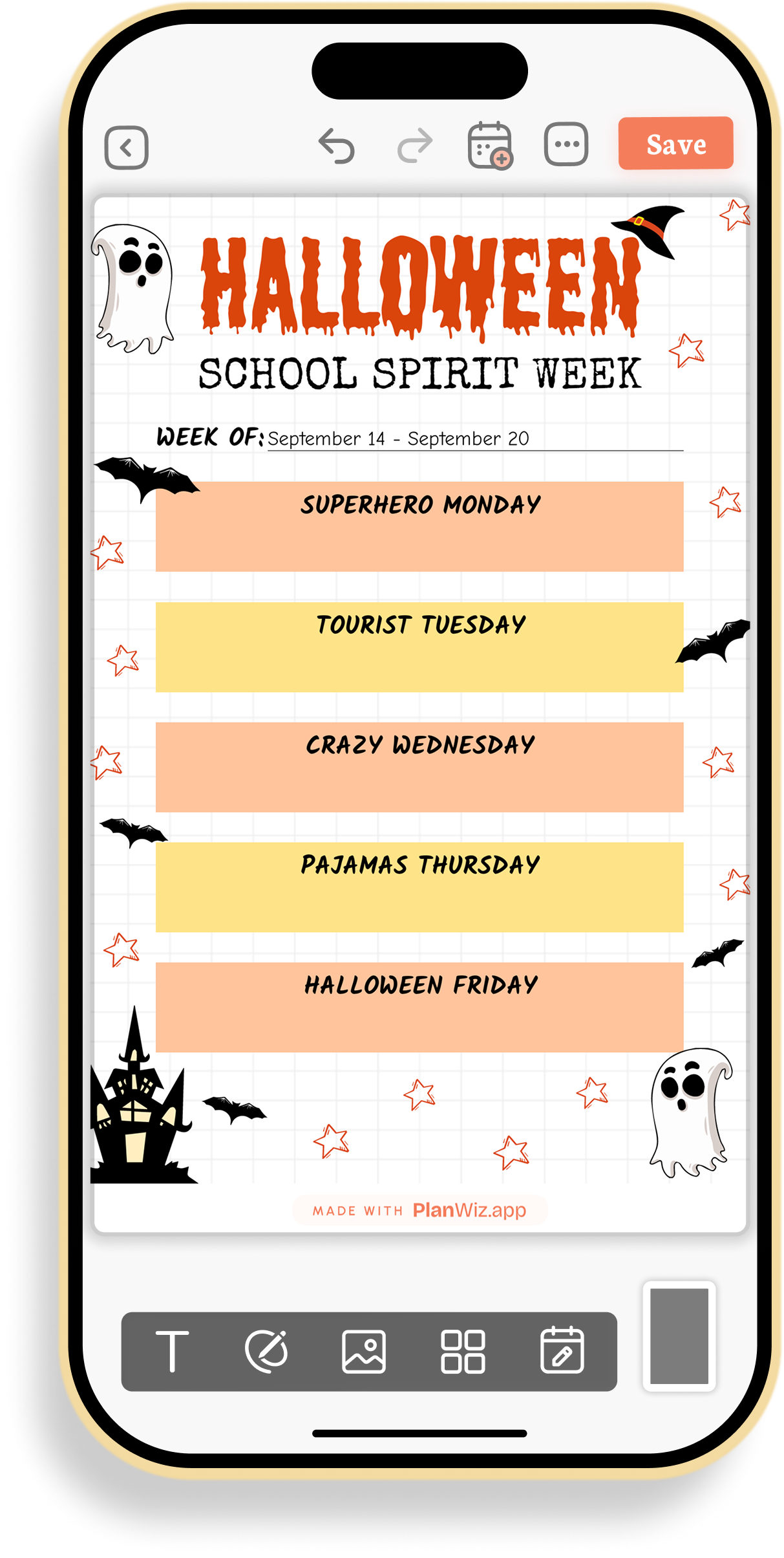
Halloween School Spirit Week Planner
This planner helps with coordinating a week of themed outfits for kids’ school spirit week. Laying out each day ahead of time keeps mornings calm instead of scrambling for a costume piece before the bus.
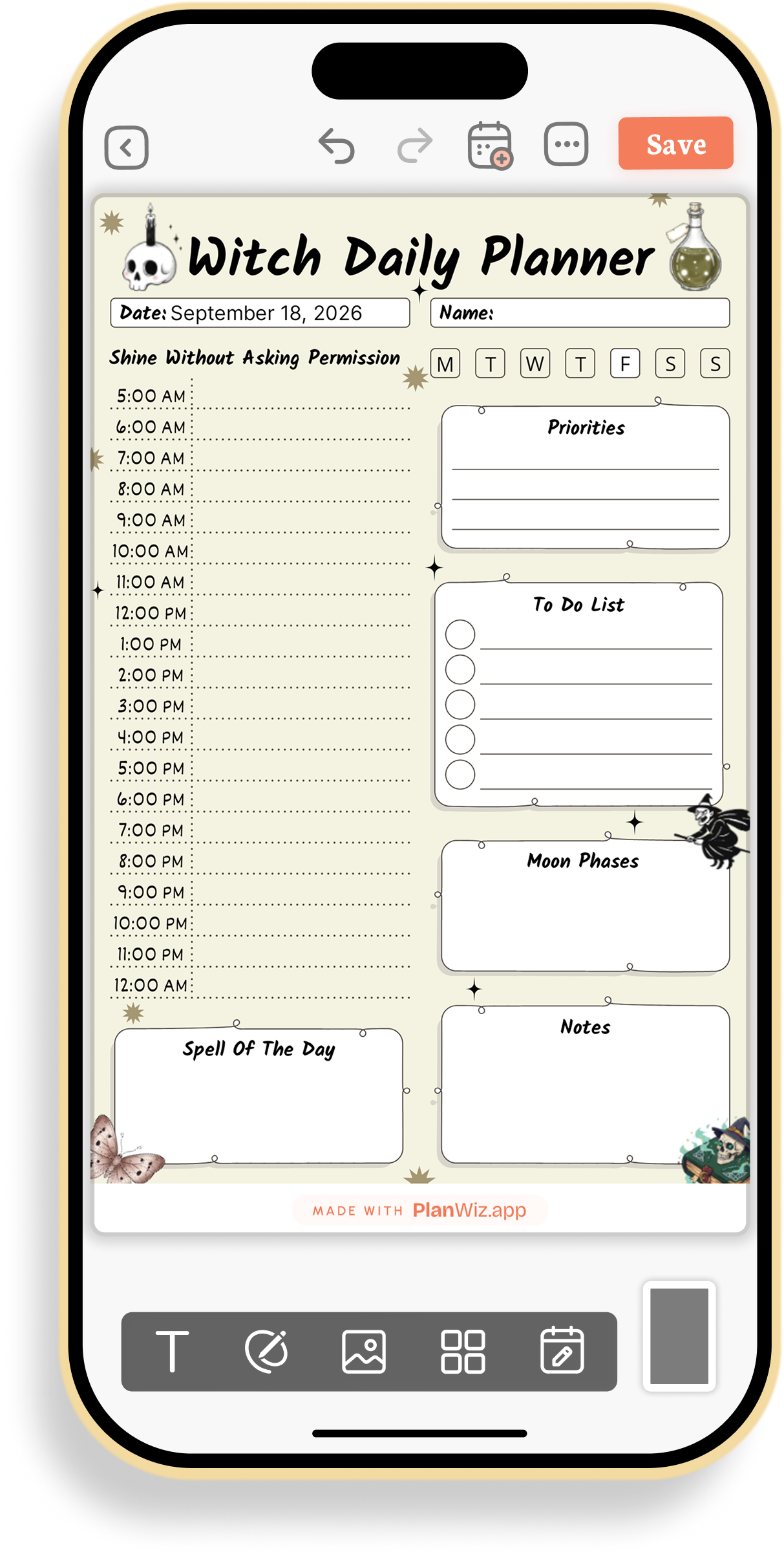
Halloween Witch Daily Planner
This template fits a day that mixes practical tasks with a bit of Halloween fun, like tracking moon phases or a “spell” for the day. Combining an hour-by-hour schedule with playful extras keeps planning festive even on a busy day.
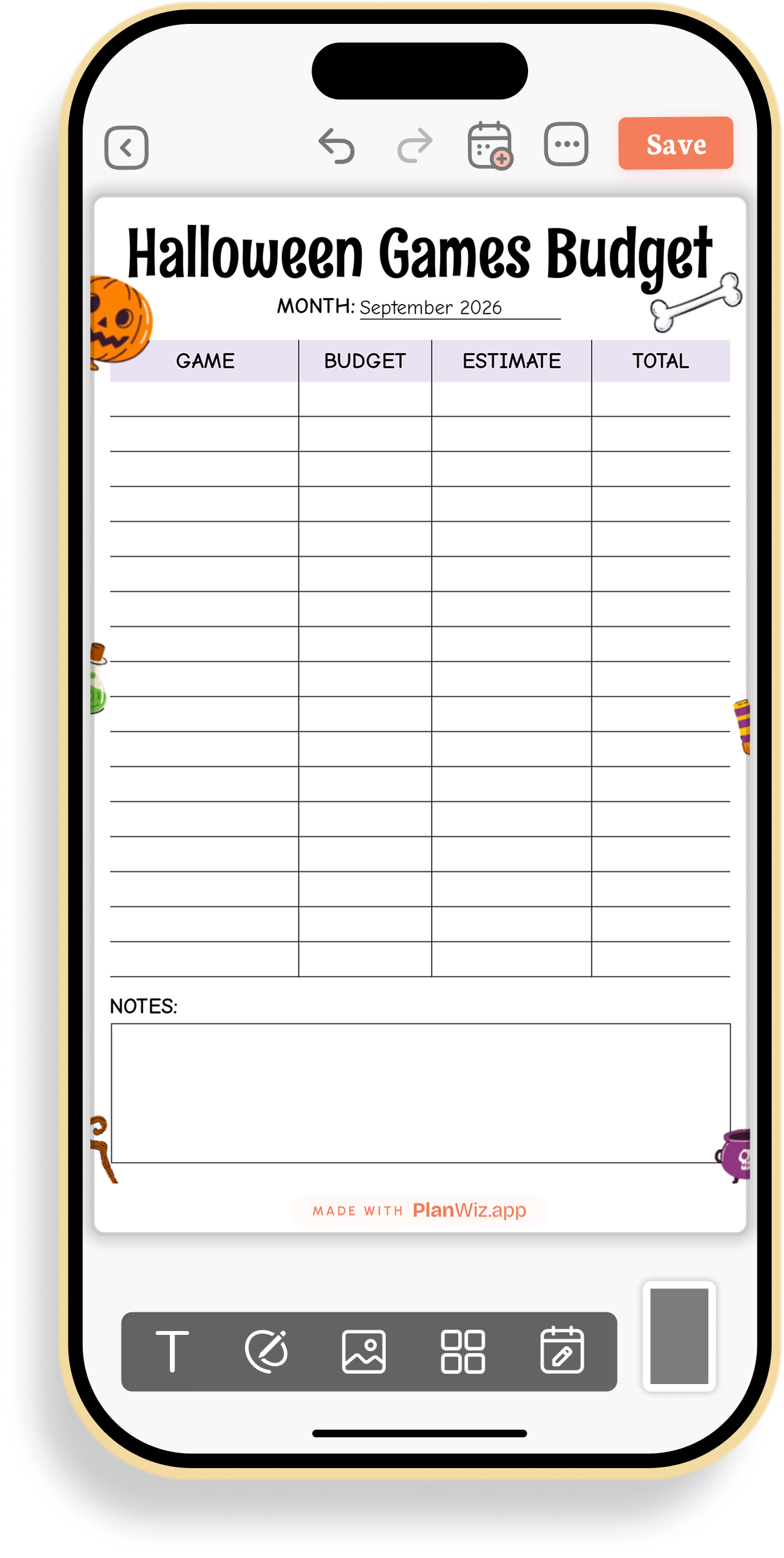
Halloween Party Games Budget Tracker
This tracker is made for hosting a Halloween party with several games and a set budget. Tracking estimated versus actual cost per game keeps party spending from creeping past what you planned.
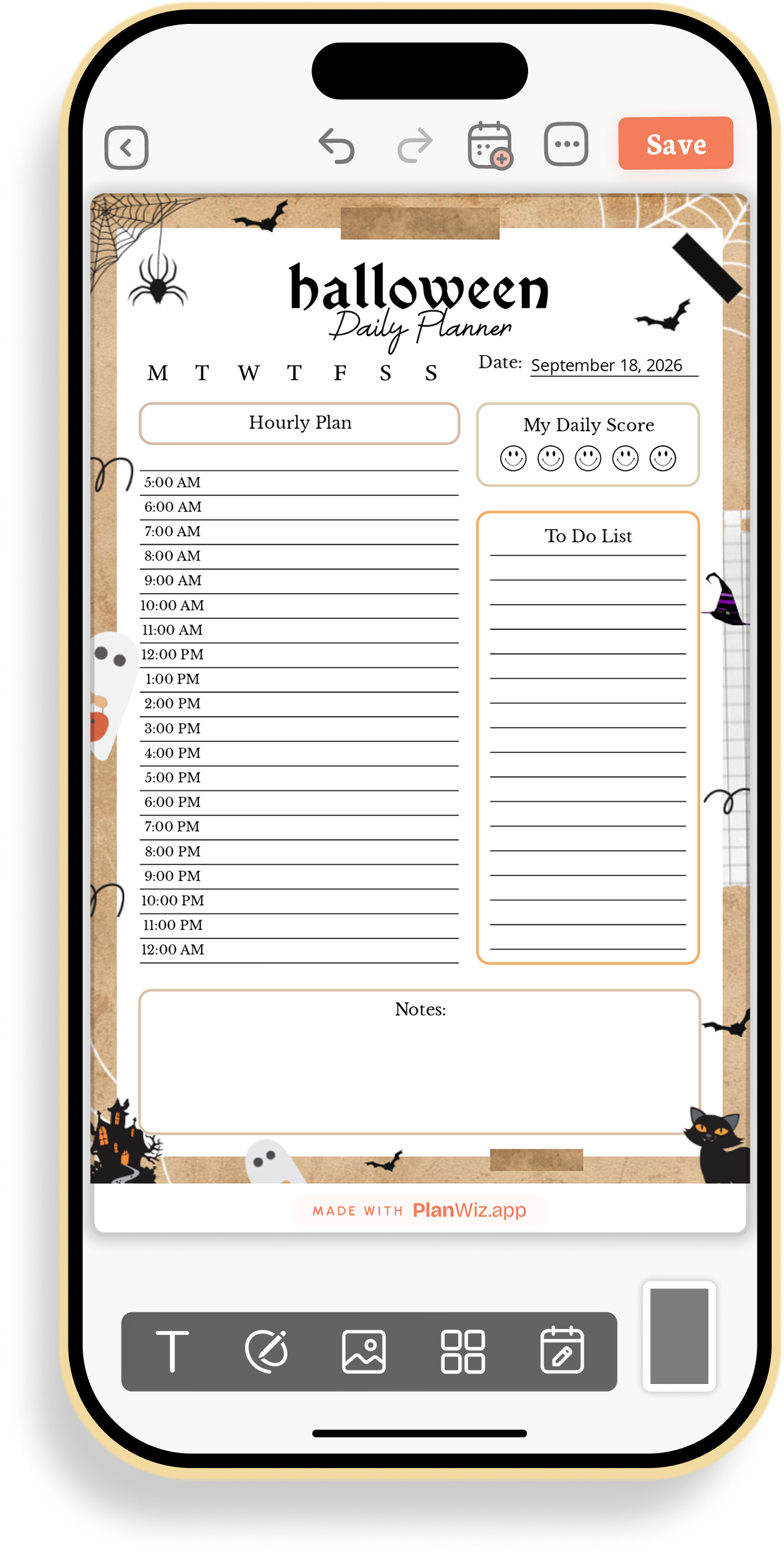
Halloween Hourly Planner with Daily Score
This planner works for a day you want to track productivity or mood alongside your schedule. The smiley-face score adds a quick end-of-day check-in, so you start noticing patterns in how busy days affect your mood.
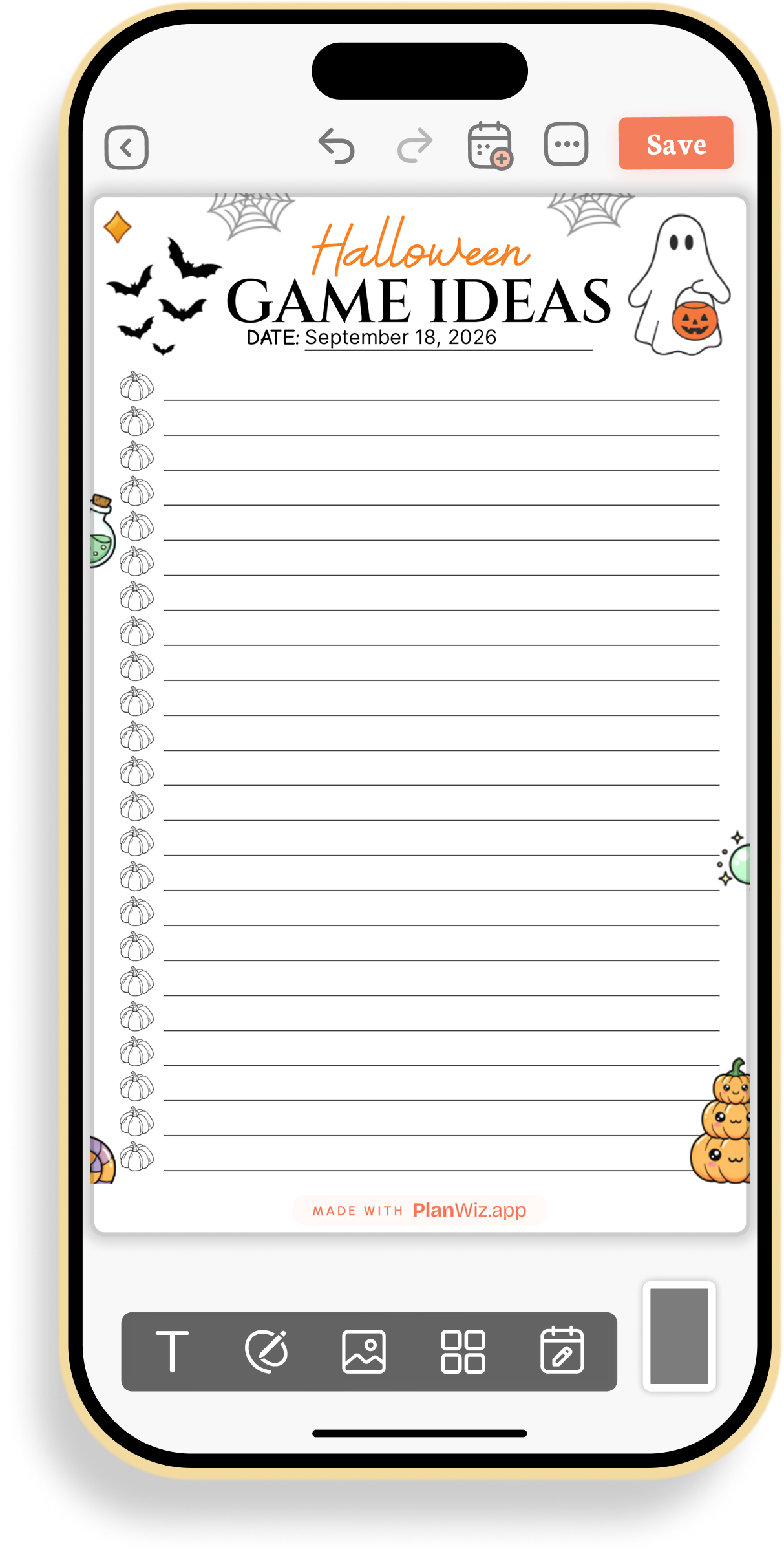
Halloween Party Game Ideas List
This list is useful for brainstorming games for a Halloween party before deciding on a final lineup. Keeping a dedicated list means ideas stay in one place as they come to you, so nothing gets lost between planning sessions.
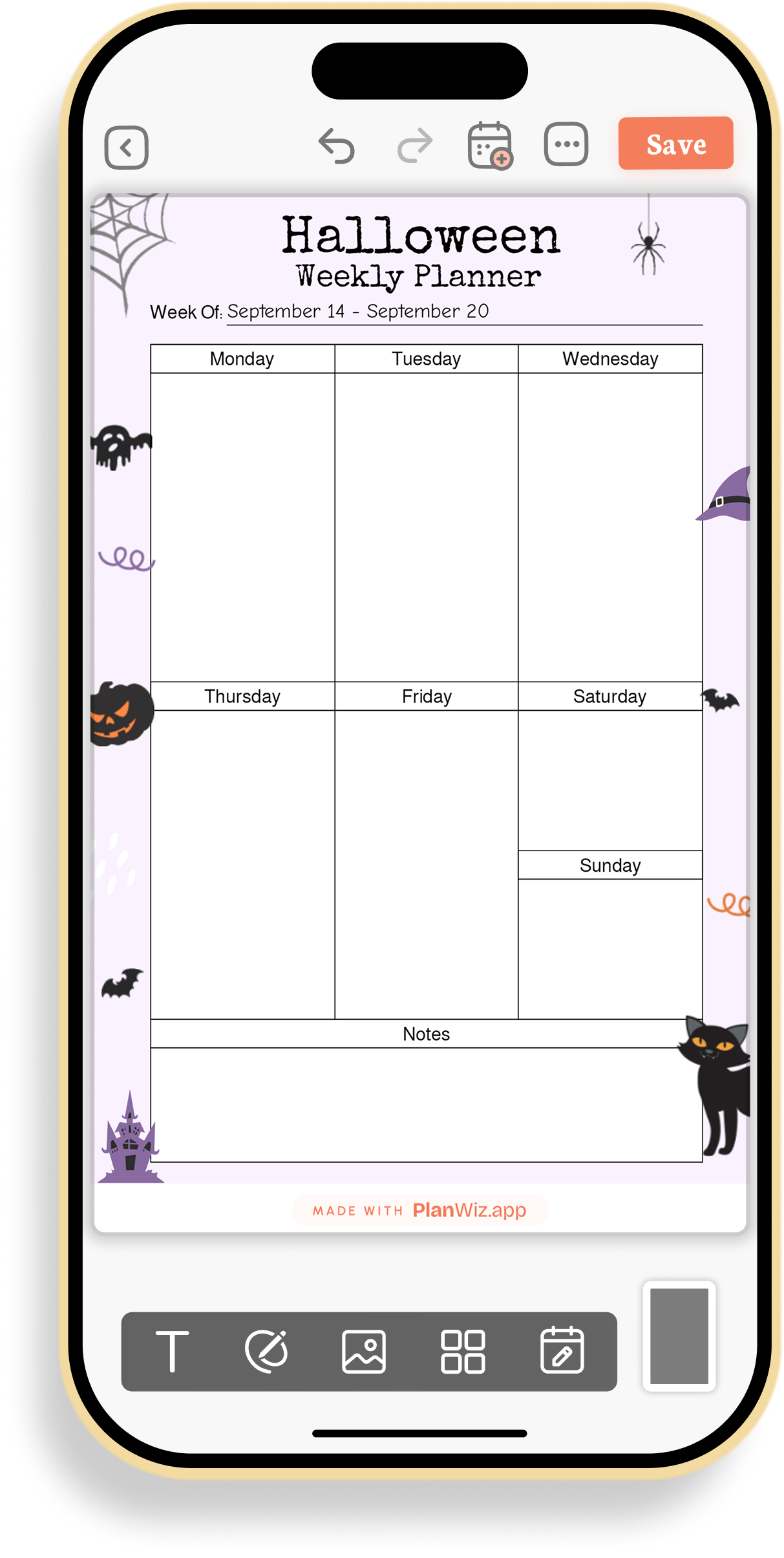
Halloween Weekly Planner
This template helps with mapping out a full week that’s packed with Halloween prep alongside your regular routine. Seeing Monday through Sunday at a glance makes it easier to spread out party prep instead of leaving everything for the last day.
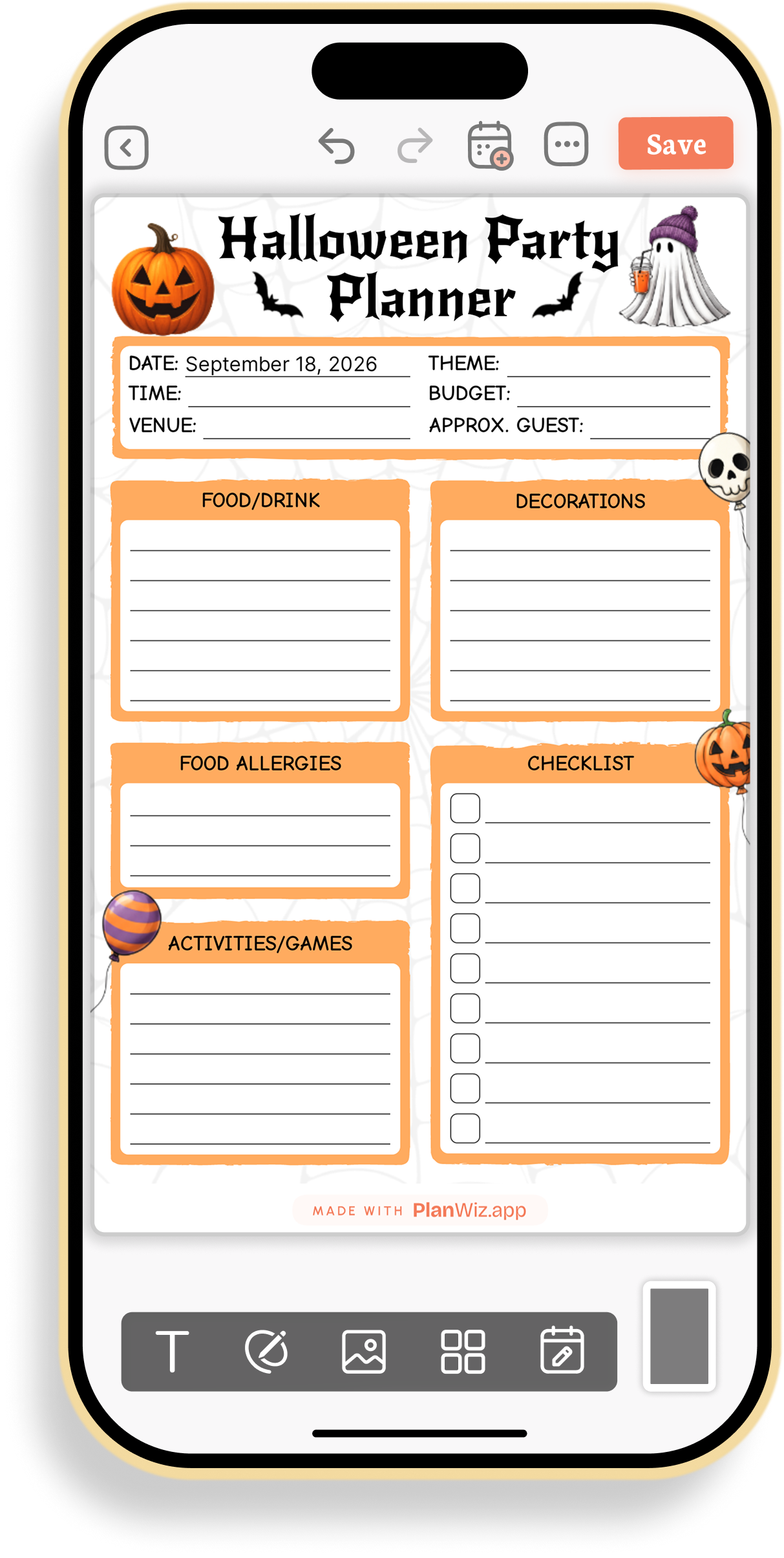
Halloween Party Planning Checklist
This checklist is built for hosting a Halloween party with food, decorations, and guests to manage. Splitting things into food and drink, decorations, allergies, and activities keeps a big event from feeling overwhelming, and the budget field keeps costs visible from the start.
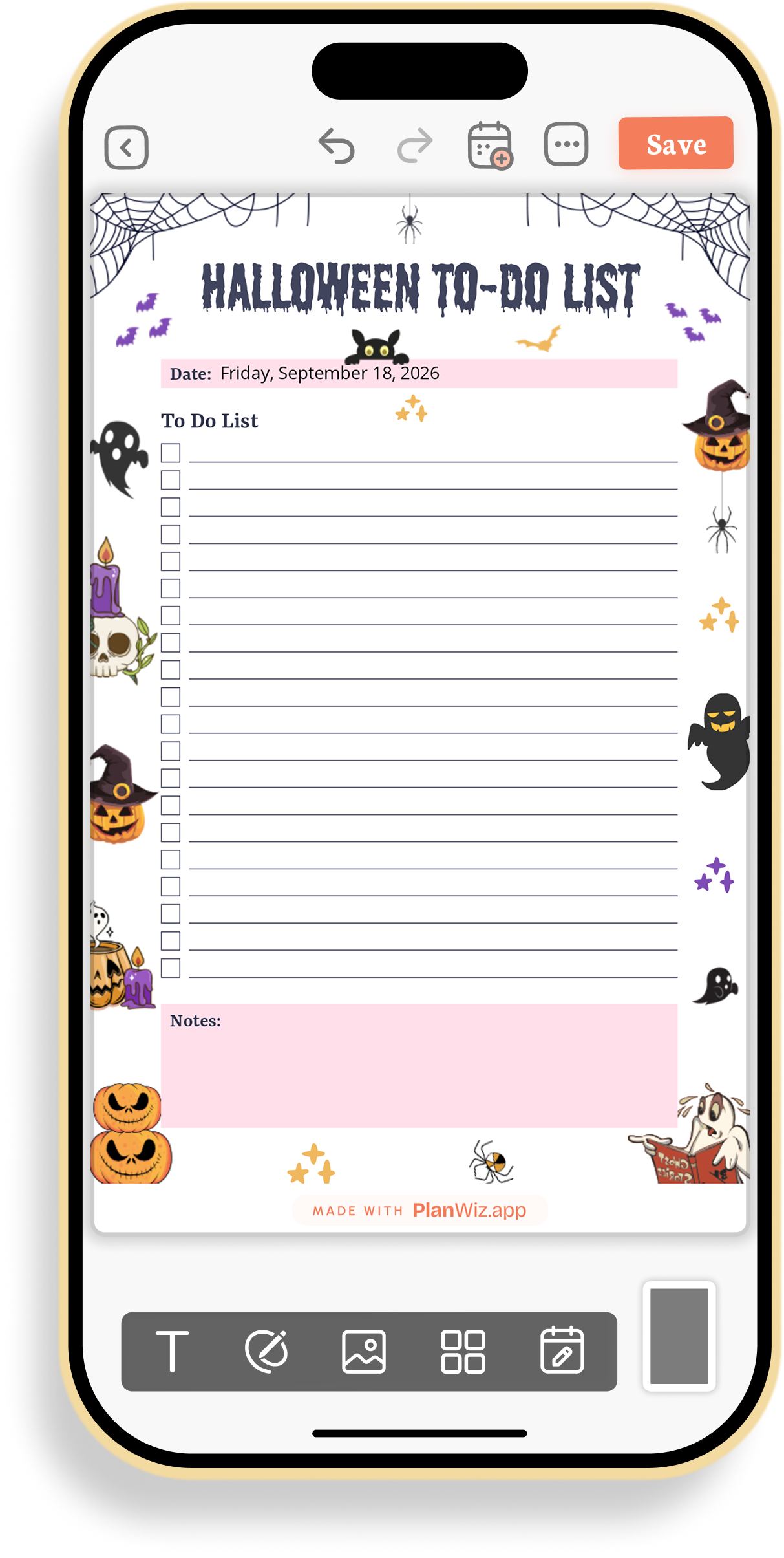
Halloween To-Do List Planner
This planner suits a simple day where you just need a straightforward task list without extra structure. The clean checklist format keeps things quick and uncluttered when you don’t need hourly detail.
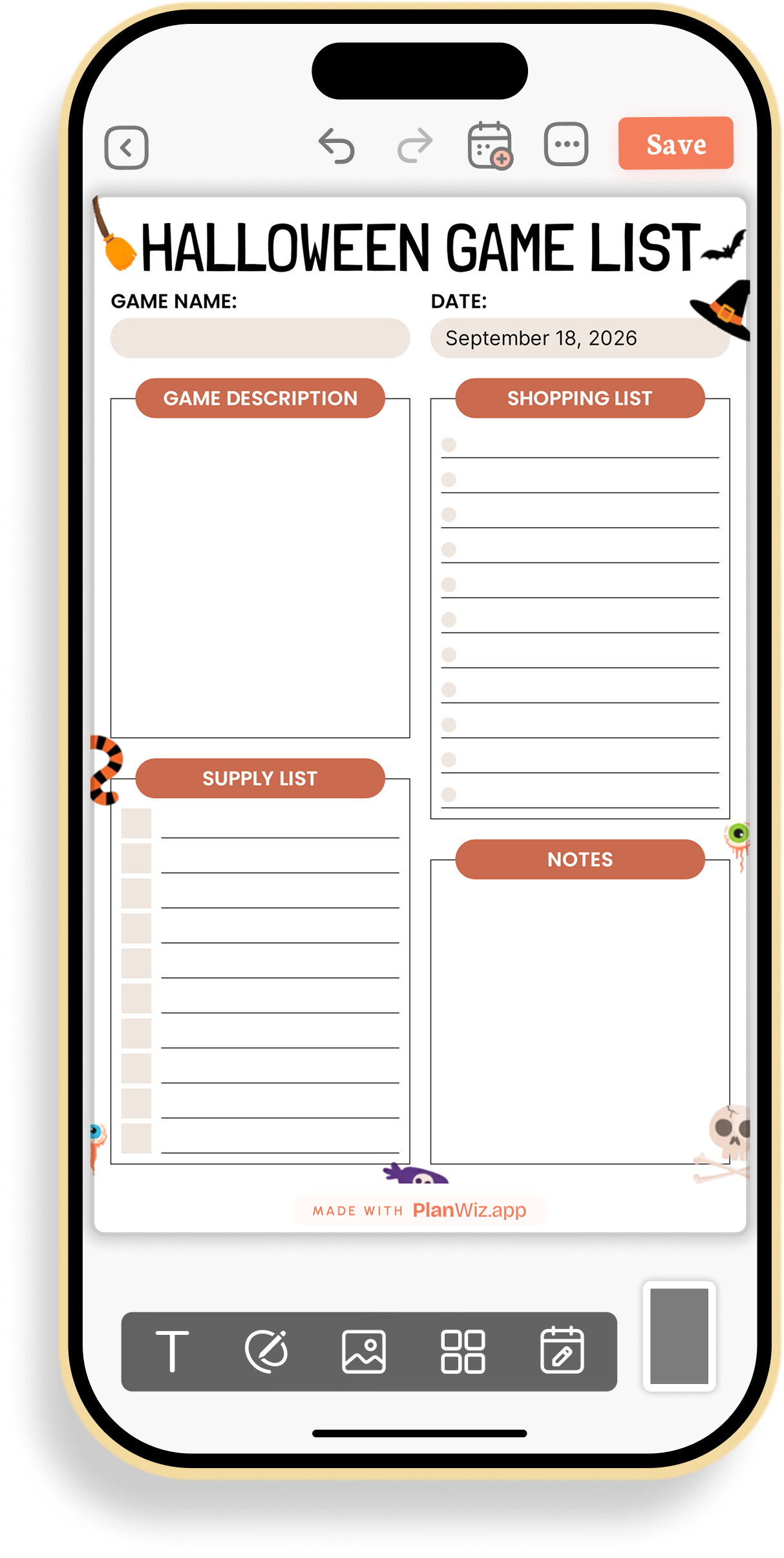
Halloween Game Description and Supply Planner
This template is made for planning one specific party game in detail, like bobbing for apples or a costume contest. Keeping the game’s description, supplies, and shopping list together means you won’t be caught without something you need mid-game.
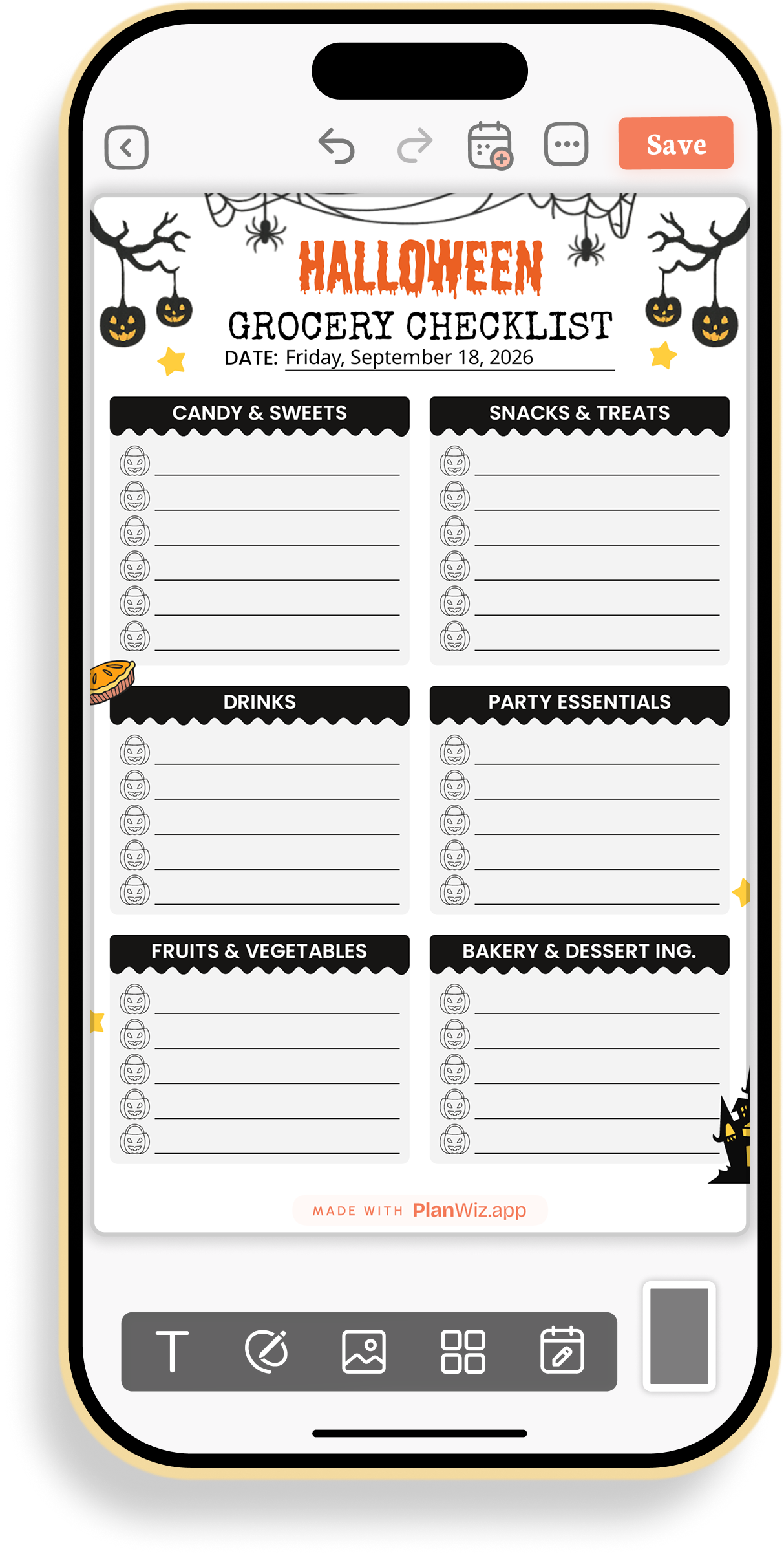
Halloween Grocery Shopping Checklist
This checklist works for a single grocery run to stock up for both candy and a party. Splitting items into candy, snacks, drinks, essentials, fruits, and bakery keeps a long list organized by store section, so shopping goes faster.
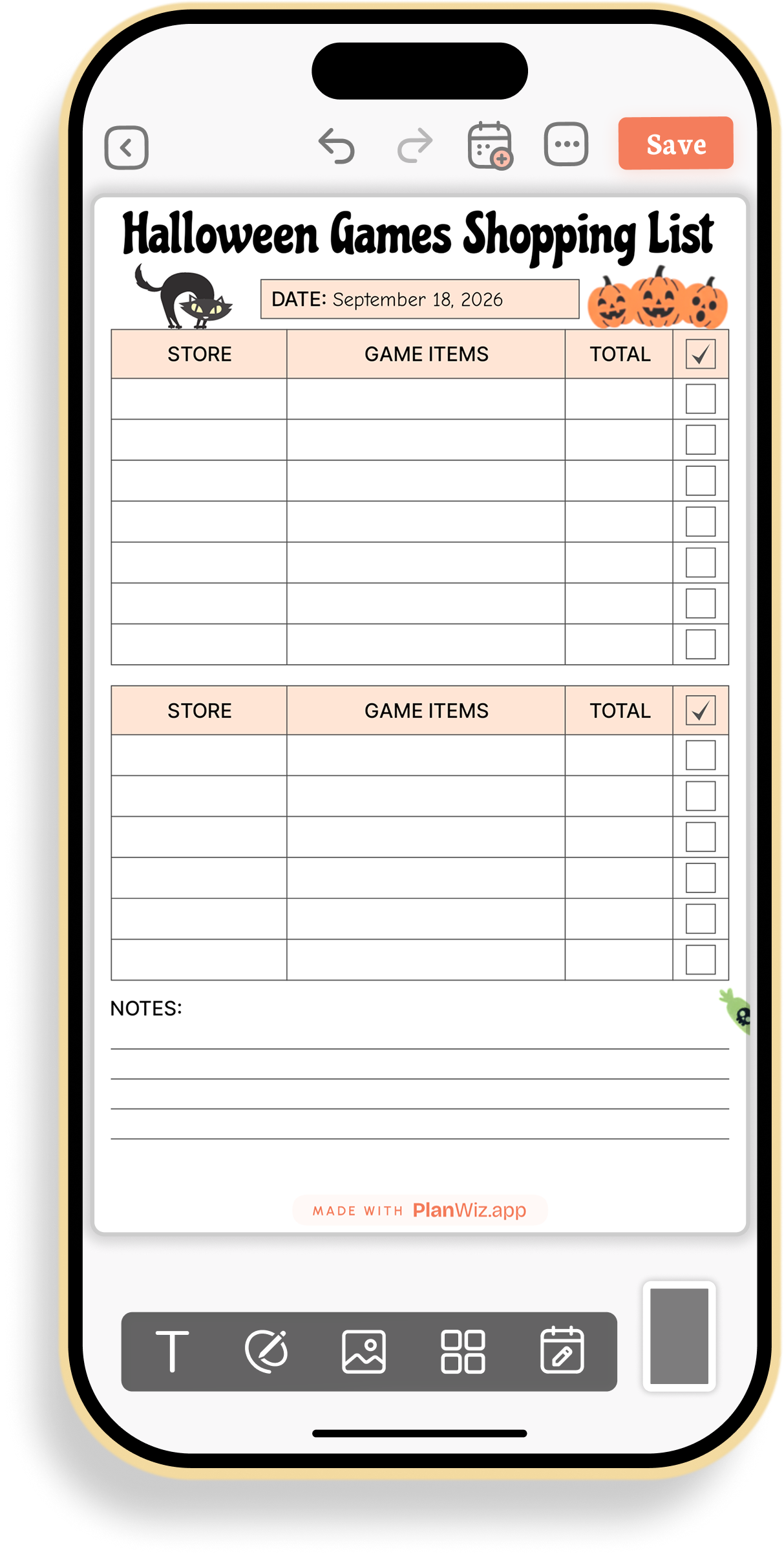
Halloween Games Shopping List Tracker
This tracker fits gathering supplies for several party games from more than one store. Tracking the store, item, and cost per purchase, with a checkbox for what’s bought, keeps multi-stop shopping from turning into duplicate purchases.
Conclusion
Between the daily task planner, the party tools, and the shopping checklists, this collection covers Halloween season from the first bucket-list idea to the last piece of candy handed out. Each template pairs a clear, useful layout with art that keeps the spooky spirit alive, so getting organized this October still feels like part of the celebration.
Frequently Asked Questions
The collection includes daily and weekly planners, a trick-or-treat route planner, party planning tools, shopping checklists, and more, all with Halloween-themed designs.
Anyone planning something for the Halloween season can use them, including parents, teachers, party hosts, and anyone who enjoys planning out October.
Yes. Many people use the daily planner for everyday tasks alongside a party checklist or shopping list when they’re getting ready for a specific event.
Yes. You can fill them out inside our app or print them out to write on by hand.
Yes. There are two shopping-focused templates: a grocery checklist for food and party supplies, and a games shopping list tracker for gathering game items across stores.