A day can pull in a lot of directions at once: a work deadline, a household chore, a personal errand, all needing attention at the same time. Writing them down stops them from being something you carry around in your head.
Our app brings together to-do list templates to help you organise and manage everyday tasks. You can create to-dos for work, home, personal plans, routines, shopping, and other daily needs. Reminders and notifications help you keep track of important tasks, so nothing that needs attention gets missed. There is no single kind of to-do list, which is why this is not one template trying to cover everything. It is 32 layouts, so you can pick the one that matches the task in front of you.

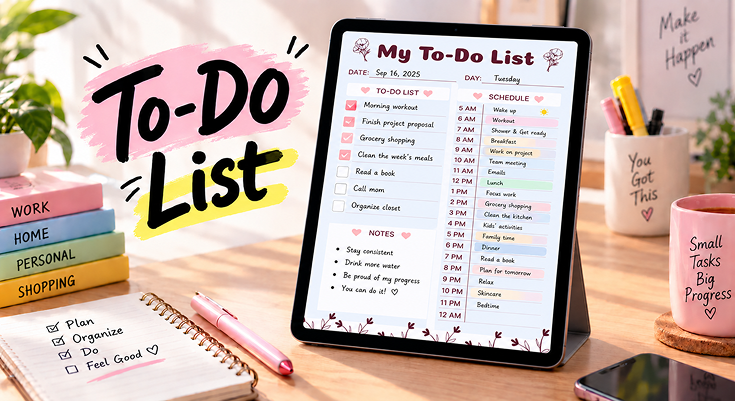
Overview of the To-Do List with Hourly Schedule
This template puts your tasks and your day side by side. The left side holds a list of things to do and a notes space. The right side turns the day into an hourly schedule, from 5 AM to 12 AM. Small hearts and flowers keep the page soft and friendly. It is meant to be filled in a little at a time, as the day moves along.
Here is what you find on the page:
- Date and Day: Two lines at the top, so the page matches the day you are planning.
- To-Do List: Twelve checkbox lines, in alternating white and pink, for everything you want to get done.
- Notes: A large open space for anything else you want to remember.
- Schedule: An hourly list from 5 AM to 12 AM, with a line beside each hour for what you plan to do.
Because each part is simple, you can fill in only what matters that day and leave the rest blank.d separate, you can fill in only what matters that day and leave the rest blank.t day.
Practical Use Cases for To-Do List Templates
Tasks look different for everyone, and the templates in this collection follow that. Here are a few ways you might use them:
They use the Home and Work To-Do Planner to keep household chores and work deadlines in their own lists, so neither crowds out the other.
They use the Priority To-Do List Planner to sort tasks by urgency and time, so the day starts with the right task instead of whatever comes to mind first.
They use the Family Organizer To-Do List Planner to give each person their own list, plus one for tasks everyone shares.
They use the Simple To-Do List Template for errands, shopping, and quick reminders, with nothing to set up.
Using Checkboxes and Sections to Stay on Top of Your Tasks
The small parts of this template do more than fill the page. Each one helps you notice a different part of your day.
☑️ Checkbox: Close Every Task
Use it as: A clear yes-or-no marker for each task.
How to apply: Tick the box as soon as a task is done.
Why it works: A tick gives a quick sense of progress, so the list shrinks in a way you can see.
Example: Seeing six of twelve boxes ticked by lunch shows the day is on track.
🕒 Schedule: Give Tasks a Time
Use it as: A way to place tasks in the hours of the day.
How to apply: Write the task on the line beside the hour you plan to do it.
Why it works: A task with a time is easier to start than one that floats around all day.
Example: Writing “call the bank” beside 10 AM turns an idea into a plan.
📝 Notes: Keep Small Things Close
Use it as: A place for everything that is not a task.
How to apply: Jot down names, numbers, or ideas as they come up.
Why it works: Having a spot for small things keeps the to-do list clean and short.
Example: A phone number or a shopping item can wait here until you need it.
📅 Date and Day: Keep Each Page Clear
Use it as: A label for the day the page belongs to.
How to apply: Fill in the date and the day of the week before you start.
Why it works: Dated pages make it easy to look back and see what got done and when.
Example: A quick look at last Tuesday’s page shows which tasks kept moving forward.
Tips to Get the Most Out of To-Do List Templates
A few small habits help you get more from these templates:
- Start with one template. Pick the one that matches what you need most right now, instead of trying every layout at once.
- Write it down early. Adding a task as soon as it comes to mind keeps it out of your head.
- Keep the list short. A few clear tasks are easier to finish than a long list of maybes.
- Use reminders for what matters. Reminders and notifications catch the important tasks that could otherwise slip by.
- Be kind about unfinished tasks. An unticked box is not a failure. Move it to tomorrow and carry on.
Benefits of Using To-Do List Templates
These templates give your tasks a ready-made place on the page, in ways that fit different days:
- Nothing important gets buried. Priorities keep the important tasks from getting lost under the small ones.
- Reminders catch what slips by. Reminders and notifications help you keep track of tasks that need attention.
- Work, home, and personal stay separate. Each kind of task can sit in its own space instead of blending.
- Layouts match the task. A simple list, a priority list, or a weekly view: the format fits the plan, not the other way around.
- Everything in one app. Everyday to-dos stay clear and easy to manage without switching between notebooks and apps.
Step-by-Step Guide to Using To-Do List Templates
Follow these steps to fill in any to-do list template, from start to finish:
Open Our PlanWiz Planner App
Open our app on your phone so you can fill in your planner anytime, anywhere.
Find the Template
Go to the to-do list template collection and pick the layout that fits what you need to manage.
Set the Date
Fill in the date and day, so the page matches the day you are planning for.
Add Your Tasks
Write down your tasks, and mark the important ones first.
Set a Reminder
Turn on a reminder for any task you cannot afford to miss.
Tick and Adjust
Tick off tasks as you finish them, and move the rest to tomorrow.
Best To-Do List Templates
A to-do list works best when it actually matches what someone needs to track, and that’s rarely the same for everyone. These templates were built around the different ways tasks show up in a day: some need to be split by home and work, others sorted by priority, and some just need a simple place to land. Each one takes a different shape, so the list stays useful instead of turning into one more thing to manage.

Golf To-Do List Planner
A checklist with a number column, a to-do column, and a golf ball to mark each task done. A notes space sits below beside a small golf scene, so the page feels light and easy to fill in. It suits anyone who likes a clear list with a bit of fun.

His and Hers To-Do List Planner
A shared page with one list for each person, and a Together box in the middle for what they plan to do as a pair. Both names go at the top, so nobody’s tasks get mixed up. It works well for couples who split the day’s tasks and still share a few.

Autumn To-Do List Planner
A simple checklist with a date and a notes section, framed by autumn leaves, a pumpkin, a bird, and a squirrel. The warm pictures make a plain list feel cosy. It is a gentle layout for everyday tasks.

Home Project To-Do List Planner
A home checklist split into six areas: Living Spaces, Kitchen, Kid Spaces, Master Bed/Bath, Office, and Other. Each room gets its own list, so household jobs are easy to sort and easy to find. It suits anyone tidying, repairing, or organising the whole house.
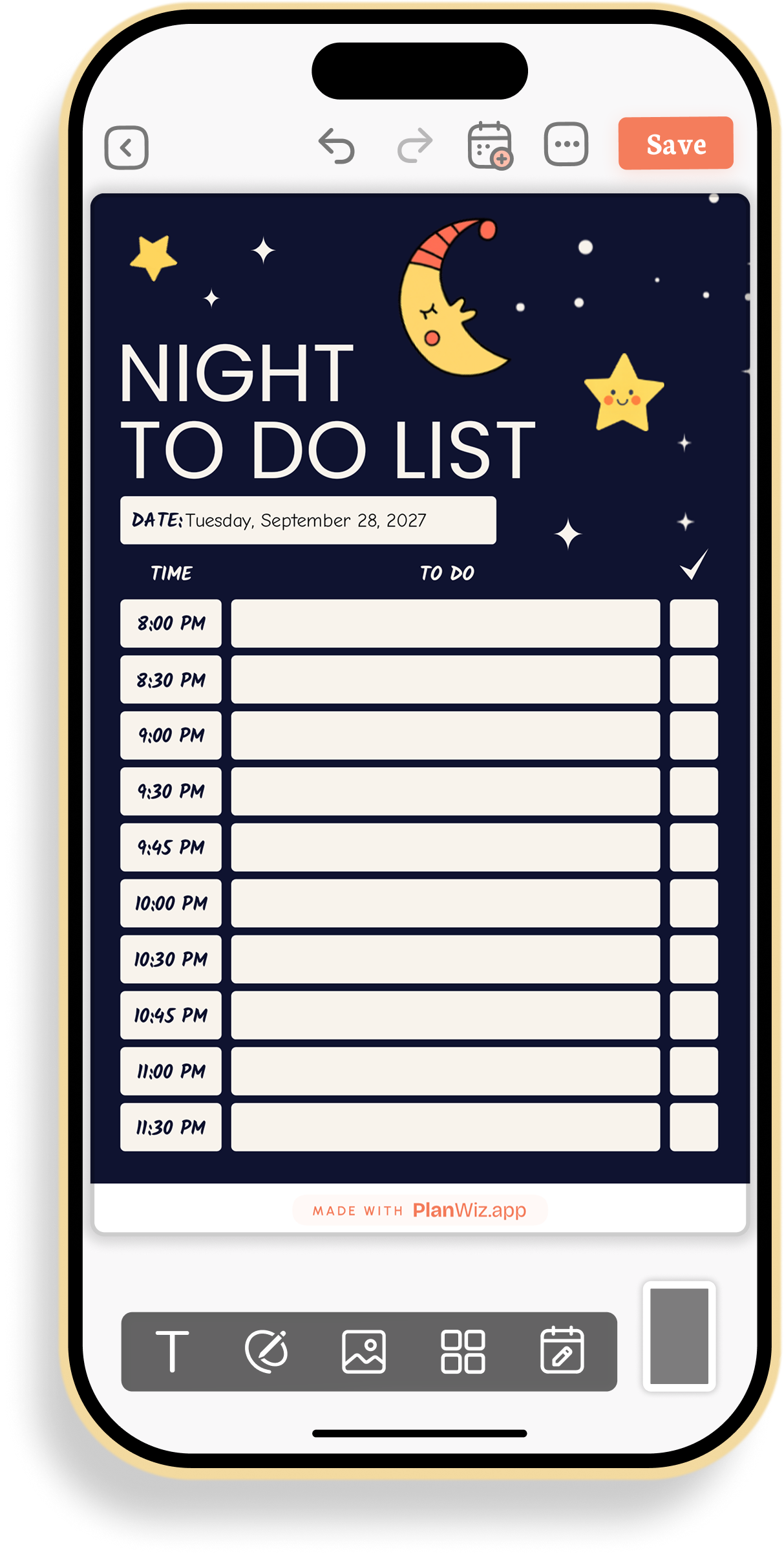
Night To-Do List Planner
An evening layout on a dark starry page, with time slots from 8:00 PM to 11:30 PM and a tick box beside each. It helps plan the last hours of the day, from wrapping up tasks to winding down for bed.

Mood To-Do List Planner
A to-do list with a mood row at the top, five faces from upset to surprised, and two columns of checkbox lines below. Marking how the day feels next to what needs doing makes it easy to see how the two connect.

Monthly To-Do List Planner
A monthly layout with sections for Monthly Goals, Focus, and Weeks 1 to 4, each in its own colour. It lets you break a month into weekly steps, so bigger goals feel manageable.

Family Organizer To-Do List Planner
A page with a separate list for each family member, plus an Everyone list for shared tasks. Each person writes their name on their own box, and every task has a circle to tick. It keeps the whole family’s jobs in one place.

One-Time Tasks Planner
A task list with four small columns beside each line: important, medium priority, can be done later, and done. A key at the bottom explains each symbol. Marking a task takes one tick, so the list shows at a glance what needs attention first.
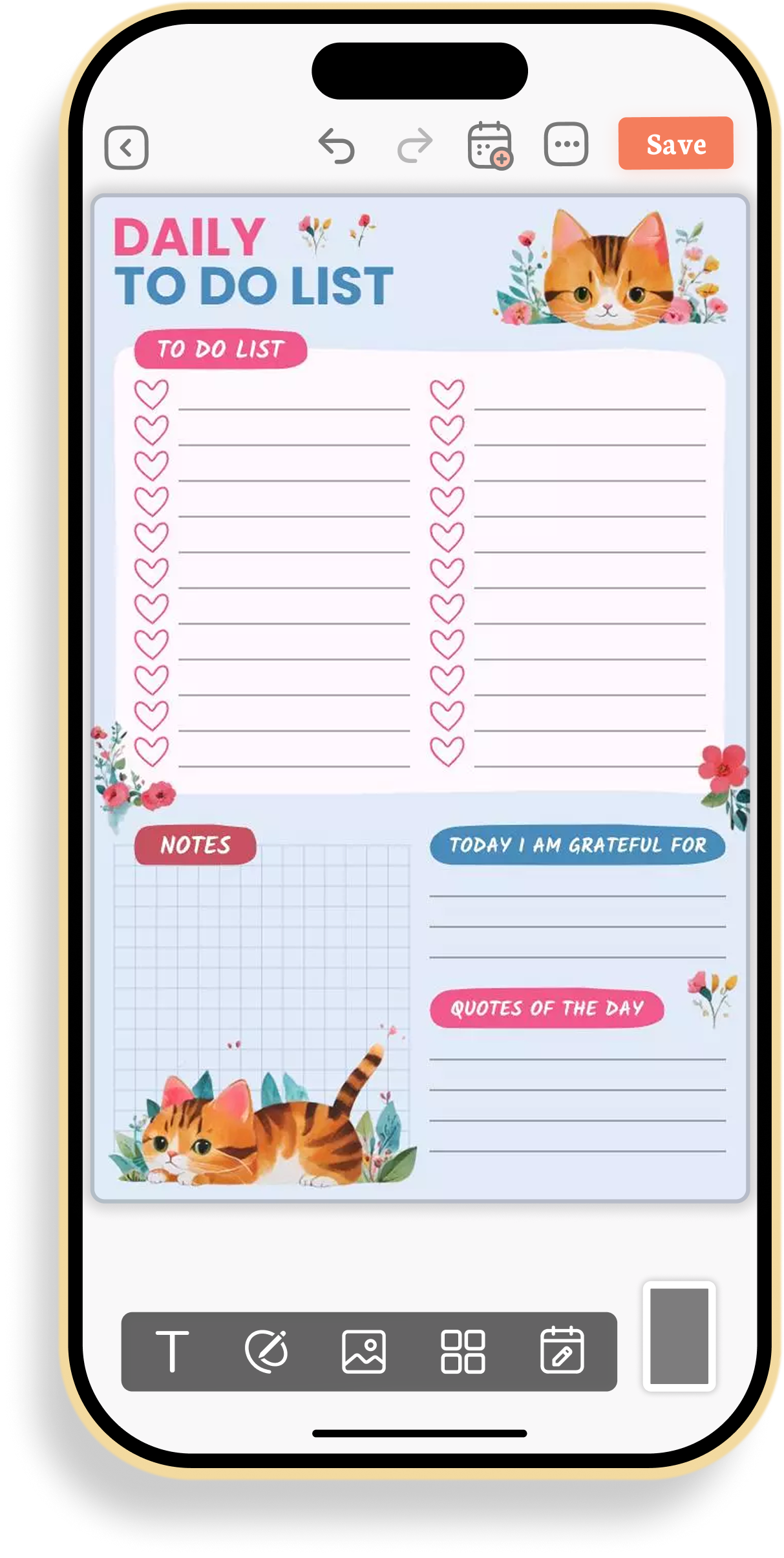
Daily Cat To-Do List Planner
A daily layout with two columns of heart-marked tasks, a notes grid, a Today I Am Grateful For section, and a Quotes of the Day section. Watercolour cats and flowers make it a cheerful page for both tasks and small thoughts.

Home and Work To-Do Planner
A layout that splits tasks into two columns, Home and Work, so neither list gets tangled up with the other. Household chores and work deadlines can both be tracked clearly, without one crowding out the other.

Weekly To-Do List Planner
A weekly layout with a box for each day from Monday to Friday, plus one for the weekend. Each box has its own circle lines for tasks, and soft flowers frame the page. It shows the whole week at once.
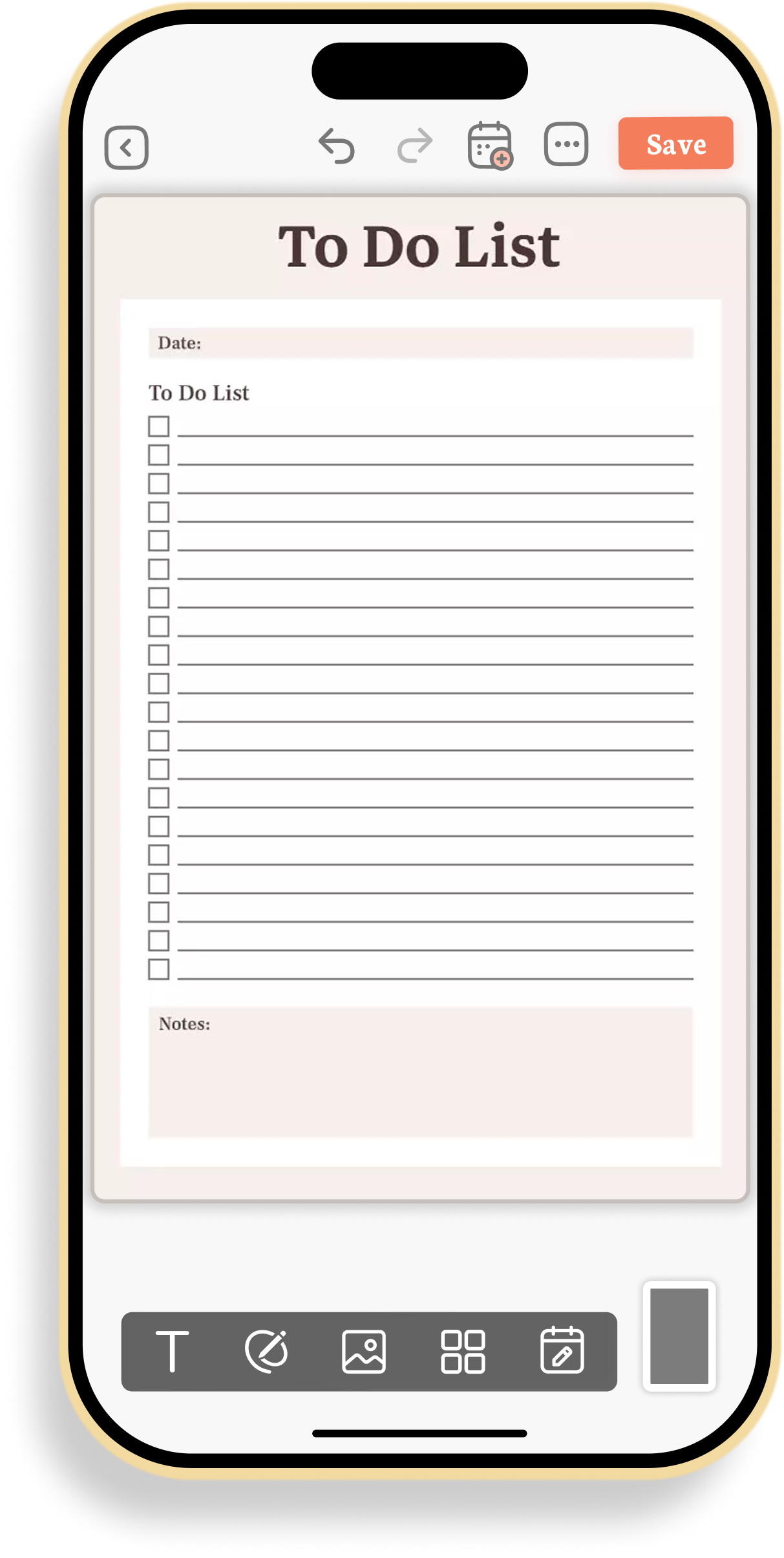
Simple To-Do List Template
A straightforward checklist with a date, a long list of checkbox lines, and a notes box at the bottom. It doesn’t ask for much setup, just a place to write things down and check them off.

Weekly Task Planner
A bold black-and-white weekly layout with a box for every day, from Monday to Sunday, and a Notes box with its own checklist. Each day has room for a handful of tasks, so the week stays clear and easy to scan.

Daily Priorities and Activities Planner
A four-panel daily layout with Priorities, Schedule, Activities, and Reminder, each in its own colour. Splitting the day into four lists keeps what matters most separate from routine activities and small reminders.

Cloud To-Do List Planner
A cheerful list with a date and a smiling cloud beside each line. The colourful title and soft cloud icons make a simple daily list feel friendly.

Work Tasks To-Do Planner
A work layout split into six lists: Must Do, To Do (If Time), Projects, Meetings, Morning Tasks, and Afternoon Tasks. Separating what must be done from what can wait keeps the workday focused on what actually needs to get done.

Daily to Yearly To-Do Planner
A layout with four lists: Daily, Weekly, Monthly, and Yearly. Short-term tasks and long-term plans each get their own space, so bigger plans do not get lost among everyday jobs.

Chores and Due Date To-Do Planner
A checklist for tasks, chores, and assignments, with a due date column beside each line. Seeing the deadline next to the task makes it easier to decide what to do first. It suits students and households alike.
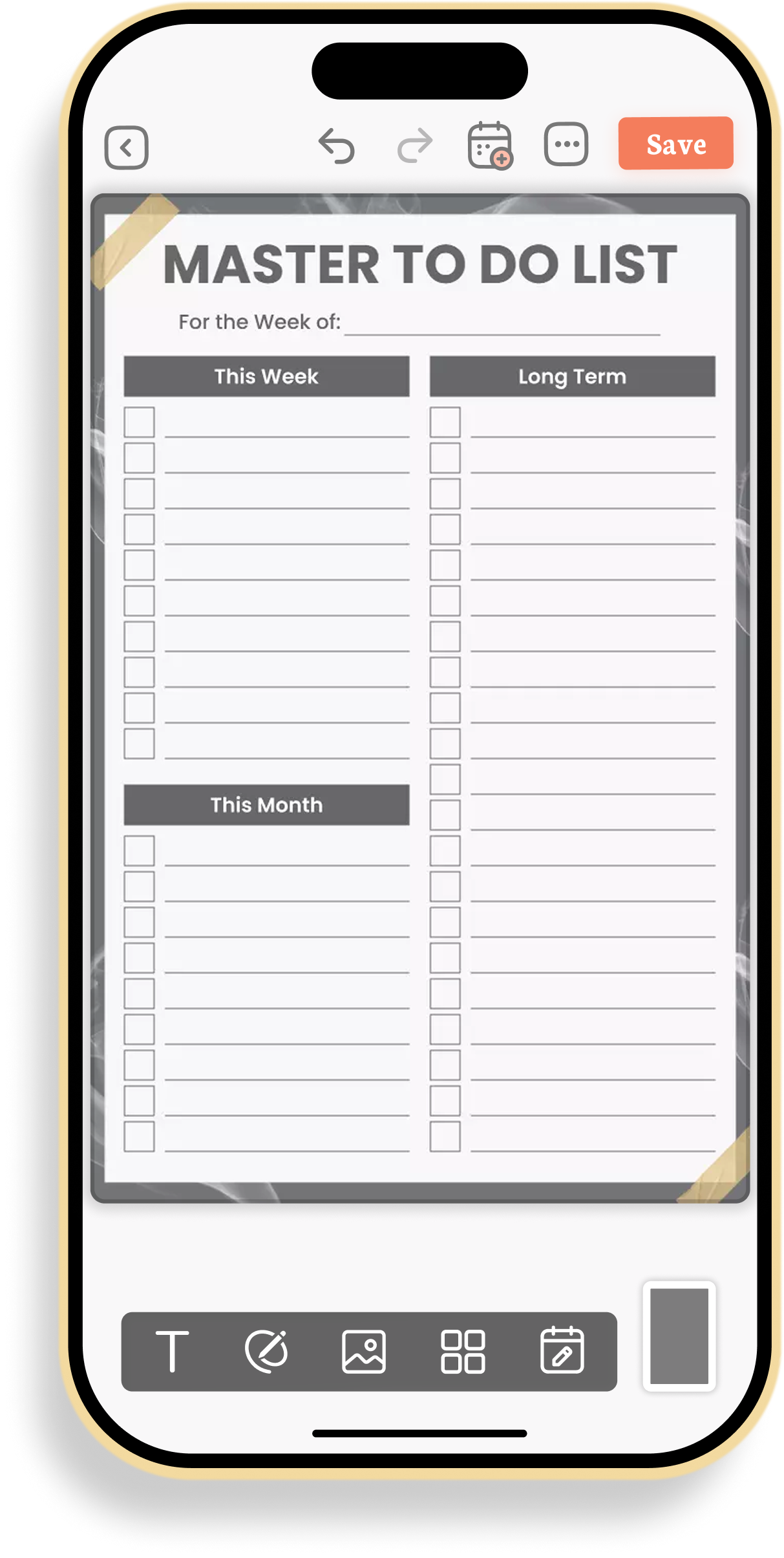
Master To-Do List Planner
A layout with three lists: This Week, This Month, and Long Term, plus a line for the week it belongs to. Near-term tasks and long-term plans sit side by side, so nothing important is forgotten while the day-to-day gets done.

Preppy To-Do List Planner
A simple checklist with a circle beside each line, framed by a checkered pattern, daisies, and a rainbow. It is a cheerful page for anyone who likes their everyday list to look fun.

Top Priorities To-Do Planner
A daily layout that starts with Top Priorities, followed by a two-column To-Do list, Reminders, Tomorrow, and Notes. The Tomorrow list lets you set up the next day before this one ends.

Daily To-Do List and Meal Planner
A daily layout with Top 3 Priorities, a to-do list, a schedule, a Meals box, and a row of water glasses to fill in. It covers both the tasks of the day and the everyday habits that keep it running.

Wedding To-Do List Planner
A planning page with a to-do list, separate spaces for Bride Guests and Groom Guests, and a Notes box. It keeps wedding tasks and both guest lists together on one page.

Daily Checklist Planner
A daily checklist with a long to-do list, a Priorities list, a Notes box, and a water tracker of ten glasses. It gives tasks, priorities, and a simple habit their own place on the same page.

Daily Tasks and Priorities Planner
A daily layout with a date and day-of-the-week letters at the top, followed by a Priorities list and a two-column To Do list. Colour-coded boxes make each line easy to spot and tick.

Daily Task Organizer Planner
A daily layout split into Morning, Afternoon, and Evening lists, with five tasks in each. Dividing the day into three parts makes it easier to spread tasks out instead of piling them all into one time.

Comprehensive Daily To-Do Planner
A full-day layout with a Must Do Task box, a To Do list, Appointments and Meetings, and Notes and Reminders. It also has a mood line, a water and steps line, and a gratitude line to close out the day.

Monthly Task Tracker Template
A month-long list with columns for number, date, task, and a tick mark, plus a Month Of line at the top. Writing a date beside each task makes it easy to track what came up, and when, across the whole month.

Halloween To-Do List Planner
A checklist with a date and a notes box, decorated with ghosts, pumpkins, spiders, and candles. It gives a seasonal touch to everyday tasks and Halloween plans.

Priority To-Do List Planner
A layout with six lists: Most Urgent, Most Important, Under an Hour, 5 Minute, Less Urgent, and Non Urgent. Sorting tasks by urgency and time makes it easy to see what to tackle first and what can fit into a spare moment.

Colorful Weekly To-Do Planner
A weekly layout with a colour-coded box for each day from Monday to Sunday, six checkboxes per day, and a Notes section. The colours make each day easy to find, and the whole week stays visible at once.
Manage Tasks Your Way
These templates cover different parts of everyday life, giving you options based on what you want to plan and organise.
- Separate lists for home and work
- Tasks organised by priority and urgency
- Daily layouts with hourly schedules and time slots
- Weekly and monthly views for tasks and plans
- Shared lists for couples and families
- Simple lists for errands and shopping
- Themed pages for events, seasons, and everyday fun
- Work-focused layouts for deadlines and meetings
Reminders and notifications help keep important tasks from being missed, no matter which layout you choose. Pick a template that fits the task at hand, and keep everyday to-dos clear and easy to manage in one app.
Frequently Asked Questions
The collection includes daily, weekly, and monthly to-do lists, lists split by home and work, priority lists, shared lists for couples and families, work-focused lists, and themed layouts for events and seasons.
They are made for anyone who wants a simple, ready-made place to organise their tasks, whether for work, home, or personal plans.
Yes. Many people use a daily list for today and a weekly one to see the tasks and schedule for the whole week.
Start with the To-Do List with Hourly Schedule. It covers your tasks, notes, and the hours of the day, and you can add other templates later.
Yes. Reminders and notifications help you keep track of important tasks, so nothing that needs attention gets missed.