Semester planning, you know how it goes, right? In the first week, everything feels under control. You’re using a planner or some app. Fast forward three weeks, and you’re that person sending “WAIT WHAT’S DUE TOMORROW” texts to your group chat at midnight. The truth is, you’re not bad at remembering things; the problem is the system. With the right class planner, that constant “am I forgetting something?” stress goes down, last-minute panic reduces, and you actually start getting some free time back.
All of this is possible without spending money. In this guide, we’ll look at how class planning actually works, which free apps and templates are best, and how to build a schedule that doesn’t easily fall apart, whether you’re working a job, commuting, or taking online classes.
What Is a Class Planner?
It’s basically your academic life in one place. Everything, classes, assignments, when you need to study, all mapped out so you’re not that person wandering campus at 8 AM trying to remember where your chem lab even is. You throw in your course schedule, all those deadlines, what you need to study, and it gives you an actual plan instead of just… chaos. No more academic chaos.
The cool part? In 2026, free planning tools do pretty much everything automatically: schedule your classes, track assignment due dates, generate study time blocks, and monitor your progress using daily planner templates. And it costs nothing.
Definition and Core Purpose
A class planning system (digital or even old-school paper) organizes your academic life ahead of time based on your course load, assignment deadlines, and what you actually need to focus on. The difference between this and just “winging it”? Every study session has a purpose and moves you toward your goals instead of away from them. If you have more information on tools, then you can read 10 Best Student Planner Apps in 2026 (For Class Schedules & Assignments) in this blog.
Here’s what it solves:
- Decision fatigue: You’re not asking “what should I study?” three times a day. It’s already decided.
- Keeps things balanced: You’re not accidentally ignoring your hardest classes until finals week hits, and you realize you’re completely screwed.
- Saves your sanity: Way less of that 3 AM cramming thing. Fewer all-nighters that wreck you for days. You actually study smarter instead of just… longer.
Key Features of Modern Class Planners
- Rotating Schedule Support: Free tools these days actually handle those confusing A/B day schedules or Week 1/Week 2 systems that make your brain hurt. Makes tracking classes way easier when you’re not manually figuring out which period you have today.
- Automated Deadline Tracking: No more writing assignment due dates on random sticky notes that fall off. The planning tool syncs with Google Classroom or Canvas and imports everything automatically, so deadlines appear without you lifting a finger.
- Time Blocking Capabilities: Visual calendars show your whole week in color-coded blocks: classes, study sessions, work, life stuff, all of it. One look and you know if today’s gonna be insane or if you can actually relax.
- Grade Tracking Integration: Calories for meals, GPAs for classes, some planners calculate how each assignment affects your overall grade, helping you prioritize what actually matters.
- Notification Systems: Smart reminders buzz you before deadlines, classes, and study sessions, all of it. Your phone basically remembers everything, so you don’t have to.
| Feature | Basic Free Planners | Advanced Free Planners |
|---|---|---|
| Class scheduling | ✓ Weekly templates | ✓ Monthly + rotating schedules |
| Assignment tracking | ✓ Basic due dates | ✓ Priority sorting + notifications |
| Study time blocking | ✓ Manual entry | ✓ Auto-suggested blocks |
| Sync capabilities | ✓ Single device | ✓ Multi-device sync |
| Customization | ✓ Basic colors | ✓ Full personalization |
Who Needs a Class Planner?
You know that feeling where school’s just moving too fast? One day you’re fine, the next you’ve got five assignments, three deadlines, and honestly, no idea how you got here. When everything hits at once like that, staying organized stops being a “nice to have” thing you actually need. That’s where a class planner quietly becomes your everyday support system.
High School Students
Six to eight classes, plus sports or clubs, plus college applications? It adds up quickly. A planner keeps everything visible in one place so assignments don’t just disappear during the most chaotic years of high school.
College Students
Your schedule changes every semester. Most students are working at least part-time. And somehow you’re supposed to do well in school AND have some kind of social life. A planner stops you from having that panic moment at midnight when you suddenly realize you have a paper due and completely forgot about it.
Graduate Students
You’ve got classes, research, maybe you’re teaching, and that thesis is just… always there in the back of your mind. Your schedule’s basically a nightmare. Planning tools help you fit everything in without completely falling apart.
Adult Learners
Online classes, full-time job, family stuff it all hits at once and feels impossible. A planner helps you actually figure out where school fits into a life that’s already maxed out.
Students with ADHD
When your brain doesn’t naturally organize tasks, external structure can make a real difference. Using visual planner templates and reminder-based systems can help break responsibilities into manageable steps and reduce mental overload.
Why Should You Use a Class Planner?
Ever notice how some students make academic success look stupid easy? It’s not genetics; they’ve got a class planner working in the background. Free planning tools in 2026 deliver benefits that genuinely change your grades, stress levels, and daily chaos without needing hours of organization or a perfect memory.
1. Academic Benefits of Using a Class Planner
2. Practical Class Planning Benefits
Massive Time Savings
You know when you’re staring at everything you need to do and your brain just… stops? Like, you can’t even pick one thing to start with? Planning kills that. You stop wasting 30 minutes every single day going “ugh, what do I even work on right now?” Those 30 to 60 minutes you’d normally lose to just… stalling? You actually get them back. That’s basically a whole extra day each week.
Better Assignment Quality
Turns out, starting papers three days out instead of the night before makes a massive difference. You’ve got time to actually revise, catch your typos, and turn in something decent instead of whatever nonsense you threw together at 2 AM when your brain stopped working.
Balanced Extracurricular Participation
Planning shows you where your time actually exists, so you’re not out here signing up for three clubs, volleyball, and a part-time job like some kind of maniac. You see the train wreck coming before it happens and can be honest about what you can actually handle.
Prevents Late Penalties
Missing deadlines costs you grade points unnecessarily. Automated reminders ensure you submit everything on time, keeping your grades where they belong instead of being tanked by preventable late deductions.
3. Lifestyle Benefits of Class Planning
| Reduced Mental Load | Decision fatigue is legit. Making 50+ academic choices daily drains mental energy you could use for actual learning. Automating your schedule decisions frees up brainpower for understanding material, not just tracking it. |
| Better Sleep Patterns | No more all-nighters because something completely slipped your mind. When you're spreading work out over actual, reasonable chunks of time, you sleep like a normal person. And that helps with everything, remembering stuff, staying focused, not feeling like garbage all the time. |
| Family Peace of Mind | Parents stop nagging about homework when they can see your planner showing everything's handled. Reduces family conflicts around academic responsibilities. |
| Long-Term Success Skills | Extreme cramming works great… until it doesn't. Planning creates study habits you can maintain through college and into professional life. It turns academic success into your normal operating mode instead of something you're constantly struggling to achieve. |
How Can You Create Your Own Class Planner?
Your customized class planning tool is easy to make using free software in 2026. Here are your steps to create an academic organizational tool that suits your time scheduling and learning pace in nine steps.
Step 1: Collect Your Course Details
Everything is here. If you don't have the full picture of what's happening in your classes, you're basically just winging it. Your planner's only useful if you actually put the right info in there.
What to do: Track down all your syllabi, assignment sheets, and calendars from every class. All of them.
Create a master list comprising:
❌ 'I'll remember when things are due.'
✅ English paper is due on Oct 15, History project is due on Oct 20, Math test on Oct 22.
✅“Monday/Wednesday 10-11:30 AM Chemistry, Tuesday/Thursday.”
Pro tip: Keep pictures of syllabi or PDFs of syllabi in one folder. This way, you can avoid the “where’s that syllabus” scramble down the line.
Step 2: Create a Map of Fixed Commitments
Without knowing the times that are already scheduled, it is impossible to plan. These times become "anchors" and all other times fit around them.
Fixed commitments include:
- Class times (obviously)
- Working hours
- Sports practice or team obligations
- should not
- Family obligations
- Commute time
Free resources: You should use Google Calendar or any weekly planner template to shade out these first.
Real talk: If your fixed commitments are eating up 60+ hours a week, that's not sustainable. Something's gotta give. You simply can't maintain that pace.
Step 3: Determine the amount of available study time
This is where students tend to deceive themselves."I have so much free time!" No, you don't. Let's be real about what you actually have available.
Time calculation:
168 hours/week total
- 56 hours of sleep (8 hours \times 7 nights)
- 21 hours of classes (assuming 3 hours per day)
- 15 hours meals/hy
- 10 hours work (if applicable)
- 10 hours - commuting transitions
- 10 hours social/family time
= 46 hours for studying
In practicality, some 30-35 of these skills would be used effectively.
Basic math: Every hour you're sitting in class, you need about 2-3 hours outside class for that subject. Fifteen hours of classes a week? That's 30-45 hours of homework and studying. Yeah.
Step 4: Figure Out What Actually Matters
Here's the thing: not all assignments are created equal. Some are worth 30% of your grade. Others? Like 2%. Plan accordingly.
Priority system:
High Priority:
- Papers/projects worth 20%+ of grade
- Exams and finals
- Assignments in your struggling subjects
- Anything with tight deadlines
Medium Priority:
- Regular homework assignments
- Reading that'll be discussed in class
- Preparation for upcoming tests
Low Priority:
- Optional readings
- Extra credit (unless you desperately need it)
- Busy work assignments are worth minimal points
Quick sorting method: Assignments are to be labeled as A (should be done, high impact on grades), B (must be done, medium impact), or C (desired, low impact). Prioritize your best hours on A.
Step 5: Create Your Weekly Schedule Template
This is where your plan comes into reality. You no longer have the general intention of “studying more.” You have dedicated study times for each subject. This planning saves you from the difficulties of an afternoon dilemma of what you need to work on.
Time to build your week!
Option 1: Use Free Templates: Download a printable weekly planner template and set aside times for studying Monday through Sunday.
Option 2: Use Free Apps: Let MyStudyLife or other free study apps create study sessions around your class schedule and the amount of homework.
Smart scheduling:
- Monday-Wednesday: Focus on stuff due this week (the urgent things)
- Thursday-Friday: Begin working on next week's assignments
- Saturday-Sunday: Big projects, exam prep, catch-up time
Energy-based planning:
- Morning person? Assign most difficult subjects 8-11 AM
- Night owl? Plan tough tasks 7-10 PM
- Afternoon Slump? Use the 2-4 PM time slot for simple organization of notes.
Step 6: Create Your Study Regimen
Now, “And now comes the element of habit, the creation of patterns that are easily repeatable without relying on constant willpower.” The element of consistency, not perfection, is key. “
Daily planning ritual (5 minutes each morning):
- Today's agenda check
- Check what is due this week.
- Change if an unforeseen circumstance appeared.
Sunday planning session (20 minutes):
- Check last week’s schedule for any deadlines
- Block study times for larger assignments
- Anticipate potential conflicts before they occur
Study block structure:
- 25-minute focused work (Pomodoro)
- 5-minute break
- Do this 3-4 times
- Take a real break after a coupleof hours
Step 7: Set Up Your Reminder System
You will forget things. This is normal. Create external reminders so you do not have to remember things yourself.
Notification strategy:
- Assignment due dates: Remind you 3 days out, the day before, morning of
- Study blocks: Ping you 15 minutes before so you have time to get ready
- Class times: 10 minutes before (enough time to gather stuff and get there)
- Weekly Review: Every week, at 7:00
Pro tip: Most students over-notify and then ignore all reminders. Start with fewer, more important alerts. Add more if you're still forgetting things.
Step 8: Track and Organize Your Materials
Learn to track and organize the materials that you have digitized and stored in random folders. Important documents crammed into your backpack? This stress and wasted time can be avoided.
Digital organization:
- Make folders: 2026 Spring → Each Class → Assignments / Notes / Resources
- Use pa roper filename extension while storing files.
- All synced to cloud storage.
Physical organization:
- Useonee binder for each subject, OR one binder that has been divided using dividers
- Keep filing documents promptly, rather than letting them accumulate
- Always keep the planner & pens in the same place.
Hybrid strategy: Most successful students store everything on computers and use paper for working on problems. Print what you're working on now, save it digitally when you're done.
Step 9: Check In and Fix What's Not Working
What's working now might not work in a month. Your schedule needs updates based on reality, not what you hoped would happen.
What to review every Sunday:
✓ Did I finish what I had planned? (If not, why not?)
✓ Are my time estimates accurate? Most students will underestimate them.
✓ What times worked best? (When was I most focused?)
✓ What caught me up this week? (Patterns)
✓ What takes more time next week? (Modify proactively)
Adjustment signals:
- Regularly staying up past midnight = overscheduling
- Finishing up the rest of things on Thursday = you can take on more.
- Feeling rushed all the time = adding buffer time
- Bored with study blocks = Increase Task Variety
Success metrics beyond grades:
- Less stressed about school performance
- Sleeping 7+ hours consistently
- Finishing assignments before deadlines
- Having free time for non-school activities
What Are the Best Class Planner Tools & Apps?
Picking the right free planning application can mean the difference between success and failure in your academic life. As of 2026, there are many planning applications out there, but very few of them are free and truly useful. These are the ones that work.
1. MyStudyLife – Best for Comprehensive Student Planning
Manages rotating schedules, views assignments for all classes, features exam timers until the final countdown, and syncs on all the devices you own, and is 100% free. Doesn’t have a premium option that is trying to get you to upgrade every five seconds.
What you get: "Class schedule management, assignment tracking, exam reminders, task organization, multi-device syncing" | "Class schedule management.
Best for: Students looking for one comprehensive system rather than having multiple apps.
2. Planwiz – Best for Templates based Student Planning
Whether it is handling tasks, keeping track of study sessions, or setting up your goals, Plan Wiz offers solutions that put you on the fast track to achievement without having to build a thing. All of the templates are specifically designed for students, so that you can get started right away on what matters most in your life: your education.
What you get: class schedule management, assignment tracking, exam notifications, task management, multi-device synchronization
Best for: People who are tired of having their life spread across multiple apps and just want one thing that has it all
Templates that are used to student:
Set and track goals for this semester or year in academics and your personal life. Take any big objectives and identify actionable steps toward achieving them, then monitor your progress.
Keep yourself organized all week at a glance, from classes and assignments to activities and personal time. Great for balancing academics with all the rest.
Plan out when you're studying for what. More time for the hard classes or stuff that's coming up fast. Less time for the easy ones. Keep it realistic, or you're just gonna ignore it.
Put your notes somewhere that makes sense so you're not tearing your room apart later looking for them. Way better than frantically searching through a pile of papers at midnight, going, "I know I wrote this down somewhere."
Build your class schedule with all your classes, where they are, and when they happen. Make it easy to read so you actually use it all semester.
Build out your whole day classes, study time, clubs, work shifts, life stuff. Everything you're trying to balance in one place instead of scattered across five different apps.
3. Google Calendar – Best for Google Classroom Integration
For example, if your school uses Google Classroom, your schoolwork automatically puts calendar entries on your calendar without needing to input them manually. Its color-coding capabilities and ability to share calendar activities with family members and all other Google tools are excellent for students already using them.
Free Features: Classroom auto-import, Multiple Calendars, Color Coding, Access on Mobile & Computer, Family Sharing
Target Audience: Students utilizing Google Workspace for schools and requiring automatic deadline tracking capabilities
4. myHomework – Best for Simple Assignment Tracking
Super simple to use, even if you're terrible with technology, you'll figure it out in like 30 seconds."Home Screen Widget displays upcoming assignments without needing to open the app." Over 6 million students use this thing for a reason.
Free Features: Assignment logging, Reminders for due dates, Schedule for classes, Tracking of grades, Calendar view
Who it is for: Students in need of simple homework management solutions
5. PowerPlanner – Best for Grade Calculation
Has a built-in GPA calculator that shows you exactly how much each assignment actually affects your grade. Helps you figure out what's worth your time and what's basically just busywork that won't move the needle.
Free Features: Schedule management, assignment tracking, GPA calculator, grade predictions, "what if I bomb this test" scenarios
Who it's for: Students in grade-oriented schools for whom optimizing study time is a concern
6. Notion – Best for Customizable Planning
A blank canvas approach allows you to create the planning system you need. Templates provided for class planners, assignment trackers, and entire educational dashboards. Free if you've got a .edu email address.
Free stuff: Unlimited pages, databases, calendars, templates, basically everything. You can upload files and work with other people, too.
Who needs this: People who are decent with tech and want to customize everything exactly how they want it.
7. DIY Free Class Planning Methods
Google Sheets / Excel
Design customized planning sheets using formulas that determine your GPAs, the completion of assignments, and organize your timetable. All control in your hands, compatible with all devices, and free forever. Requires time and effort to set up, but can be thoroughly customized after creating the system.
Simple Planner Notebook
Buy a $5 academic planner from any store. Organize classes, assignments, and study times in one. It is dead simple, works well anywhere, never needs a charge, and is a proven aid to memory.
Bullet Journal Planning
Use a planner for your academic life that helps you organize your classes, track assignments, create study plans, and record grades. The planner feels like a bullet journal and also provides bullet journal templates, allowing you to express your creativity and make planning enjoyable and visually appealing.
What Are the Best Class Planning Methods?
Look, a planning method is just... whatever system you use to not lose your mind during the semester. And I'm gonna be real with you, what saves your friend's life might make you want to quit school entirely. Some people need every minute accounted for, or they spiral. Other people see that level of planning and feel suffocated. Here are methods actual students use. Try whatever sounds least annoying and adjust from there.
1. Time Blocking Method
You know how you write "study biology" on a sticky note and then it just... doesn't happen? Yeah, this fixes that. Instead, you're putting "2:00-3:30 PM: Biology Chapter 5." Like, actual clock times.
How it works: Chop up your day. Class goes here, studying goes there, breaks when you need air, time for yourself so you don't lose it. Every chunk of time has a job already assigned to it. No more sitting there with free time going "uhhh, what was I supposed to do again?"
Who needs this: People who get on their phone for "two seconds" and it's suddenly dark outside.
Looks something like:
- 8:00-9:30: Chem (try not to fall asleep)
- 9:45-10:15: Actually review what just happened in chem
- 10:30-12:00: English essay I've been putting off
- 12:00-1:00: Food. Actual food.
- 1:00-2:30: Math homework
2. Weekly Review Method
So instead of this daily planning nightmare, you sit down once on Sunday night and map the whole week. What's due? When are you studying? Done. Don't look at it again unless something catches fire.
How it works: Sunday evening, steal an hour. Maybe less if you're quick. Go through what your professors want this week, figure out when you're doing what, and grab whatever materials you need so you're not hunting for them later. Then Monday through Friday, you just... execute. That's it.
Who needs this: Literally anyone who's already busy and cannot add "make a daily plan" to the list of daily tasks.
Sunday checklist or whatever:
- What's actually due? (Check every class, they hide stuff)
- What did I blow off last week? (don't lie to yourself)
- When am I studying each thing?
- Is anything gonna crash into anything else?
- Do I have what I need, or am I gonna panic-search my backpack Tuesday night?
3. Priority Matrix Method
Throw everything into four piles based on "is this urgent" and "does this matter." Stop burning energy on assignments that are worth basically nothing.
The four piles:
1 - Urgent AND Matters: Do it now
- Paper due tomorrow (we've all been there)
- Test in 2 days
- That presentation this week
2 - Matters, but you have time: Schedule it
- Big project that's three weeks out
- Studying for an exam that's not for a while
- Research paper with an actual runway
3- Urgent but kinda pointless: Do less of it
- Homework is worth nothing.
- Readings that never come up
- Discussion posts you could write while half asleep
4 - Not urgent, doesn't matter: Why
- Random busywork your professor assigned because reasons
- Extra credit when your grade is fine
Who needs this: People drowning in coursework who need to be strategic about where their energy goes.
4. Batch Processing Method
Basically, do similar stuff together instead of bouncing around. Turns out, ut constantly switching what you're doing is terrible for your brain.
Examples:
- Reading: Blow through all your bio reading at once
- Writing: Knock out every discussion post in one afternoon
- Admin: Update everything, organize papers, and all the boring maintenance stuff on Friday
- Math: Every problem set in one session
Why: Each time you switch tasks, you lose like 15-20 minutes just getting back into it. Do that five times, and you've wasted an hour and a half on... literally nothing productive.
Who needs this: Anyone whose brain needs warm-up time and gets annoyed by being interrupted.
5. Rolling Wave Method
Plan the next week or two for real, have a rough idea for the couple of weeks after that, and just... know what exists beyond that. Add details as you get closer.
Breakdown:
- This week: Detailed, every session planned
- Next week: Big picture stuff
- A couple of weeks out: Know the major things
- Further: Just dates
Why this works: Trying to plan every detail of your entire semester is delusional. Stuff changes. Professors move things. You get sick. Life happens. This gives you structure without pretending you're psychic.
Who needs this: People who start planning too far ahead and then get overwhelmed and give up entirely.
6. Two-List Method (Warren Buffett Does This Apparently)
Two lists. That's it. Must-Do Today gets exactly three items. Not four, not "three big ones and these other small ones" three. Everything Else is the other list. You don't even look at that second one until the first three are completely done.
Rules for Must-Do:
- Three items, period
- Pick what actually matters for your grades
- Finish them before touching anything else
- Be brutal
Everything Else List:
- Stuff that would be nice
- Lower priority things
- Optional readings
- “If there’s time,” tasks usually mean one thing: there won’t be time.
Who needs this: This hits hardest for people who make huge to-do lists, stare at them for way too long, feel overwhelmed, and then end up watching Netflix instead of doing anything on the list.
7. Pomodoro Planning Method
That’s where the Pomodoro planning method actually helps. You work for 25 minutes, stop for 5, and repeat that four times. After that, you take a proper break for 15 to 30 minutes, no guilt. The key difference? You’re not telling yourself, “I’ll study for three hours.” You’re just committing to one short block at a time. And honestly, that’s way more realistic.
Planning example:
- Bio reading = 3 chunks (an hour and a half, roughly)
- Math homework = 2 chunks (hour-ish)
- Essay = 4 chunks (around two hours)
Why it's good: Even when you're dreading something, 25 minutes sounds survivable. The breaks keep you from wanting to die. And you start figuring out how long stuff really takes, so you stop underestimating everything.
Who needs this: Anyone whose focus disappears after like 15 minutes.
8. Themed Days Method
Give each day a subject focus. Monday's for math, Tuesday's science, whatever. You still go to all your actual classes every day, but when it's study time, you go deep on one thing.
Example themed week:
- Monday: Math everything (calc, stats, problem sets, all of it)
- Tuesday: Science stuff (bio, chem, lab reports you've ignored)
- Wednesday: All the writing (essays, papers, responses)
- Thursday: Memory work (history, vocab, flashcard hell)
- Friday: Clean up whatever you missed + get ready for next week
Benefits: Going deep on one area is way better than spreading yourself thin across everything. Your brain stays in one mode instead of constantly switching gears, which honestly just makes everything take longer.
Who needs this: People taking wildly different classes who feel like their brain is being yanked in ten directions.
What Are the Best Class Planner Templates?
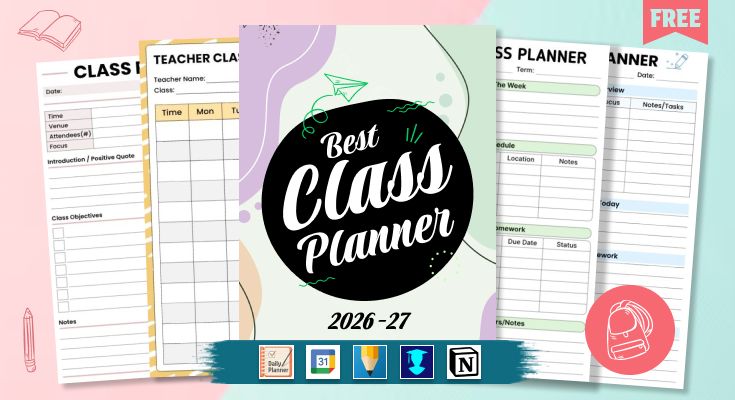
Alright, so you know the strategies now. Time to actually do something with them. Here's the thing about templates: the best one is whichever one you'll actually use and not abandon after three days. These are all free printables, so no apps to download, no accounts to make, none of that. Just pick what matches how your brain works. Some people want simple weekly views, others need detailed assignment trackers, and some want their whole life on one page. Whatever. Print something and get started takes like five minutes.
1. Weekly School Class and Homework Planner
This is a planner that assists a student in staying organized during their school week. You can design your class schedule, write down your weekly goals, and list all your assignments and their respective dates on this planner. There is room for you to write down your important reminders so that you don’t forget anything. This planner is very useful during your stressful weeks when you have multiple things that you need to meet their deadlines for.
Best For: High school and college students who need to manage multiple classes, assignments, and deadlines in one organized place each week.

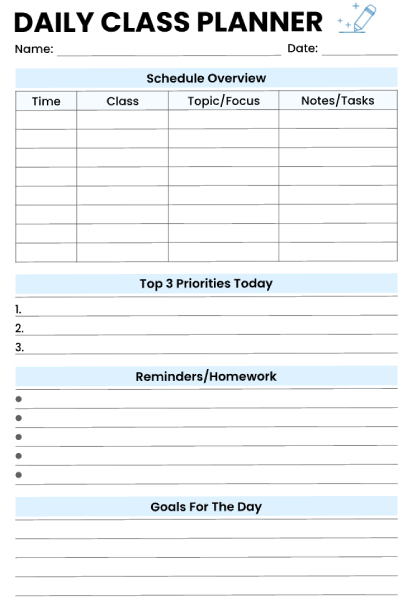
2. Organize Class Topics and Tasks Planner
This daily class planner has everything for one school day all in one place. Fill in when your classes are, what you're covering, and any notes or stuff you need to remember for each one. There's a top-three-priority thing at the top that helps you focus on what actually matters today instead of trying to do everything. Like, studying for that test or finally finishing that project. Space for homework and reminders so you don't forget things. And at the bottom, you can write down personal goals for the day. Maybe it's "actually raise my hand in history" or "finish that essay I've been avoiding for a week."
Best For: Students who prefer planning day-by-day rather than looking at the whole week, especially helpful for those with varying daily schedules or who like to focus on immediate tasks and priorities.
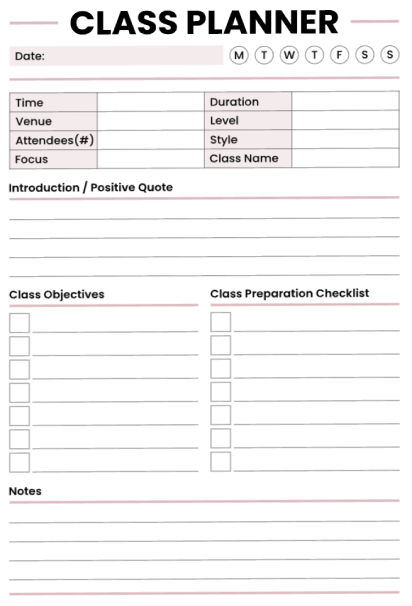
3. Efficient Learning Objectives Class Planner
This one’s actually for teachers, tutors, and anyone leading a class or session. Start with the basics at the top – date, time, location of the class, and number of students attending. There are boxes to check off for the day of the week it is. You can record an inspirational quote or message to kick off the session if that’s your style. Two columns are laid out to record what you hope to achieve during the class on one side and mark off on the other which prepping activities you’ve already completed. Notepads at the bottom allow for jotting down points to remember.
Best For: Tutors, workshop facilitators, fitness instructors, or anyone leading group sessions who need to balance learning goals with practical preparation and follow-up notes
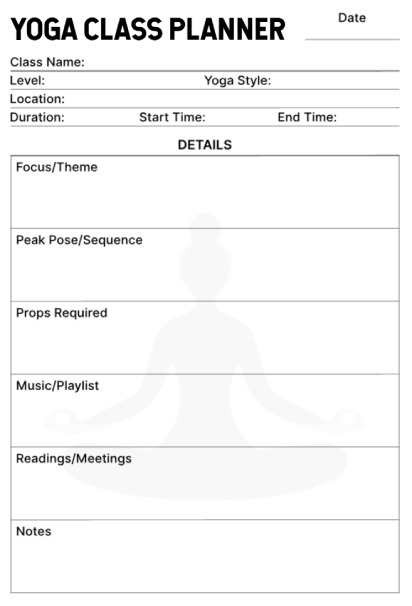
4. Yoga Class Instructional Session Planner
This yoga teacher planner is intended specifically to allow yoga teachers to plan their class sessions, right from beginning to end. You are free to enter the level of class, yoga style, location, and timing at the very top. The details section guides you through all you need to attend to, right from the theme of your class to the final sequence of your peak pose. You also have space to list the props you require, your choice of music to play, and even a section to jot down your readings/meetings associated with your class.
Best For: Yoga instructors and fitness teachers who want to thoughtfully plan their class sequences and ensure they have all materials and props ready before students arrive.
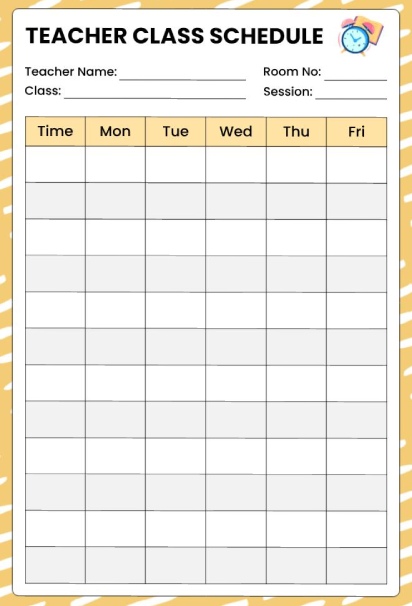
5. Weekly Teacher Class Schedule Planner
This calendar in a grid format will prove to be very useful for those who teach and like to see which classes they teach every week. You would need to fill in your name, the class name that you teach, the class subject that you teach, and the lesson subject that you teach. Then you shall be able to fill in your times on the left side of your calendar. There is a column assigned for each day in your calendar, and you shall know exactly what your lessons are going to be. You shall also not be distracted because your calendar is very minimalistic.
Best For: High school teachers, substitute teachers, or any educator who teaches the same classes at different times throughout the week and needs a quick reference guide.
6. Weekly Teacher Class Schedule Organizer Planner
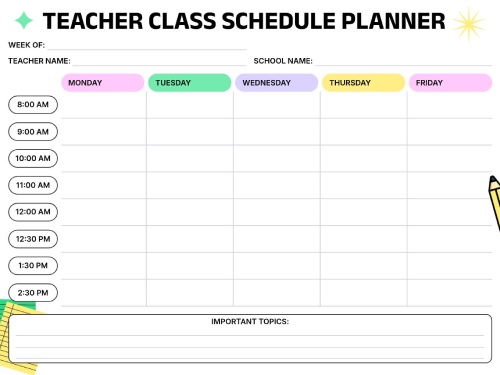
This weekly schedule template will assist the teacher in organizing their classes throughout the course of the week. A schedule of teaching periods has been created from 8:00 AM until 2:30 PM for each of the five days of the week. The time slots are already divided into 30-minute to 1-hour periods. There is a space available towards the end of the page wherein the teacher must note the important topics they wish to cover. The colorful design makes it easier for the teacher to view the entire week before them.
Best For: Elementary and middle school teachers who teach multiple subjects throughout the day and need to visualize their entire weekly teaching schedule in one place.
Frequently Asked Questions
Collect your course syllabi and determine your immovable commitments, such as classes, employment, and other activities, then determine your available study time per day and prioritize your tasks by weight and deadline. Utilize a planner app such as MyStudyLife, a cost-effective planner specifically designed for use within classes, to organize your schedule and deadlines, or design your personal planner using a printer and a notebook by establishing a routine every week to reduce your need to determine your task focus daily.
Yeah, it actually does. Having a planning system helps your grades because you're not cramming everything at the last minute. You start assignments when you have actual brain power left instead of at 2 AM when you can barely think straight. Students who use class planning tools typically score 15-20% higher on assignments compared to those winging it. The structure does most of the heavy lifting for you by spreading work across manageable time blocks instead of overwhelming you with everything at once.
The first setup is around 30-60 minutes, where you're initially entering your schedule for the semester and figuring out this tool. But after you've implemented your system, you're looking at 15-20 minutes a week when you're going back to look at deadlines and manage your study sessions. The payoff is that you're saving 5-10 hours a week that you would have otherwise spent procrastinating and trying to figure out what you need to turn in.
Yes, and it often helps significantly. External structure through planners compensates for executive function challenges that make internal organization difficult. Visual schedules show your day layout without requiring you to hold it in working memory. Automated reminders act as backup systems when your brain forgets. Many students with ADHD report that consistent planner use is the single most effective strategy for academic success, more than tutoring or extra study time.
Final Thought
Organizing class planning can be accomplished without the frustration. There is no need to spend money on applications or be an organization expert. All it takes is something easily incorporated into your lifestyle as an undergraduate. In the year 2026, planning materials exist for free, offering everything and more.
The only thing that differentiates students who excel from students who feel frustrated every day is the fact that students who excel use an elementary plan to reduce the amount of decision-making, especially regarding assignments, exams, and deadlines happening concurrently.
You can make use of tools such as MyStudyLife or start planning so that you choose a template that suits you from PlanWiz. It will also be beneficial for you if you keep organizing your study planning for the week that is to come, so that you understand well the work that is required of you. You shall also be able to complete the assignments that are scheduled for you.