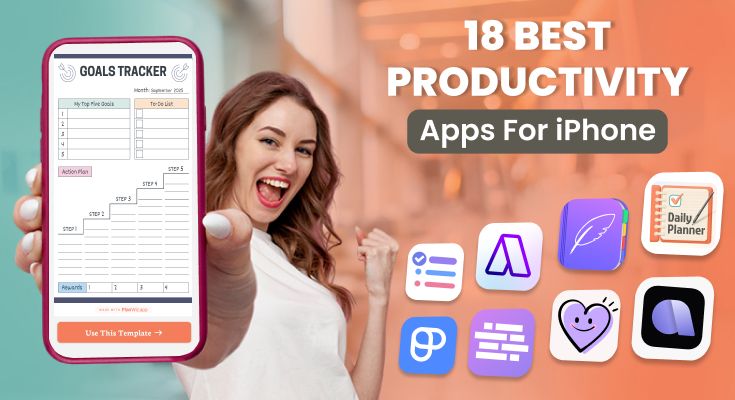
Managing your tasks, tracking your habits, and planning your day efficiently has never been easier with the right productivity apps for iPhone. These tools not only help you organize work and personal activities but also offer customizable templates like those available on a task management app to create schedules, track progress, and set goals tailored to your needs.
In this blog, we’ve tested and ranked the 18 best productivity apps to use for iPhone in 2026, offering you intuitive interfaces, smart features, and flexible templates that adapt to how you work and live. Let’s explore the top solutions to help you plan smarter and stay focused every day.
18 Best Productivity Apps for iPhone in 2026
- PlanWiz – Customizable planning templates to fit any workflow or lifestyle.
- To-Do List – Simple and intuitive app for daily task tracking and prioritization.
- Akiflow – Combines time blocking and scheduling for efficient day planning.
- TimeBloc – A Visual time-blocking tool that helps structure your daily routines.
- Plaky – Team-based project management with Kanban boards and collaboration tools.
- Me+ Lifestyle Routine – Habit and routine tracker focused on wellness and self-care.
- Tiimo – ADHD-friendly visual planner using icons and color-coded reminders.
- Calendars: Schedule Planner – Advanced calendar app integrating tasks and events seamlessly.
- Things 3 – Elegant, structured task manager designed for Apple users.
- Structured – Hourly planner that provides a clean visual overview of your day.
- Google Calendar – Reliable event scheduling tool integrated with Gmail and other services.
- Planner Pro – All-in-one planner combining notes, tasks, and schedules.
- NotePlan – Markdown-based notes and task management with calendar integration.
- Habitica – Gamified habit tracker that turns tasks into fun quests and rewards.
- TeuxDeux – Minimalist to-do list focused on simplicity and daily organization.
- Arcush – AI-powered planner offering smart suggestions based on habits.
- Productive – Habit-tracking app that motivates with reminders and streak tracking.
- Todoist – Popular task manager offering powerful organization and collaboration features.
1. PlanWiz – Best for Creating Customizable Planning Templates
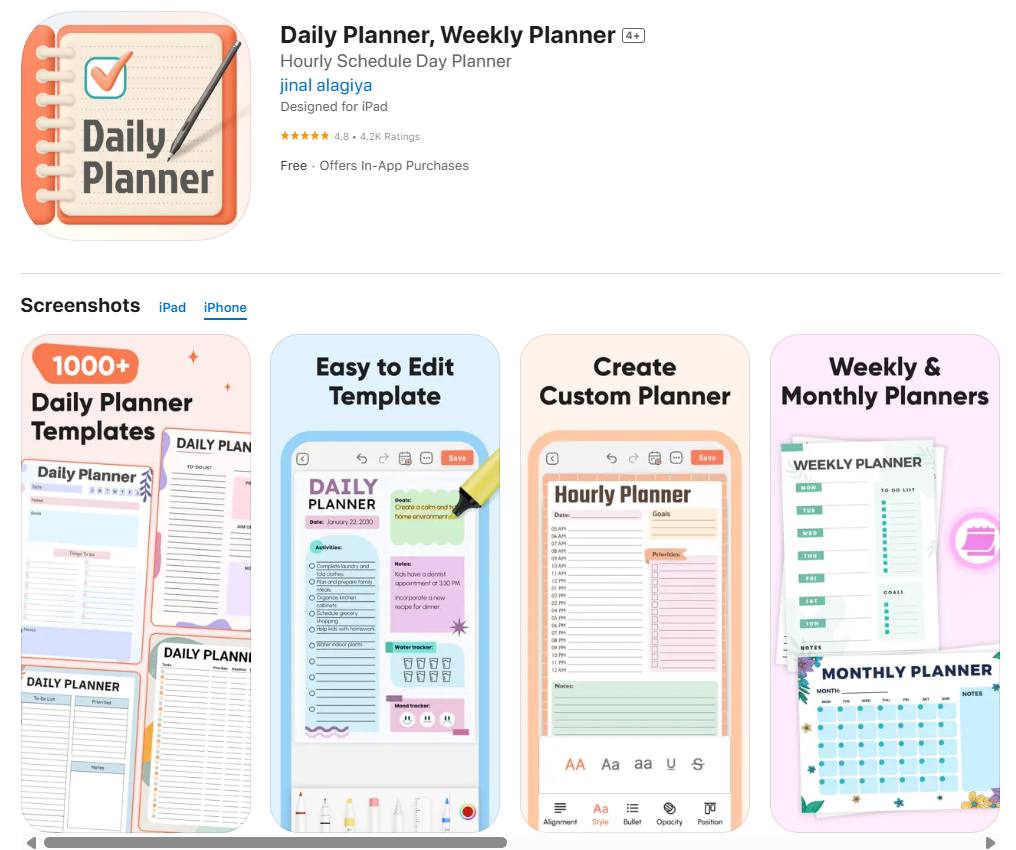
PlanWiz stands out in the crowded productivity apps for iPhone market by taking a fundamentally different approach to planning and organization. Instead of forcing users into rigid structures, PlanWiz empowers users with complete customization through its innovative template system.
What Makes PlanWiz Unique?
PlanWiz operates on a simple yet powerful principle: every person’s productivity needs are different, so why should everyone use the same planning format? The app provides a comprehensive library of professionally designed templates that users can customize, modify, and adapt to their specific requirements.
Key Features That Set PlanWiz Apart
Extensive Template Library: PlanWiz offers hundreds of pre-designed templates covering everything from daily schedules and weekly planners to project management boards and habit trackers. Each template is crafted by productivity experts and real users who understand different planning needs.
Complete Customization Freedom: Unlike other apps that limit customization to colors and fonts, PlanWiz allows users to modify every aspect of their templates. Add new sections, rearrange layouts, change data fields, and create completely personalized planning systems.
Intelligent Template Creation: The app includes a smart template builder that guides users through creating custom templates from scratch. Whether you need a specialized project tracker for your industry or a unique study planner for your academic program, PlanWiz adapts to your needs.
Seamless Editing and Modification: Real-time editing capabilities mean you can adjust your templates as your needs evolve. Change deadline formats, add new categories, or restructure entire sections without losing your existing data.
Advanced Sharing and Collaboration: Share your custom templates with team members, classmates, or family. Recipients can use shared templates as-is or modify them further to suit their preferences.
Download and Offline Access: All templates can be downloaded for offline use, ensuring your plans are accessible even without internet connectivity. This feature is particularly valuable for students and professionals working in diverse environments.
Advantages of PlanWiz
- Adaptability: No need to change your workflow to fit the app. PlanWiz adapts to how you naturally work
- Learning Curve: Intuitive interface means you can start being productive immediately
- Value for Money: Extensive functionality at competitive pricing
- Community Support: Active user community shares templates and tips
- Regular Updates: Continuous addition of new templates and features
Disadvantages of PlanWiz
- Choice Overload: The extensive customization options might feel overwhelming for users who prefer simple, straightforward tools
- Initial Setup Time: Creating highly customized templates requires some initial investment of time
Best Use Cases for PlanWiz
Students: Create semester planners with course-specific requirements, assignment trackers with different submission formats, and a study schedule maker that helps organize study sessions by subject, priority, and available time, ensuring better time management and improved academic performance.
Looking for ways to stay organized and manage your studies more effectively? Check out our collection of student templates designed to simplify scheduling, assignment tracking, and exam preparation. These tools will help you plan smarter and achieve academic success with ease. Explore the blogs below for helpful tips and resources!
Also Read :
Simple Semester Planner Template for Students to Stay Organized
Course To-Do List Planner Template for Students: Stay Organized and Succeed
Clean Weekly Study Timetable Planner Template for Study Progress
Lesson Planner Template for Easy and Organized Lesson Planning
Project Managers: Develop templates that match specific project methodologies, client requirements, or industry standards while maintaining consistency across multiple projects.
Entrepreneurs: Build comprehensive budget planner templates that grow with your company, from simple task lists to complex workflow management systems.
Creative Professionals: Design templates that capture creative processes, client feedback loops, and project iterations in formats that inspire rather than constrain creativity.
Pricing:
- Free basic version with limited templates
- Premium subscription for advanced templates and sharing features
Rating:
⭐⭐⭐⭐⭐ (4.7/5)
2. To-Do List – Simple Yet Powerful Task Organizer
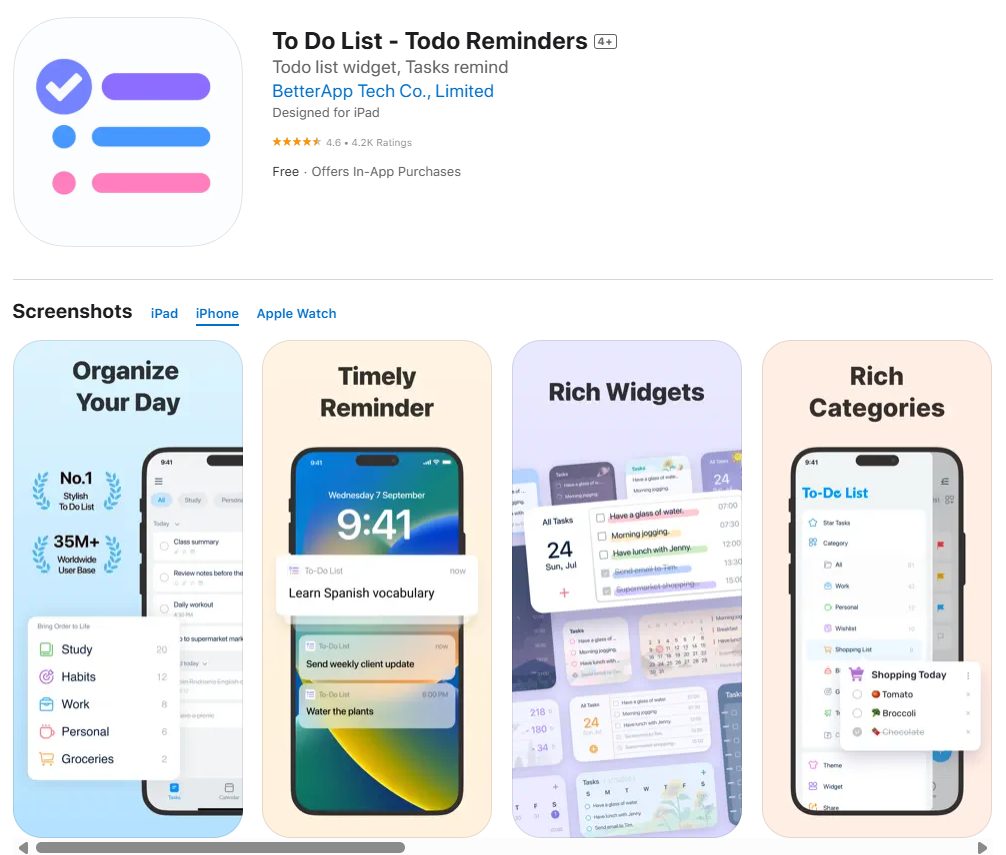
To-Do List is a clean and minimal app focused on task organization and prioritization. Unlike complex project management tools, it provides a distraction-free space to jot down, categorize, and complete tasks quickly. It’s great for those who need a reliable daily list manager without complicated features.
Key Features:
- Quick task entry with due dates.
- Priority tagging.
- Daily/weekly reminders.
- Widgets for faster access.
- Cross-device synchronization.
Advantages:
- Extremely easy to use.
- Perfect for quick daily task tracking.
- No overwhelming features.
- Lightweight and fast.
- The free version works well for basics.
Disadvantages:
- Limited customization compared to advanced apps.
- Not designed for team collaboration.
- Doesn’t support project timelines.
- Lacks calendar integration.
- Few visualization options (like Kanban).
- The free plan restricts recurring tasks.
- Not suitable for power users.
Best For:
Individuals who want a minimal daily task app.
Price:
Free; optional upgrades ~$2.49/month.
Rating:
⭐⭐⭐⭐ (4.2/5)
3. Akiflow – Time Blocking and Scheduling in One
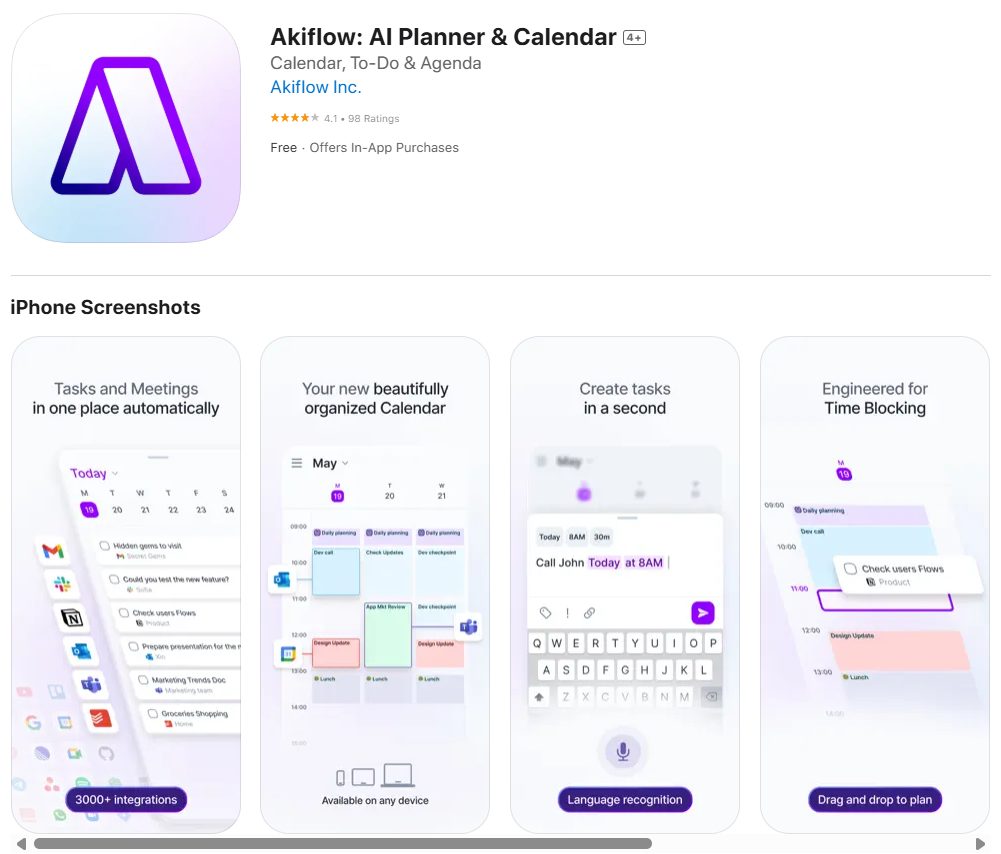
Akiflow combines task management with time blocking, making it ideal for people who like to plan their day hour by hour. It integrates tasks, events, and reminders into a single timeline so nothing falls through the cracks. With integrations across popular work tools, Akiflow is built for professionals who juggle multiple responsibilities.
Key Features:
- Drag-and-drop task scheduling.
- Integration with Google Calendar, Outlook, and Slack.
- Focus mode for distraction-free work.
- Smart reminders and notifications.
- Unified view of tasks and calendar.
Advantages:
- Combines task and time blocking seamlessly.
- Robust integration with third-party apps.
- Helps structure busy schedules.
- Excellent for deep work planning.
- Polished and professional UI.
Disadvantages:
- Higher cost compared to competitors.
- Overwhelming for casual users.
- Requires consistent time-blocking discipline.
- No free forever plan.
- Offline mode is weak.
- Can drain battery with heavy sync.
- Learning curve for beginners.
Best For:
Entrepreneurs, managers, and professionals with packed schedules.
Price:
Premium ~$19/month.
Rating:
⭐⭐⭐⭐ (4.6/5)
4. TimeBloc – Visual Time-Blocking Planner
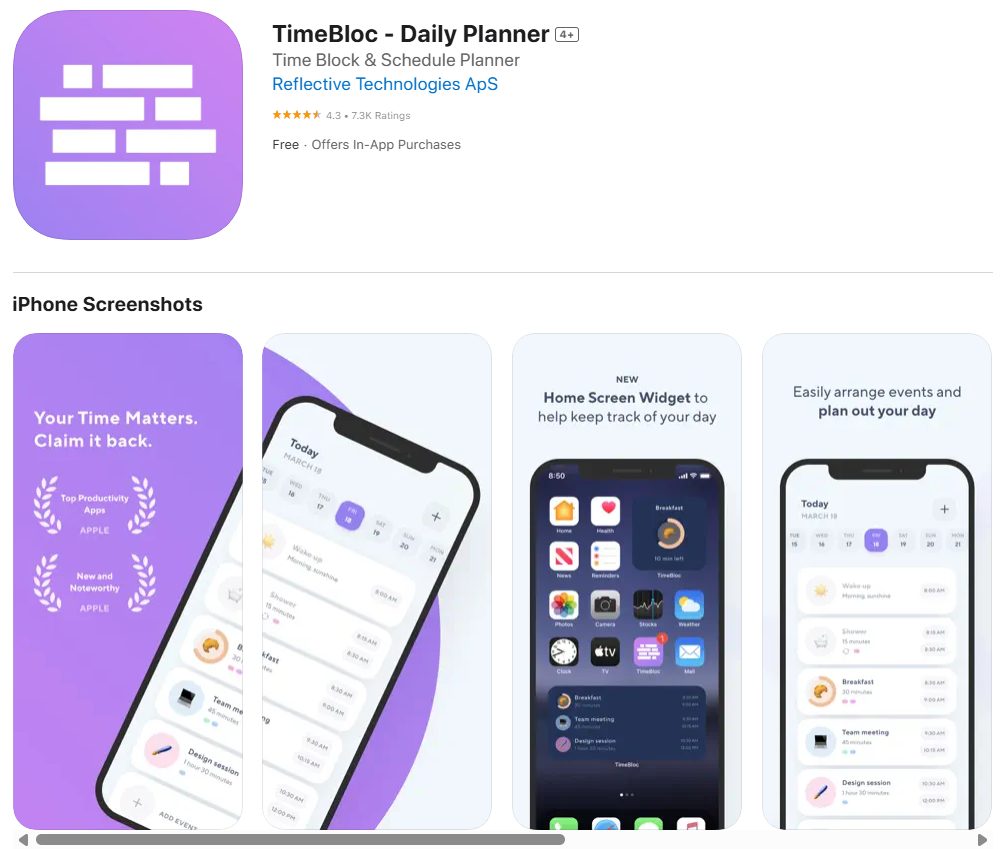
TimeBloc is a simple yet powerful app that helps users structure their day using time-blocking techniques. It’s perfect for those who prefer visual scheduling over task lists. With its clean interface and color-coded blocks, it makes planning and prioritizing tasks easy and intuitive. The app is particularly useful for managing routines, work sessions, and personal habits throughout the day.
Key Features:
- Drag-and-drop time blocks for tasks and activities.
- Daily and weekly calendar views.
- Color customization for categories.
- Notifications and reminders.
- Sync with existing calendars.
Advantages:
- Visually appealing layout encourages consistent planning.
- Easy to use with a minimal learning curve.
- Helps users develop structured routines.
- Reduces distractions by allotting specific time slots.
- Supports integration with other calendar tools.
Disadvantages:
- Limited features beyond time-blocking.
- No task dependencies or workflows.
- The free version restricts customization.
- Few collaboration tools.
- Doesn’t handle complex projects well.
- Lacks detailed analytics or reports.
- Some users find it too rigid for flexible planning.
Best For:
Students and freelancers who want visual time management for daily routines.
Price:
Free; Premium ~$4.99/month.
Rating:
⭐⭐⭐⭐ (4.3/5)
5. Plaky – Team Project Management Tool
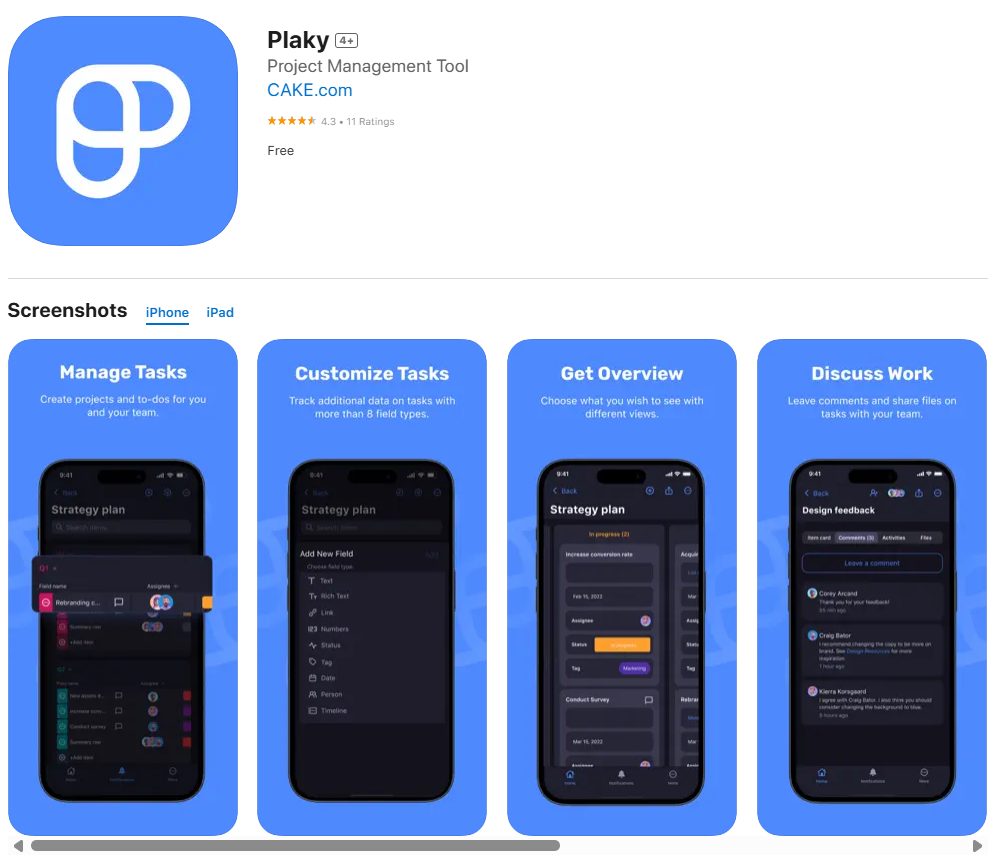
Plaky is designed for team collaboration and project tracking. It offers tools like Kanban boards, timelines, and workflow customization, allowing teams to work together more effectively. While it’s less complex than enterprise-level tools, it provides everything small to medium teams need for planning and execution.
Key Features:
- Kanban board and list views.
- Task assignment and progress tracking.
- Custom workflows and project templates.
- Real-time collaboration and updates.
- File attachments and team chat.
Advantages:
- Encourages teamwork and communication.
- Visual boards make task tracking easy.
- Offers templates for different workflows.
- Real-time updates keep teams aligned.
- Scales with small and medium teams.
Disadvantages:
- Advanced features require a subscription.
- Not suitable for very large teams.
- Lacks AI suggestions or automation tools.
- It may feel cluttered for new users.
- Limited integrations compared to top competitors.
- Offline access is basic.
- The free version lacks reporting and analytics.
Best For:
Startups, small teams, and remote groups who need collaborative project tools.
Price:
Free basic; Paid plans from ~$5/user/month.
Rating:
⭐⭐⭐⭐ (4.4/5)
6. Me+ Lifestyle Routine – Habit & Routine Builder
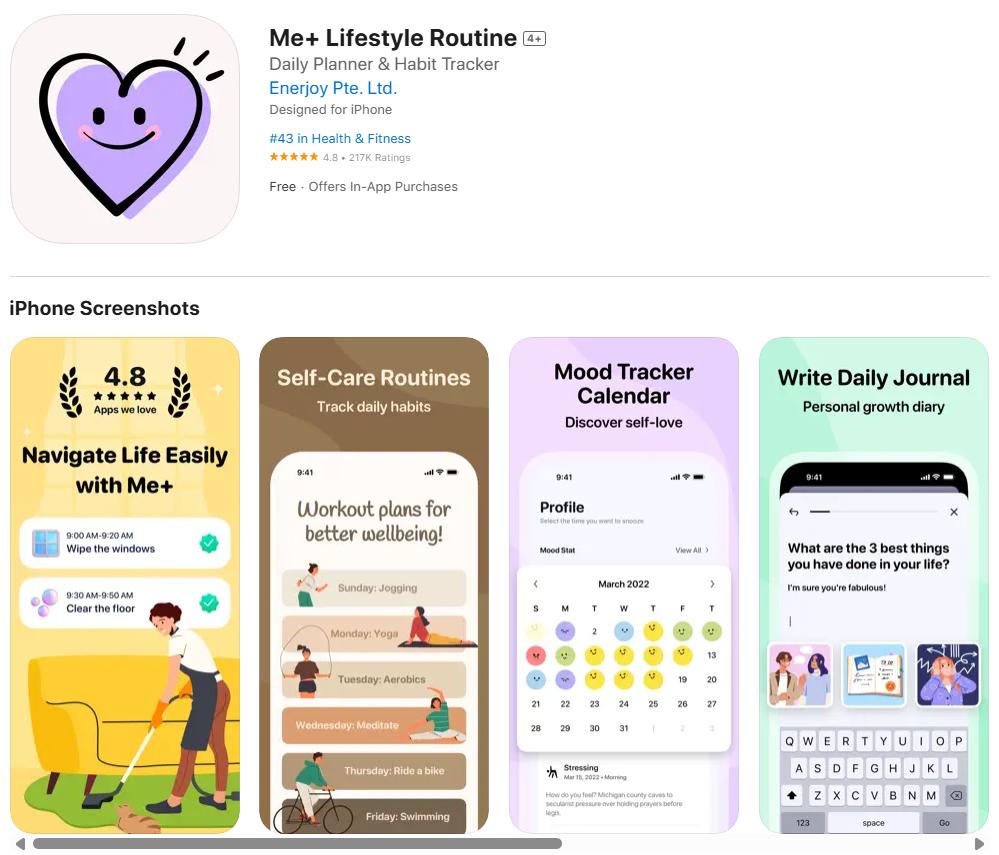
Me+ is a lifestyle-focused productivity app that helps users build healthy habits and routines. It’s designed for individuals who want structure in daily life, covering areas like wellness, exercise, and self-care. With customizable reminders and tracking, it supports habit-building in a simple, user-friendly way.
Key Features:
- Pre-made and customizable routine templates.
- Habit tracking with streaks and progress reports.
- Daily and weekly reminders.
- Integration with health apps and wearables.
- Motivational tips and streak rewards.
Advantages:
- Encourages positive lifestyle changes.
- Easy to set up and personalize routines.
- Helpful for tracking habits consistently.
- Integrates with health tracking tools.
- Motivational rewards boost engagement.
Disadvantages:
- Premium features require a subscription.
- Limited sharing or collaboration.
- Focuses more on lifestyle than task management.
- Few customization options in the free plan.
- Doesn’t sync with all calendars.
- Reports are basic and lack depth.
- Some users find notifications repetitive.
Best For:
Individuals seeking healthier habits and routines, such as fitness enthusiasts or wellness seekers.
Price:
Free with in-app purchases; Premium ~$19.99/year.
Rating:
⭐⭐⭐⭐ (4.2/5)
7. Tiimo – ADHD-Friendly Visual Planner
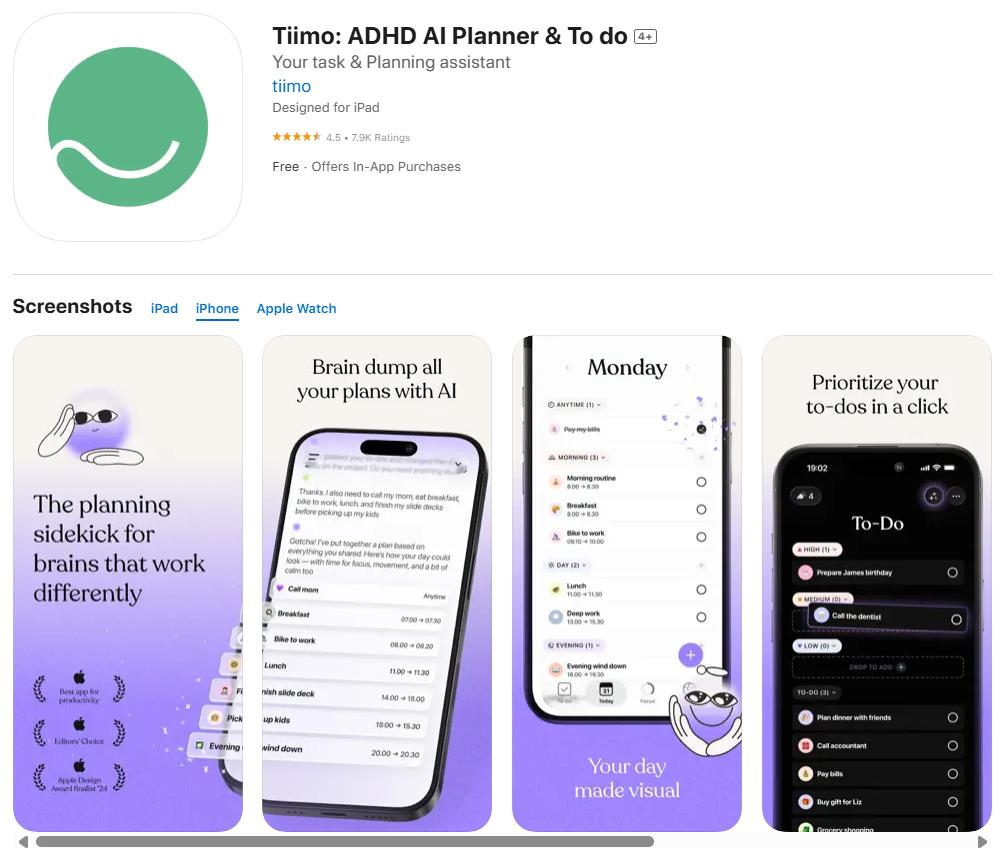
Tiimo is designed for users who benefit from visual planning and gentle reminders, particularly those with ADHD or other neurodivergent conditions. It transforms task management into a visually intuitive experience using colors, icons, and simple layouts. By focusing on clarity and routine, Tiimo helps users stay organized without feeling overwhelmed. Its structure supports focus while offering flexibility for daily changes.
Key Features:
- Visual timeline with icons and color-coded tasks.
- Customizable reminders and notifications.
- Daily and weekly planning templates.
- Sync across iPhone, iPad, and Apple Watch.
- Supports routine-based planning with habit tracking.
Advantages:
- Intuitive and visually appealing interface.
- Perfect for ADHD and neurodivergent users.
- Helps break tasks into smaller, manageable steps.
- Encourages routine consistency with reminders.
- Supports cross-device synchronization.
Disadvantages:
- The free plan is very limited.
- Subscription required for full access.
- Lacks advanced project or team management features.
- Notifications can feel repetitive over time.
- No deep analytics or reports.
- Fewer integrations with external tools.
- Not ideal for complex workflows.
Best For:
Individuals with ADHD, autism, or routine-focused planning needs.
Price:
Free with limited features; Premium ~$19.99/year.
Rating:
⭐⭐⭐⭐ (4.5/5)
8. Calendars: Schedule Planner – Advanced Calendar Management
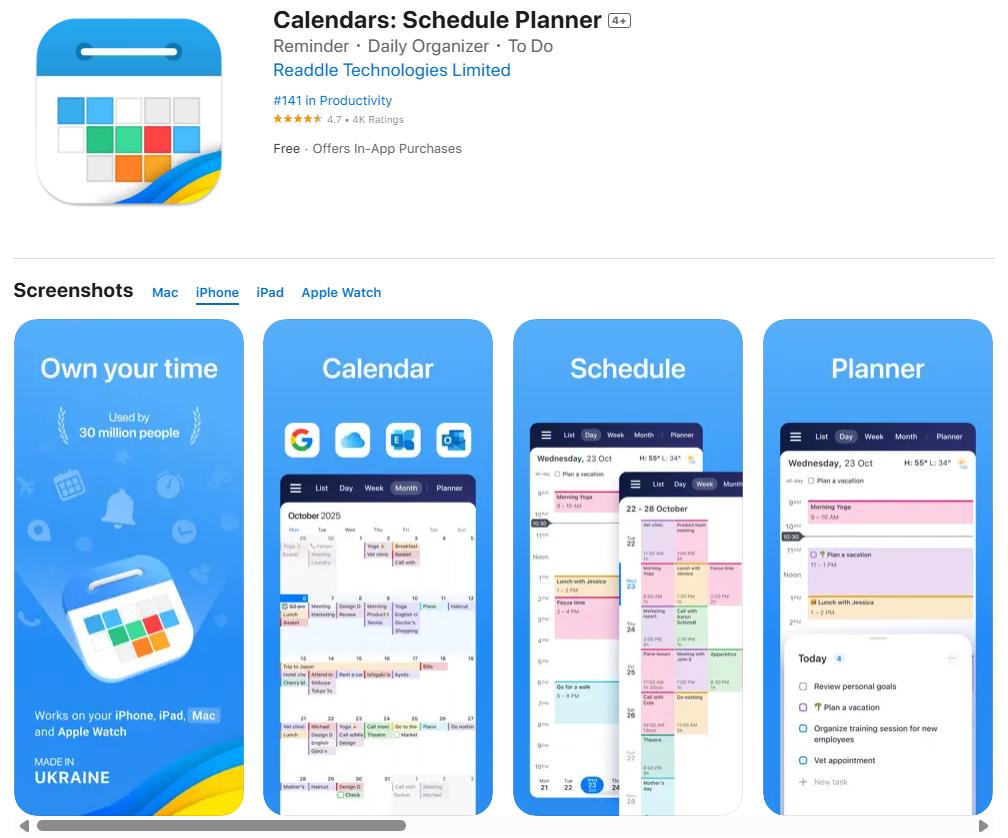
Calendar app offers a powerful blend of calendar management and task scheduling. It’s ideal for iPhone users who want advanced scheduling without juggling multiple apps. Supporting both Google Calendar and iCloud, it offers smooth syncing, event organization, and task integration. Its smart input and recurring event features make it easier to stay on top of appointments and deadlines.
Key Features:
- Integration with Google Calendar and iCloud.
- Smart event creation with natural language input.
- To-do list integrated into calendar view.
- Recurring events and reminders.
- Customizable calendar views and filters.
Advantages:
- Seamless calendar integration.
- Smart scheduling and event creation.
- Combines tasks and events in one view.
- Easy navigation with multiple calendar views.
- Works well across devices.
Disadvantages:
- Some features require a subscription.
- Limited offline functionality.
- Not suitable for complex project management.
- Fewer third-party integrations.
- Occasional sync issues are reported by users.
- Learning curve for beginners.
- No AI suggestions or advanced analytics.
Best For:
Users who need a robust calendar tool with task scheduling in one place.
Price:
Free with limited features; PRO ~$19.99/year.
Rating:
⭐⭐⭐⭐ (4.6/5)
9. Things 3 – Premium Task Management App
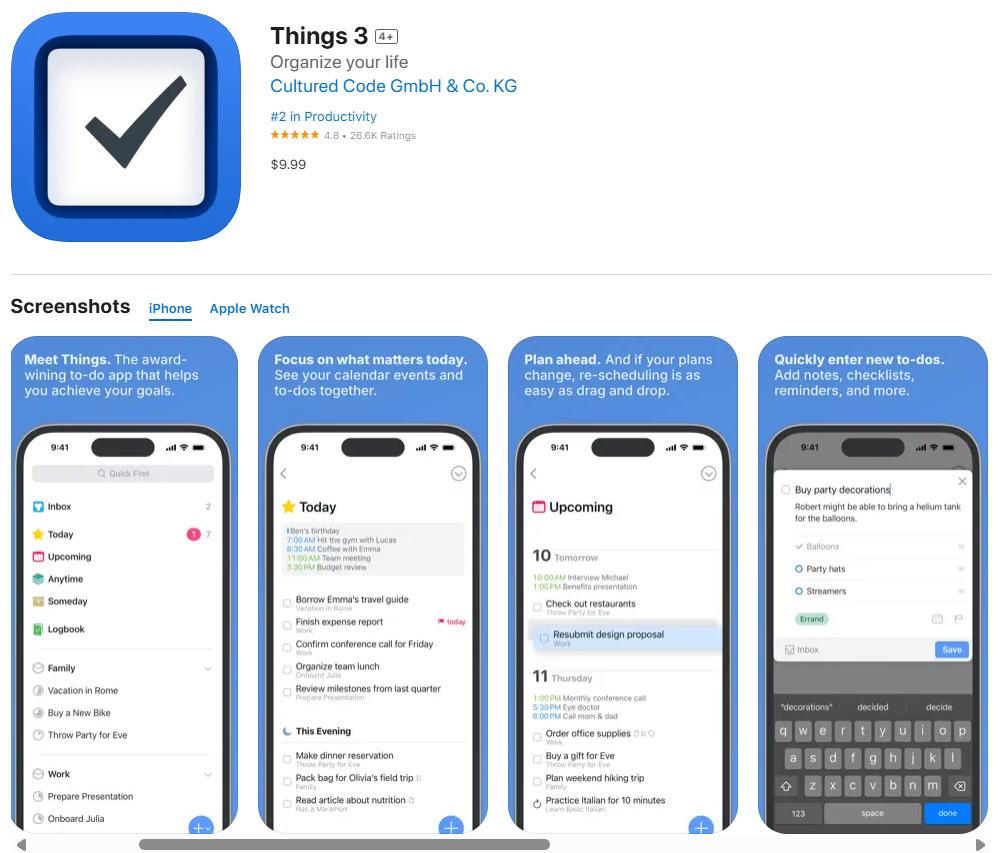
Things 3 is one of the most popular and aesthetically pleasing task management apps in the Apple ecosystem. It’s designed for individuals who need structured yet flexible planning for projects and personal tasks. The interface is intuitive, clutter-free, and optimized for productivity. With support for tags, filters, and cross-device syncing, it’s ideal for users who appreciate thoughtful design paired with powerful functionality.
Key Features:
- Task and project organization with tags and areas.
- Calendar view integration.
- Natural language input for quick task creation.
- Sync across iPhone, iPad, and Mac.
- Checklists, deadlines, and reminders.
Advantages:
- Beautiful, user-friendly design.
- Supports complex workflows with tags and projects.
- Syncs across devices seamlessly.
- Encourages focus with a distraction-free interface.
- Powerful search and filtering options.
Disadvantages:
- A one-time purchase can be expensive.
- Limited to the Apple ecosystem.
- No built-in collaboration tools.
- Lacks templates for beginners.
- No AI assistance or automation.
- Requires manual input for some workflows.
- It may be overwhelming for casual users.
Best For:
Power users and Apple fans looking for a structured, elegant task manager.
Price:
$9.99 for iPhone; $49.99 for Mac.
Rating:
⭐⭐⭐⭐⭐ (4.7/5)
10. Structured – Visual Daily Timeline Planner

Structured helps users create a clear visual timeline of their day, breaking tasks into hourly blocks. It’s perfect for individuals who want to plan their day at a glance and stay focused throughout the hours. With its clean design and intuitive interface, Structured makes it easier to track routines, appointments, and work tasks without feeling overwhelmed.
Key Features:
- Hourly task blocks for daily planning.
- Sync with existing calendars.
- Customizable notifications and reminders.
- Color themes and layout options.
- Focus mode to reduce distractions.
Advantages:
- Easy-to-use visual planner.
- Helps build daily routines effectively.
- Clear structure improves focus.
- Supports calendar synchronization.
- Minimalist and distraction-free interface.
Disadvantages:
- Not designed for long-term projects.
- Limited collaboration tools.
- Fewer integrations with third-party apps.
- Lacks advanced analytics or reports.
- Premium version required for full customization.
- Offline access is basic.
- Doesn’t support complex workflows or tagging.
Best For:
Students and professionals who prefer hour-by-hour daily planning.
Price:
Free; Premium ~$2.99/month.
Rating:
⭐⭐⭐⭐ (4.4/5)
11. Google Calendar – Classic Scheduling & Event Management
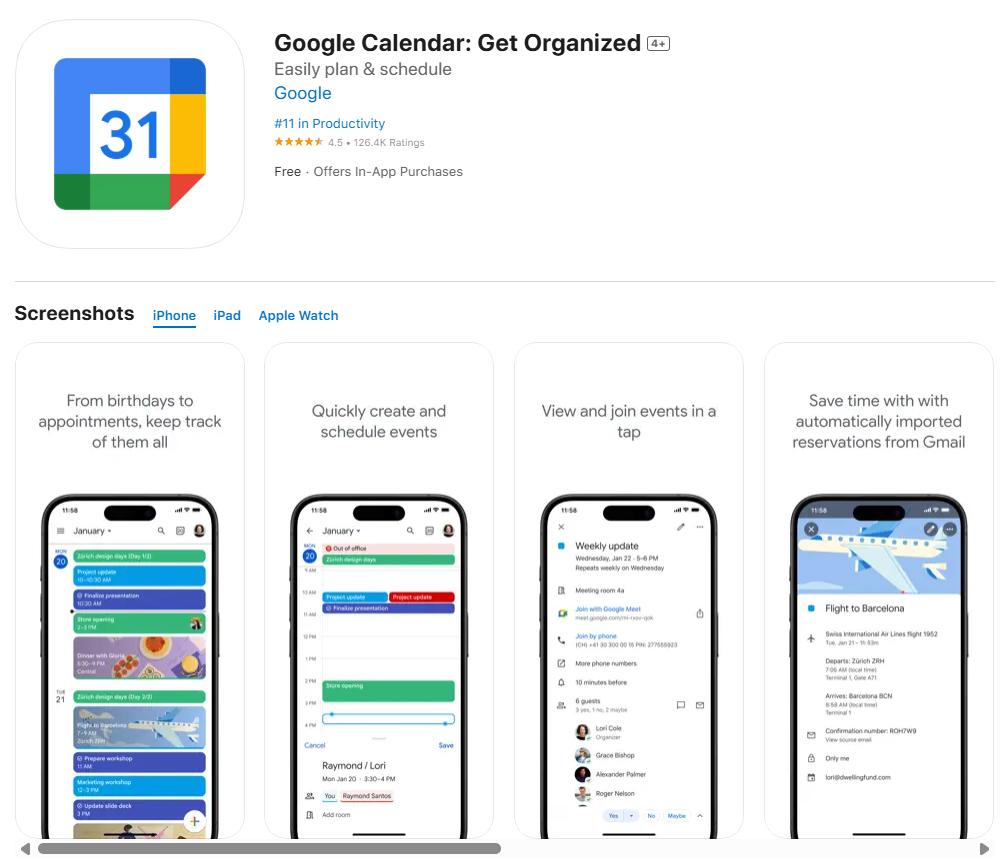
Google Calendar is one of the most widely used scheduling tools, offering reliable event tracking and reminders. It integrates seamlessly with Gmail, Google Meet, and other services, making it a practical choice for both personal and professional users. With its intuitive interface and cross-platform support, it remains a trusted option for time management.
Key Features:
- Easy event creation with natural language input.
- Integration with Gmail, Google Meet, and other apps.
- Shared calendars and event invitations.
- Recurring events and notifications.
- Works across Android, iOS, and web.
Advantages:
- Free and widely accessible.
- Integrates with other Google services.
- Simple interface for event creation.
- Great for team coordination and sharing.
- Syncs across devices reliably.
Disadvantages:
- Limited advanced task management.
- Requires a Google account for full functionality.
- Privacy concerns with data sharing.
- Notifications can be overwhelming.
- Offline functionality is restricted.
- Lacks built-in habit tracking.
- Customization options are basic.
Best For:
Users seeking a reliable and widely supported calendar tool for personal or professional use.
Price:
Free.
Rating:
⭐⭐⭐⭐ (4.6/5)
12. Planner Pro – Features-Rich Daily Planner
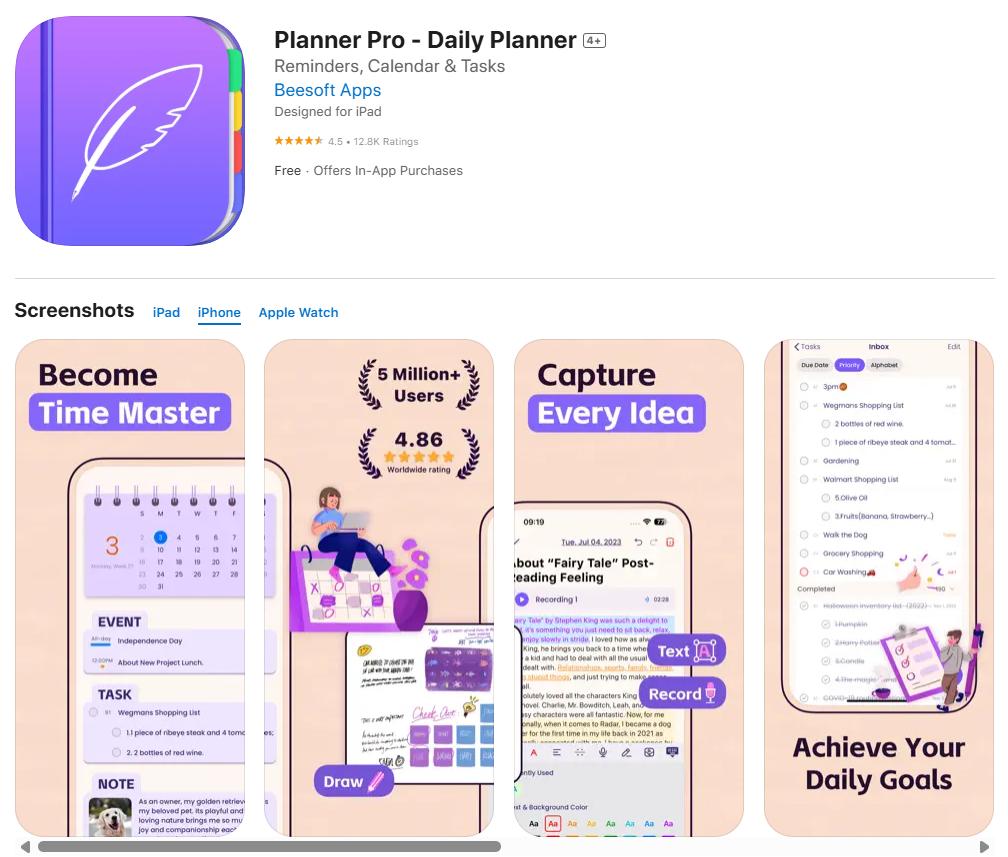
Planner Pro offers a comprehensive planner experience by combining daily schedules, tasks, and notes in one app. It’s designed for users who want an all-in-one solution for organizing work, meetings, and personal tasks. Its intuitive interface allows users to quickly create plans while offering advanced features for tracking deadlines and events.
Key Features:
- Daily, weekly, and monthly planning views.
- Task lists with priorities and due dates.
- Notes and memos are integrated with tasks.
- Calendar syncing with iCloud and Google.
- Custom reminders and notifications.
Advantages:
- Combines calendar, tasks, and notes in one place.
- Supports both personal and work planning.
- Clean interface with smooth navigation.
- Helpful for goal tracking and routine building.
- Integrates with major calendar tools.
Disadvantages:
- Some features are locked in the premium version.
- Syncing errors are reported occasionally.
- Limited collaboration options.
- The interface can feel cluttered with many tasks.
- Requires manual input for detailed tracking.
- Notifications can be excessive if not customized.
- Lacks AI-driven suggestions or templates.
Best For:
Users who want a comprehensive planner with schedules, tasks, and notes all in one app.
Price:
Free with in-app purchases; Premium ~$9.99/year.
Rating:
⭐⭐⭐⭐ (4.3/5)
13. NotePlan – Notes, Calendar & Tasks in One Tool
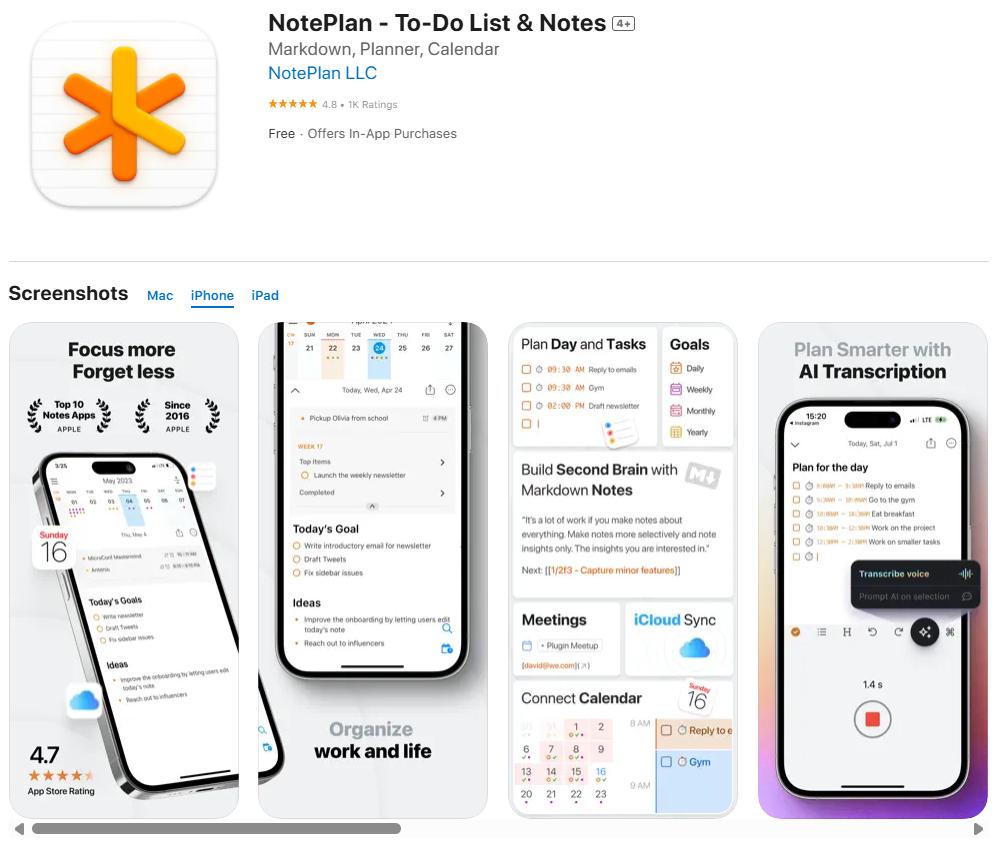
NotePlan combines notes, task management, and calendar events in a single app, making it ideal for users who like to keep everything organized together. It’s particularly suited for those who prefer a markdown-based system, allowing for detailed documentation alongside tasks and schedules. The app is designed to support both short-term planning and long-term project tracking seamlessly.
Key Features:
- Markdown-based note-taking with task integration.
- Calendar sync for events and deadlines.
- To-do lists with priorities and due dates.
- Daily review and planning interface.
- Cross-device sync between iPhone, iPad, and Mac.
Advantages:
- Combines notes and tasks without switching apps.
- Supports markdown for formatting and linking notes.
- Calendar integration makes tracking easy.
- Great for journaling and planning.
- Syncs smoothly across Apple devices.
Disadvantages:
- Limited third-party integrations outside the Apple ecosystem.
- Steeper learning curve for beginners.
- Free version lacks advanced features.
- No built-in collaboration tools.
- Few templates for project workflows.
- Notifications can be basic.
- Offline features are limited.
Best For:
Users who want integrated note-taking and task planning, such as students and writers.
Price:
Free trial; Premium ~$9.99/month.
Rating:
⭐⭐⭐⭐ (4.4/5)
14. Habitica – Turn Productivity Into a Fun RPG Game
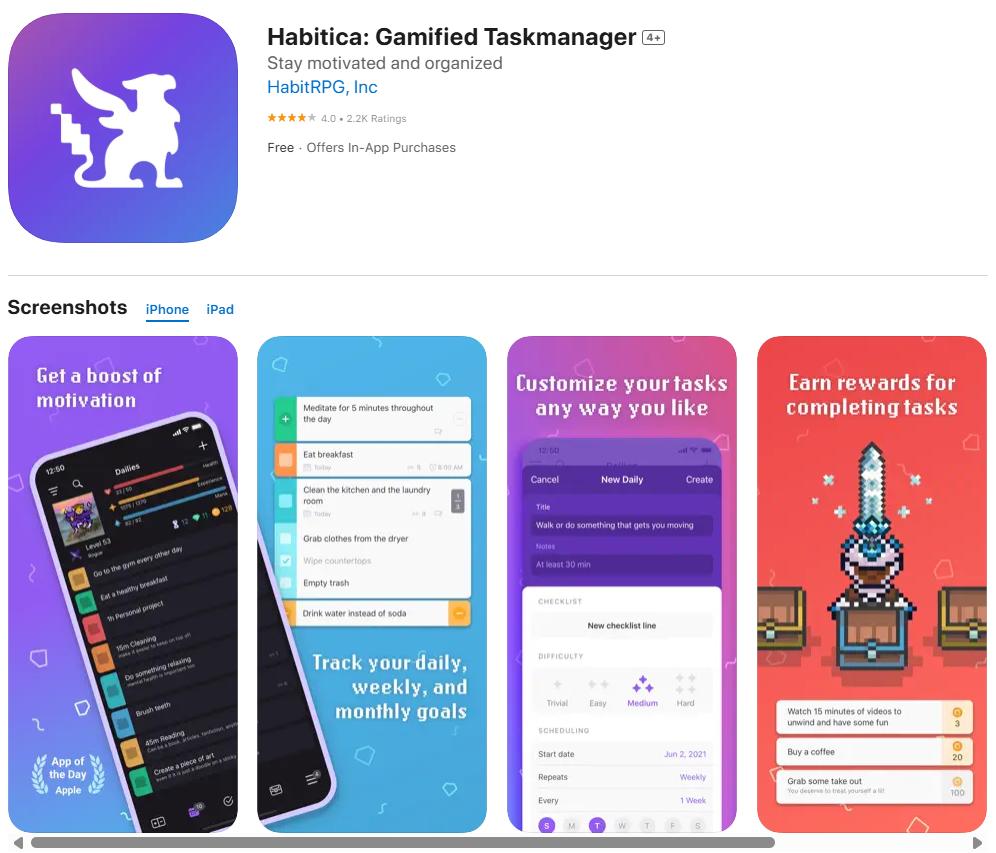
Habitica gamifies productivity by turning tasks and habits into game quests and rewards. It’s perfect for users who need extra motivation to stick with routines and complete tasks. By tracking habits, setting goals, and earning rewards, Habitica makes self-improvement engaging and fun. It’s widely used by students, gamers, and anyone who loves incorporating play into productivity.
Key Features:
- Habit tracking with experience points and rewards.
- Customizable avatars and game elements.
- Task lists with due dates and priorities.
- Group challenges and social features.
- Motivation through streaks and goal tracking.
Advantages:
- Makes habit-building fun and rewarding.
- Offers social motivation with group tasks.
- Encourages long-term behavior changes.
- Customizable avatars add personalization.
- Supports both personal and professional goals.
Disadvantages:
- Gamification may not suit everyone.
- The free version is limited in features.
- Some advanced features require a subscription.
- Task reminders can be overwhelming.
- Lacks deep analytics or reports.
- UI may feel playful for serious users.
- Integration with external apps is minimal.
Best For:
Students, gamers, and users who want motivational task tracking with gamification.
Price:
Free; optional upgrades ~$4.99/month.
Rating:
⭐⭐⭐⭐ (4.5/5)
15. TeuxDeux – Minimalist To-Do List App
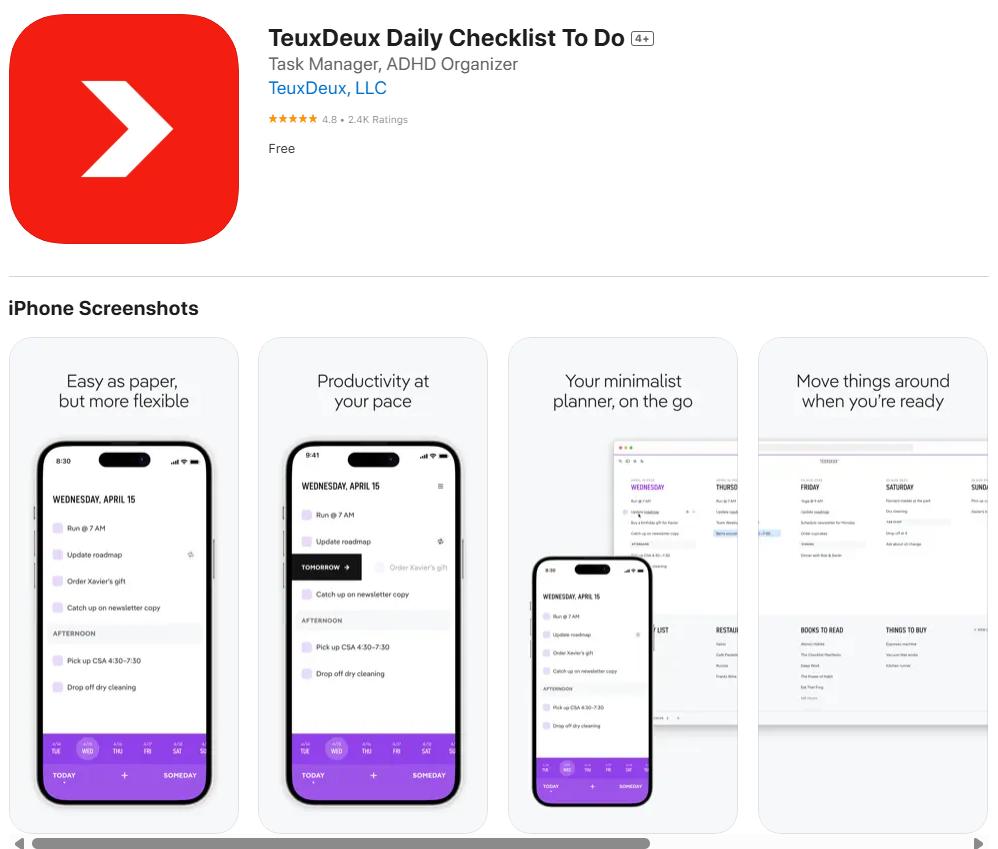
TeuxDeux offers a minimalist approach to task management, helping users focus on the essentials without distractions. It presents tasks in a clean, simple interface organized by days of the week, making it easy to prioritize and review tasks quickly. It’s especially appreciated by users who want simplicity and clarity over bells and whistles.
Key Features:
- Simple drag-and-drop task lists.
- Week view for planning.
- Reminders and recurring tasks.
- Clean, distraction-free interface.
- Cross-device sync with iPhone, iPad, and web.
Advantages:
- Minimal design promotes focus.
- Easy task creation and prioritization.
- Supports recurring tasks for routines.
- No overwhelming features or menus.
- Syncs across devices reliably.
Disadvantages:
- Limited advanced features like tagging or analytics.
- Few integrations with other apps.
- No calendar view beyond weekly layout.
- The free version is basic with minimal customization.
- Doesn’t support team collaboration.
- Not suitable for complex projects.
- Lacks templates or automation options.
Best For:
Users who want a simple, distraction-free task list for daily planning.
Price:
Premium ~$3/month.
Rating:
⭐⭐⭐⭐ (4.3/5)
16. Arcush – AI-Powered Task Planning
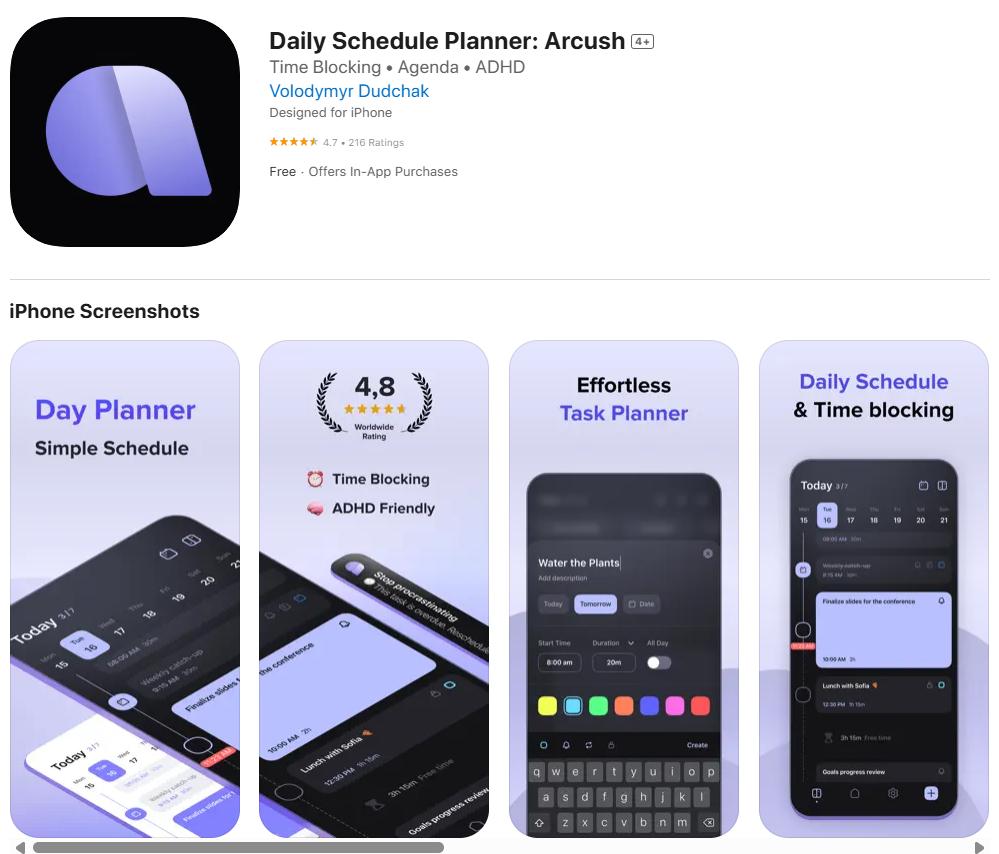
Arcush stands out by integrating AI-powered planning into everyday task management. It’s designed for users who want smarter suggestions and automated prioritization based on their habits and workload. Arcush learns from your behavior and helps you plan tasks more efficiently, offering a blend of intelligence and simplicity. This makes it ideal for users looking to optimize their schedules without manual effort.
Key Features:
- AI-assisted task prioritization.
- Smart suggestions based on user habits.
- Custom workflows and recurring tasks.
- Integration with popular calendar and productivity tools.
- Focus mode with distraction minimization.
Advantages:
- Intelligent task recommendations save time.
- Learns from user habits to personalize planning.
- Supports both daily tasks and long-term goals.
- Integrates with external calendars for seamless planning.
- Offers distraction-free focus tools.
Disadvantages:
- AI features are limited in the free version.
- Requires consistent usage for learning algorithms.
- Less customizable than manual planners.
- Not suitable for users preferring full control.
- Integration options are still growing.
- Subscription needed for advanced features.
- Limited offline functionality.
Best For:
Professionals and entrepreneurs who want AI-assisted planning to streamline daily workflows.
Price:
Free basic version; Premium ~$5.99/month.
Rating:
⭐⭐⭐⭐ (4.4/5)
17. Productive – Habit & Routine Tracker
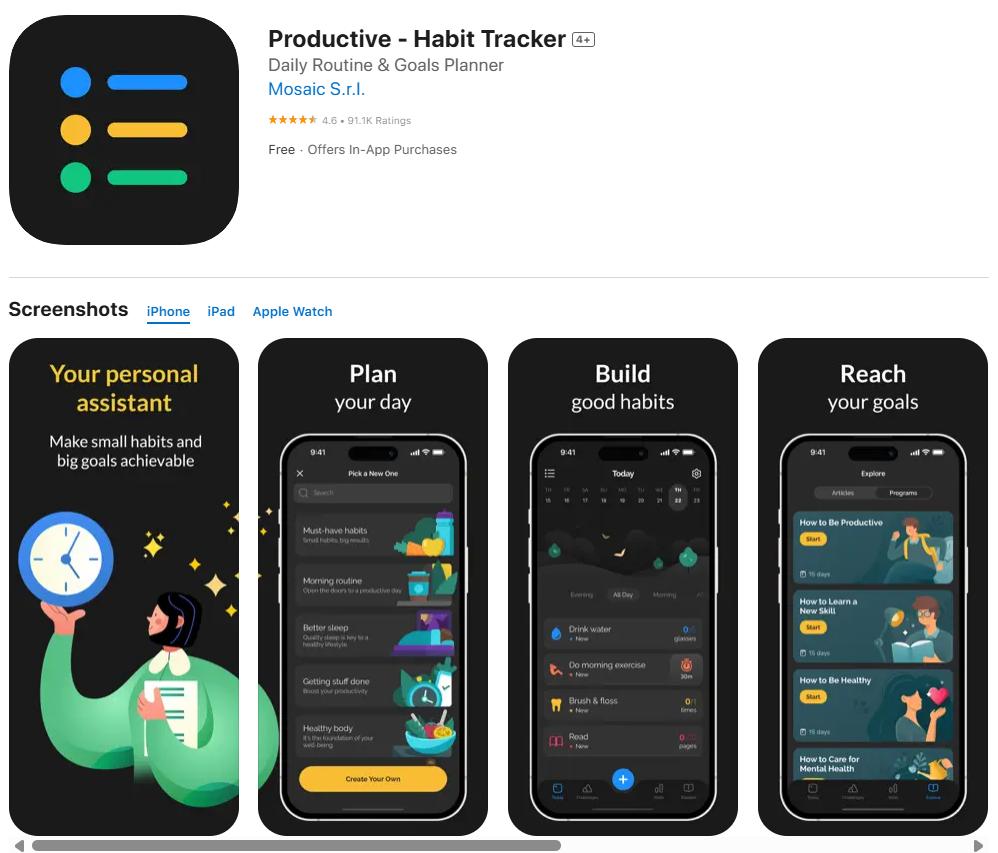
Productive is a sleek habit-tracking app that helps users build and maintain healthy routines. It focuses on daily habits, goal tracking, and routine management with reminders and streak tracking to keep users motivated. The app’s design encourages long-term habit formation, making it easier to stay consistent without feeling pressured.
Key Features:
- Custom habit creation with reminders.
- Streak tracking and progress reports.
- Daily, weekly, and monthly habit views.
- Widgets for quick access.
- Integration with Health apps.
Advantages:
- Encourages long-term habit formation.
- Simple interface promotes regular use.
- Motivates through streak tracking.
- Syncs with health tools for holistic tracking.
- Offers customization for different habits and goals.
Disadvantages:
- Limited free version features.
- Few collaboration or team tools.
- No advanced analytics or insights.
- Notifications can become repetitive.
- Doesn’t support complex task dependencies.
- Requires manual input for detailed tracking.
- Some users find it too basic for professional planning.
Best For:
Individuals focused on daily habit building, like fitness, mindfulness, or self-care.
Price:
Free with in-app purchases; Premium ~$4.99/month.
Rating:
⭐⭐⭐⭐ (4.5/5)
18. Todoist – Popular, Cross-Platform Productivity Classic
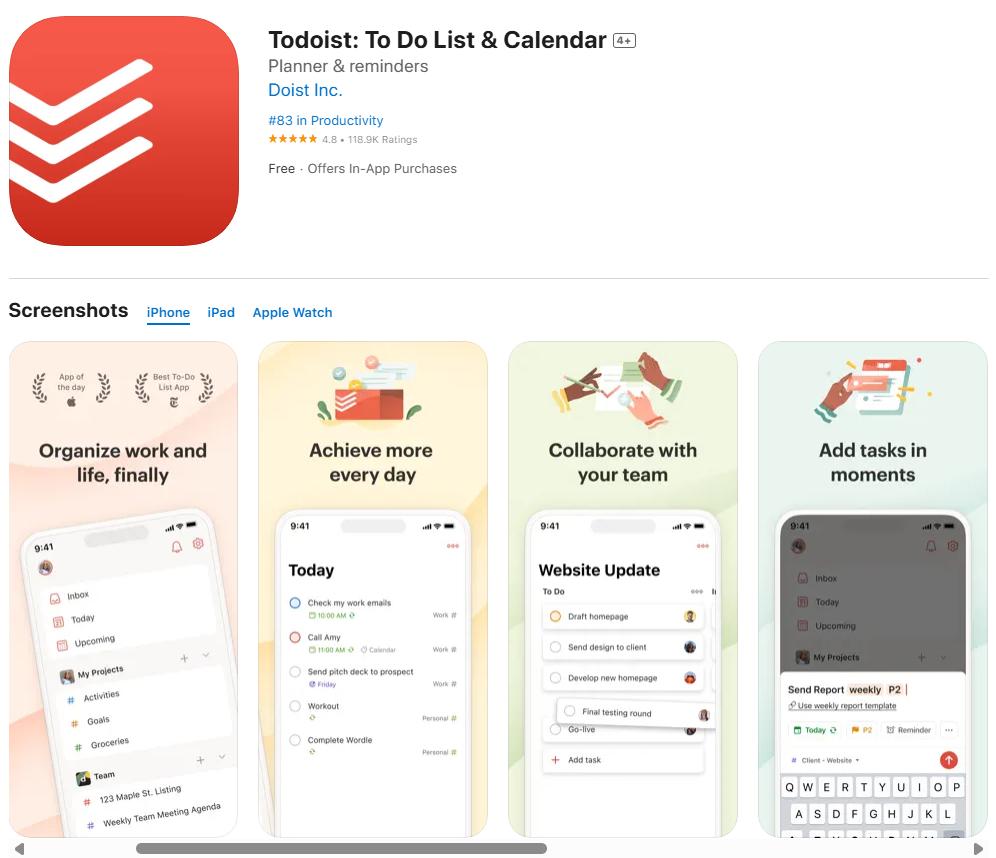
Todoist is one of the most widely used task management apps, loved for its simplicity and powerful features. It’s built for users who want to organize tasks, set priorities, and collaborate with others across devices. Its clean interface and smart features make it suitable for both beginners and power users who need structure and flexibility in their workflows.
Key Features:
- Task creation with due dates, priorities, and labels.
- Project management and team collaboration.
- Integration with calendar apps and third-party tools.
- Natural language input for task creation.
- Productivity reports and goal tracking.
Advantages:
- Intuitive and easy to use.
- Works across multiple platforms seamlessly.
- Powerful task organization with labels and filters.
- Smart reminders and recurring tasks.
- Collaboration tools for teams and projects.
Disadvantages:
- Some advanced features are locked in the premium.
- Limited offline functionality.
- Occasional sync delays are reported by users.
- Notifications can be overwhelming.
- Complex projects need careful organization.
- The free version lacks analytics and labels.
- Requires subscription for full productivity features.
Best For:
Students, professionals, and teams need reliable task management across devices.
Price:
Free; Premium ~$4/month.
Rating:
⭐⭐⭐⭐ (4.6/5)
Quick Comparison of the Top iPhone Productivity Apps in 2026
| App Name | Key Features | Best For | Rating |
|---|---|---|---|
| PlanWiz | Integrated notes, tasks, and schedules | Students, professionals, entrepreneurs | ⭐⭐⭐⭐⭐ |
| To-Do List | Simple task management, reminders, priority tagging | Individuals needing quick task tracking | ⭐⭐⭐⭐ |
| Akiflow | Time blocking, calendar integration, focus mode | Busy professionals | ⭐⭐⭐⭐ |
| TimeBloc | Visual time-blocking, calendar views | Students, freelancers | ⭐⭐⭐⭐ |
| Plaky | Kanban boards, team collaboration | Startups, small teams | ⭐⭐⭐⭐ |
| Me+ Lifestyle Routine | Habit tracking, wellness reminders | Fitness and self-care enthusiasts | ⭐⭐⭐⭐ |
| Tiimo | Visual planning, ADHD-friendly interface | Neurodivergent users | ⭐⭐⭐⭐ |
| Calendars | Smart scheduling, task integration | Professionals managing appointments | ⭐⭐⭐⭐ |
| Things 3 | Elegant task management, tags, filters | Apple users, power planners | ⭐⭐⭐⭐⭐ |
| Structured | Hourly planner, focus tools | Students, daily planners | ⭐⭐⭐⭐ |
| Google Calendar | Event management, Gmail integration | General users, teams | ⭐⭐⭐⭐ |
| Planner Pro | Integrated notes, tasks, schedules | Personal and work planning | ⭐⭐⭐⭐ |
| NotePlan | Notes with tasks, markdown support | Students, writers | ⭐⭐⭐⭐ |
| Habitica | Gamified habit tracking, rewards | Students, gamers | ⭐⭐⭐⭐ |
| TeuxDeux | Minimal to-do lists, weekly view | Users preferring simplicity | ⭐⭐⭐⭐ |
| Arcush | AI-powered suggestions, task automation | Entrepreneurs, productivity seekers | ⭐⭐⭐⭐ |
| Productive | Habit tracking, progress reports | Self-care focused users | ⭐⭐⭐⭐ |
| Todoist | Task organization, labels, filters | Teams, students, professionals | ⭐⭐⭐⭐ |
Why Use Productivity Apps for iPhone?
The shift from traditional pen-and-paper planning to digital solutions isn’t just about keeping up with technology; it’s about unlocking capabilities that manual methods simply can’t match.
The Benefits of Productivity Apps vs. Manual Planning
Digital personal productivity tools offer several compelling advantages over traditional planning methods:
- Real-time synchronization across all your devices means your plans are always accessible
- Automated reminders ensure nothing falls through the cracks
- Data backup and recovery protect your important information
- Searchable content helps you find information instantly
- Collaborative features enable seamless teamwork and sharing
iOS Ecosystem Advantages
The iPhone’s integration with Apple’s ecosystem creates unique opportunities for enhanced productivity:
Seamless Device Sync: Your tasks, notes, and schedules automatically sync across iPhone, iPad, Mac, and Apple Watch, creating a unified productivity experience.
Siri Integration: Voice commands allow you to quickly add tasks, set reminders, and check your schedule without interrupting your workflow.
Widget Support: iOS widgets provide at-a-glance access to your most important information directly from your home screen.
Focus Modes: iPhone’s Focus feature can automatically filter notifications based on your current activity, helping maintain concentration during work sessions.
Which Types of Users Benefit Most?
Students find daily planner apps for iPhone particularly valuable for managing class schedules, assignment deadlines, and study sessions. Using daily planner templates within these apps makes it even easier to organize tasks and create structured plans. The visual nature of modern productivity apps helps with better time estimation and workload distribution.
Professionals benefit from productivity apps for iPhone that help maintain a work-life balance by separating personal and work tasks while maintaining visibility across both areas. Using templates like the Business Planner makes it easier to organize priorities and stay on top of meetings, deadlines, and personal goals. Integration with email and calendar systems further streamlines workflow management.
Entrepreneurs and Developers leverage advanced features, such as project management, time tracking, and team collaboration tools, that scale with their growing businesses. Templates like the Project Planner and Goal Planner provide structured formats to track progress, set milestones, and collaborate effectively, helping businesses stay agile and efficient.
How to Choose the Right Productivity App for iPhone?
Selecting the best iPhone task management apps and productivity tools requires careful consideration of your specific needs and working style.
Identify Your Goals
Start by clearly defining what you want to achieve with a productivity app:
- Task Management: Do you need simple to-do lists or complex project management?
- Time Management: Are you looking for scheduling, time tracking, or time blocking features?
- Collaboration: Do you work alone or need to coordinate with others?
- Integration: Must the app work with existing tools and systems?
Look for Customizable Templates
Apps that offer template customization, like PlanWiz, provide long-term value because they adapt to your changing needs rather than forcing you into predetermined structures.
Benefits of customizable templates include:
- Flexibility to match your unique workflow
- Scalability as your needs grow and change
- Efficiency through personalized layouts and fields
- Consistency across different projects and time periods
Prioritize Cross-Device Sync and Integrations
In 2026, seamless synchronization across devices isn’t optional; it’s essential. Look for apps that offer:
- Real-time sync across iPhone, iPad, Mac, and web platforms
- API availability for custom integrations, if needed
- Export options to prevent vendor lock-in
Check Pricing and Free Versions
Consider both immediate costs and long-term value:
- Free tiers: What functionality is available without payment?
- Subscription costs: How do monthly fees add up over time?
- One-time purchases: Apps like Things 3 offer lifetime access
- Team pricing: How costs scale if you need multiple licenses
Trial Periods and User Experience
Take advantage of free trials to test apps in your real workflow:
- Interface usability: Is the app intuitive and pleasant to use daily?
- Performance: Does it respond quickly and reliably?
- Learning curve: How long does it take to become proficient?
- Support quality: Is help available when you need it?
Frequently Asked Questions
iPhone task management apps allow you to organize tasks, set priorities, and create reminders efficiently. They help users manage workloads, track progress, and reduce missed deadlines. By using digital tools like PlanWiz, you can also customize templates to match your workflow. These apps are ideal for students, professionals, and anyone looking to optimize their time.
Effective iPhone note-taking apps should offer rich text formatting, task integration, and cross-device sync. Users benefit from tools that allow templates, reminders, and collaboration. PlanWiz provides customizable planning templates, making it easier to combine note-taking with task management. Such apps are particularly helpful for iOS productivity apps for students and professionals.
iOS productivity apps for students offer structured templates, reminders, and task lists to track assignments, exams, and projects. They make balancing multiple subjects and deadlines easier. PlanWiz allows students to create personalized semester planners, ensuring a clear overview of their studies. Using these apps reduces stress and improves time management skills.
iPhone time tracking apps monitor how long tasks take and provide insights into productivity patterns. They can alert users when deadlines approach or when more focus is needed. PlanWiz users can pair templates with time tracking for efficient schedule planning. This helps both students and professionals optimize their daily routines.
Conclusion
The right productivity apps can transform your iPhone into a powerful tool for personal organization and efficiency. Whether you’re a student managing academic deadlines, a professional juggling multiple projects, or an entrepreneur building your business, there’s an app in this list that can help you achieve your goals.
The key to productivity app success lies in choosing tools that adapt to your workflow rather than forcing you to change how you naturally work. Apps like PlanWiz exemplify this philosophy by offering customizable yearly planner templates that grow and evolve with your needs, while established solutions like Things 3 and Todoist provide proven frameworks for getting things done.
Remember that the most effective productivity system often combines 2-3 complementary apps rather than trying to find one perfect solution. Start with one app that addresses your biggest pain point, then gradually add other tools as you identify additional needs.
The benefit of templates for personal planning cannot be overstated. They provide structure while maintaining flexibility, helping you stay organized without feeling constrained by rigid systems.