Organizing healthy meals each day seems easy, but most people begin with good intentions. By Wednesday, many are already resorting to fast food or ordering takeout. The thing is, you don’t require additional willpower. It requires a system. A free diet planner relieves you of the daily burden of “what should I eat?” You would really follow through with your health goals, save time, and stop wasting money on random grocery shopping. Most of the powerful features of free tools will meet the needs of users up to 2026.
What is in this guide? Let’s discuss what goes into an effective planning tool, highlight the top-free apps/templates that you can implement today, explain how to create your own personal weekly meal plan, cover different tips, and examine the advantages to you. Let’s dive in.
What Is a Diet Planner?
It’s like having your own meal planner Macedonia – basically thinking of yourself as having your own system for mapping out what you will eat throughout the week so that you aren’t found wandering around in front of the fridge at 7 PM, asking yourself what’s for dinner. It takes into account what you personally need for health reasons as well as for individual tastes and nutritional facts.
The coolest thing? Starting 2026, free computer programs will do everything for you automatically. It will plan your meal, your nutrient content, your list, and your progress, and it will not cost anything.
Definition and Core Purpose
Diet planning: A meal planning tool-whether it’s digital or even a piece of paper-allows you to plan your meals in advance based on calorie and macro-nutrient goals, and even your personal favorites. The thing that differs planning from just winging it: Each meal serves a purpose and helps you achieve your aims, rather than working against them.
Here’s what it solves:
Decision fatigue – You’re not asking “what should I eat?” three times a day. It’s already decided.
Nutritional Balance – You can tell that you’re meeting your protein, carbohydrate, and nutritional needs rather than guessing and probably falling short. This can really help individuals stay on the right track.
Waste of time and money – Less spoiled food in your fridge and fewer ‘random’ shopping trips.
Key Features of Modern Diet Planners
Personalized Meal Recommendations
Free tools these days actually analyze what you like and what you can’t eat, then suggest meals you’ll enjoy. Makes sticking to healthy eating way easier when you’re not forcing down food you hate.
Automated Grocery Lists
No more scribbling ingredients on random paper scraps. The planning tool compiles everything for you, often organized by store section, so you’re not zigzagging around the grocery store like a maniac.
Nutritional Tracking
Calories, protein, carbs, fats, even micronutrients-it’s all calculated automatically for each meal. You see exactly what you’re eating without doing math or guessing.
Recipe Variety
So you’re not eating the same five meals on repeat and wanting to quit by week two.
Leftover Planning
Smart tools help you cook once, eat multiple times. They’ll suggest how to repurpose Tuesday’s dinner into Thursday’s lunch without it feeling like you’re eating leftovers.
| Feature | Basic Free Planners | Advanced Free Planners |
|---|---|---|
| Meal scheduling | ✓ Weekly templates | ✓ Monthly + flexible scheduling |
| Grocery lists | ✓ Basic ingredient lists | ✓ Organized by store section |
| Nutrition tracking | ✓ Calories only | ✓ Full macro/micro breakdown |
| Recipe variety | ✓ 100-500 recipes | ✓ 1,000+ recipes |
| Customization | ✓ Basic diet types | ✓ Full allergy/preference filtering |
| Leftover planning | ✗ Not included | ✓ Smart reuse suggestions |
Who Needs a Diet Planner?
Weight Loss
provides you with structure and keeps track of your caloric intake to prevent you from unintentionally overindulging. keeps you responsible and truthful.
Fitness & Athletes
If you work out often or play sports, this makes things easier. It shows how much protein, carbs, and fat your body needs based on your goal. No guessing. No overthinking it.
Busy Professionals
Remove the daily stress of find out what to make for dinner after a long day. When meals are already planned. evenings feel easy and less overwhelming.
Families
It makes weekly meal plans that everyone can enjoy while still keeping meals healthy. This means fewer complaints and less arguing with picky eaters.
Health Conditions
It helps you manage diabetes, blood pressure, and digestion by tracking what you need to limit or focus on. Makes medical dietary restrictions actually manageable.
Why Should You Use a Diet Planner?
Ever notice how some people make healthy eating look stupid easy? It’s not willpower-they’ve got a diet schedule working in the background. Free meal planning tools in 2026 deliver benefits that genuinely change your health, wallet situation, and daily stress without needing hours of meal prep or a nutrition degree.
Health Benefits of Using a Diet Planner
Weight Loss That Actually Sticks
Here’s what happens when you replace guessing with structure: people who plan their meals typically lose 3-5% of their body weight in the first six months. That drop lowers diabetes and heart disease risks significantly. The most important thing is that you do not choose food when you are super hungry and everything seems to be good. A weight loss planner templates will keep you on track and let you see what is clearly happening.
Consistent Energy Throughout the Day
Eating well-balanced meals on a regular basis is one of the main factors that contribute to keeping blood sugar levels stable. The so, called energy crash at 3 PM when you feel extremely tired will not happen to you. There will be no instances of snack attacks that you have to indulge in blindly. It is simply a matter of being able to use energy and keep concentration at a steady level from the early hours of the day till late at night.
Practical Diet Planning Benefits
Massive Time Savings
You know that thing where you stand in front of the fridge at 7 PM with zero ideas? Gone. Planning eliminates those daily “what’s for dinner” moments, saving you 30-60 minutes every single day that would’ve gone to scrolling recipes, menu searching, and wandering the grocery store. That’s 3.5 to 7 hours back in your week.
Serious Money Savings
Americans waste over $1,500 a year on impulse grocery buys and food that sits until it’s fuzzy. A meal planning tool shows you exactly what to buy-nothing extra, nothing wasted. You stop buying duplicates of stuff already in your pantry, and actually use ingredients before they expire. Users typically save 20-30% on groceries, which is $150-$300 back every month.
Lifestyle Benefits of Meal Planning
Reduced Mental Stress
Decision fatigue is real. The daily need to make more than 200 food, related choices takes away the mental energy that you can use for other more important things. By automating your nutrition decisions you will have more headspace for work, relationships, and hobbies the things that are more valuable than to be wasting time in a debate over chicken vs. salmon.
Family Meal Harmony
Stop dealing with the conditional eaters’ continued resistance every single night. Once meals are planned, it is known by all what is coming and they can even anticipate their favorites. You take care of different tastes without turning into a short, order cook, preparing three separate dinners. A family planner templates is a great tool to help coordinate meals, schedules, and preferences of everyone in one organized place.
Better Fitness Results
Absolutely! If you are working out or going to the gym regularly, then planned nutrition will definitely make a difference that you can see. Regular protein consumption together with meal timing that is favorable for your workouts essentially means that your body becomes capable of building muscles faster and recovering quicker. Your nutrition plan when combined with an exercise planner templates becomes a full, fledged strategy for you to achieve your fitness goals.
Sustainable Long-Term Success
Extreme diets work great… until week three when motivation dies and you’re eating pizza at midnight. Planning creates eating patterns you can actually maintain for months and years. It turns healthy eating into your lifestyle instead of some temporary thing you’re suffering through until you “finish.”
How Does a Diet Planner Work?
Think of it as your personal nutrition assistant on autopilot. Free planning tools in 2026 have simplified healthy eating into five straightforward steps that work even if you’ve never counted a calorie in your life.
Personalization Process
You start by dropping in your weight, age, and height. Then say if you’re pretty active or more of a homebody. Trying to lose weight? Maintain? Bulk up? Pick one and it calculates your daily calories. After that you get into specifics. What kind of diet works for you-keto, paleo, whatever you’re doing. Any allergies worth mentioning? Foods you just won’t touch? How many meals are we talking about here, like two big ones or five smaller? Oh, and who’s this for-just you or your whole household? Once all that’s in there it searches through recipes and filters down to stuff that actually works for your situation. Takes maybe five to ten minutes depending on how fast you type.

Meal Selection and Scheduling
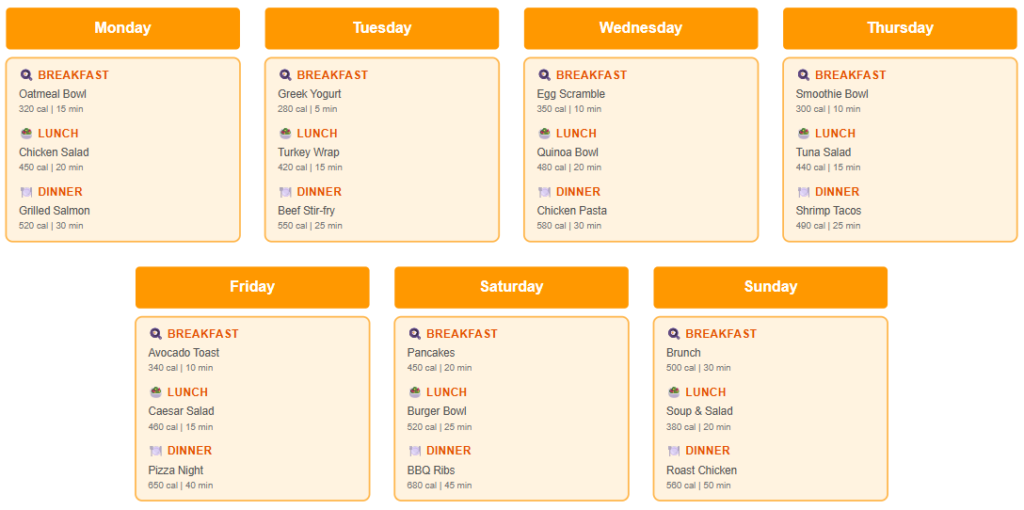
The tool displays options for breakfast, lunch, and dinner along with nutrition information, cooking times, and pictures. Dislike something? You can easily swap it for another option.Swap it instantly, and everything recalculates automatically. Meals get arranged into a weekly calendar. Busy nights get quick recipes, free evenings get fancier options you actually have time for.
Example:
Nutritional Calculations
Each meal gets broken down automatically-calories, protein, carbs, fats, fiber, sodium, all of it. You get these progress bars showing your daily goals. Green means you’re good. Yellow means tweak it a bit. Red means you’re way off. Let’s say you’re short on protein-it’ll flag that and throw out some alternatives. Basically does the math for you so you’re not sitting there with a calculator.
Grocery List Generation
Once your meals are set, it only takes one look at the list to see that it has combined all of your shopping needs in an orderly fashion for you. Each thing is grouped according to the place where you would find it in the store produce, proteins, dairy, and pantry stuff. It goes a step further to add all the quantities. For example, if three different recipes require onions, it calculates that for you instead of printing onions three times.
Progress Tracking
Mark off meals as you eat them and it updates your nutrition numbers right then and there. It also keeps tabs on your weight, measurements, energy-that kind of thing. After a few weeks, patterns will become apparent. Perhaps your measurements are decreasing, your energy is increasing, and you are losing weight.
How Can You Create Your Own Diet Planner? (Step-by-Step Guide)
In 2026, it is very easy to create your tailored food plan with the help of free resources. These are the nine steps that you should take in order to establish a durable diet plan which aligns with your objectives, way of life, and money.
Step 1: Define Your Health Goals
This is the place where everything starts. Without a clear goal it means that you are just “eating whatever” and hoping it will work out in some way. Your goal is the thing that determines for you the number of calories to be eaten, the foods that matter most, and the way by which you’ll know if you’re making progress.
Write down exactly what you want. Drop 20 pounds? Build muscle? Handle diabetes better? Boost your energy?
Make it specific:
❌ “Lose weight.”
✅ “Lose 15 pounds in 3 months.”
✅ “Drop one clothing size by summer.er.”
Pro tip: Write down your goal and target date. Specific goals increase commitment and let you track progress effectively.
Step 2: Calculate Your Calorie Needs
Here’s the thing-you can’t really guess this and expect it to work. Your body runs on calories, and if you don’t know roughly how many you need, you’re just hoping for the best.
Eat too little for too long and everything feels off. Low energy, bad workouts, no motivation. Eat more than your body needs and… nothing changes, even if you’re trying to “eat clean.”
There are plenty of free calculators online that make this easier. Just search something like TDEE calculator. Plug in your basics-age, height, weight, how active you are during the day-and you’ll get a number to work with. It doesn’t have to be perfect. It just has to be realistic.
Step 3: Set Your Macronutrient Ratios
Calories are important, but so is their source. The right amount of proteins, carbohydrates, and fats is the secret to how one can feel satisfied and how one always has to feel hungry, how one can feel energetic and how one always feels tired.
What are macros? Protein, carbs, and fats – the three main parameters that constitute the basis of every diet.
Quick macro guide:
If weight loss is the goal:
Most people generally respond better when protein makes up a larger part of their meal. A protein intake of about one, third of the total calories is usually effective. Carbs can also stay in a similar range to provide the necessary energy, while fats complete the rest. Enough to feel full, but not too heavy.
If you were to build muscle:
Here, protein is what counts the most, so it usually goes higher. Carbs are still there, especially if you work out intensely, and fats do not have to be removed completelyjust make sure they do not dominate your plate.
If you simply wish to be balanced:
A more even distribution of nutrients is also good. Moderate protein, slightly more carbs for daily energy, and fats somewhere around the middle. Nothing extreme.
Easy way: Most tools just do this math for you when you pick your goal anyway.
Step 4: Choose Your Diet Approach
There just isn’t a best diet for every person but a best diet for you now. Some individuals love a very structured approach, while others need to have it flexible for them. Just how you approach this should go along with what you are like, what time you have, and what you like in the way of eating, not just because it’s what worked for someone at your office.
Pick what fits your lifestyle:
- Flexible? → Calorie-controlled or balanced plate
- Want quick results? → Keto or low-carb
- Heart health focus? → Mediterranean or DASH
- Ethical reasons? → Vegetarian or vegan
- Hate counting? → Intermittent fasting or paleo
Remember: The best approach is the one you can stick with for months, not weeks.
Step 5: Plan Your Weekly Schedule
This is where your plan becomes real, tangible, instead of some vague intention of “eating healthy”. You are making concrete meals to pinpointed days in the week. Planning removes daily decision-making stress and prevents the 6 PM “what should I eat?” panic.
Time to build your week!
Option 1: Use Free Templates Download a printable weekly planner templates and fill in meals for Monday through Sunday.
Option 2: Use Free Apps. The app can suggest meals based on your likes and calorie goals.
Smart planning tips:
Monday, Tuesday, Wednesday: Easy and quick meals (busy work days)
Thursday, Friday: Moderate, effort dishes
Saturday, Sunday: Experiment with new recipes or prepare meals for the upcoming week
Step 6: Select Your Recipes and Meals
Now comes the fun part-choosing what you’ll actually eat. The key is balancing variety with simplicity. Too boring and you’ll quit from meal fatigue. Too complicated, and you’ll quit cooking from exhaustion.
Where to find free recipes:
- Free diet planning apps and meal planner templates with built-in recipe databases
- Pinterest (search “healthy + your diet type”)
- YouTube cooking channels
- Food blogs (filter by dietary needs)
Selection strategy:
✅ DO:
- Pick recipes with overlapping ingredients (saves money)
- Choose a mix of quick (20 min) and elaborate meals
- Select foods you actually enjoy eating
- Plan intentional leftovers for lunch
❌ DON’T:
- Selecting 7 difficult recipes (you will get tired quickly of cooking)
- Deciding on all new recipes (uncomfortable situation in case you dislike them)
- Not sticking to your timetable (a busy evening = a quick meal)
Step 7: Generate Your Grocery List
Most meal planning websites that are free and can be accessed from the computer will automatically break all the ingredients from the recipes into one convenient list organized by sections of the store. However, if it’s being done by hand, all the ingredients should be written down, then all the ingredients should be organized by produce, proteins, dairy, pantry, and finally frozen foods. Before grocery shopping, it’s a good idea to look at what ingredients are on hand, purchase produce that’s in season, and purchase proteins that are on sale to be stored in the freezer.
Automatic method: Most free planning tools compile ingredients into organized lists by store section.
Manual method:
- List all recipe ingredients
- Group by category: Produce, Proteins, Dairy, Pantry, Frozen
- Check pantry for items you already have
- Consolidate duplicates (if 3 recipes need onions, calculate total)
Money-saving tips:
- Buy seasonal produce
- Choose store brands for staples
- Purchase proteins on sale and freeze
Step 8: Prep and Execute Your Plan
Best meal prep day: Sunday (2-3 hours sets up your entire week)
Efficient prep strategy:
1 – Beginner:
- Wash and chop all vegetables
- Cook grains (rice, quinoa) in bulk
- Prepare one protein (chicken, tofu)
2 – Intermediate:
- Pre-portion snacks into containers
- Make 2,3 complete meals
- Prep breakfast components (overnight oats, egg muffins)
3 – Advanced:
- Cook all proteins for the week
- Assemble complete meal containers
- Prep breakfast, lunch, and snacks
Storage tip: Label containers with day/meal so you grab-and-go without thinking.
Step 9: Track Progress and Adjust
What to track weekly:
- Body weight (same day/time each week)
- Measurements (waist, hips, chest)
- Energy levels and mood
- How clothes fit
- Strength/fitness improvements
Tracking tools: Use free apps to log meals, weight, and measurements. Seeing progress motivates consistency.
What Are the Diet Planning Tips?
Planning meals is a different thing from actually carrying out the plan. These practical tips help you to get the most out of your planning, to be free from the usual pitfalls, and to give you the feeling that eating healthy is not much of a chore.
Tips for Using Free Diet Planners Effectively
Master free features: A majority of free tools provide 80% of the features that premium versions have. Before you even consider the upgrades, take an in-depth look at recipe filters, grocery customization, and substitution options. It is hard to believe how much you can do without making a single payment.
Combine several free tools: Have one app for meal plans, another for grocery lists, and a third for tracking. The apps can be independent and silent, your work is the only connection. Keep mixing until you discover your ideal combination.
Use premium features with restrictions: Take a screenshot of your most loved recipes so that you can have unlimited meals saved. Hit monthly limits? Plan two weeks at once. Free versions often reset monthly, so timing your planning sessions strategically gets you more value.
Diet Planning Tips for Beginners
Just begin with 3 dinners: Make a meal plan for Monday, Wednesday, and Friday dinners. Have leftovers for the other days. This helps you to gain confidence and create a habit without getting overwhelmed. When it becomes a matter of fact to you, move to complete weeks.
One breakfast throughout the week: Get rid of the deciding fatigue by having the same breakfast every day. Is it not boring? It’s really liberating. After you are settled, you can alternate between 2, 3 choices, but staying with breakfast still takes away one daily decision.
Construct a rotation menu: First, master 10, 12 recipes that you really love and then rotate them. Week 1: Recipes 1, 7. Week 2: Recipes 8, 12 and a couple of favorites from Week 1. Repeat. This helps in meal planning not to feel like you have to constantly come up with new creative work and at the same time, you keep things different enough to not get bored.
Get free planner templates: If you don’t want to start from scratch each week, why not download free planner templates? Due to the framework it sets for you, templates allow you simply to write down the meals instead of starting from scratch every time.
Quick wins checklist:
- Plan only dinners first week
- Choose recipes with 5 ingredients or fewer
- Pick meals you’ve made before
- Allow one “easy night” (takeout or frozen meal)
Meal Planning Strategies for Busy People
Start batch cooking: Spend around 2, 3 hours on Sunday cooking your proteins, grains, and vegetables for the entire week. Just take a little bit of each for every day and make different meals without the need to cook from scratch every day. Sunday really turns out to be your life saver during the week.
Become proficient in 15, minute meals: Always have some emergency ingredients in your kitchen like pasta, jarred sauce, frozen vegetables, and canned beans. Fast meals are a great way to avoid the “I’m too tired to cook, so I’ll just order takeout” situation, which completely messes up your plan.
Try one, pot recipes: such as sheet pan meals, slow cooker, and Instant Pot meals are quite ideal because it requires a short time for the food to cook. Also, you only need to wash a few dishes. When a person is busy, it would be a strain if they got back home only to find a sink full of pots.
Busy person’s priority list:
- Most important: Prep proteins (Chicken, ground meat, tofu)
- Second: Wash, cut vegetables.
- Third: Cook Grains
- Least important: Assembling complete meals – This will be done while preparing
What Are the Best Diet Planner Templates?
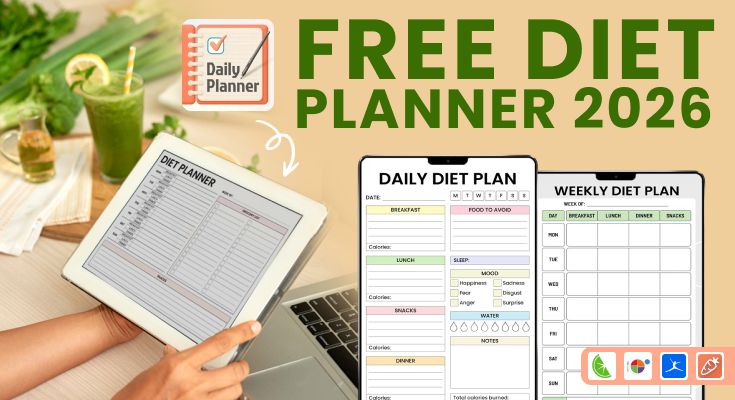
You’ve learned the tips, now it’s time to put them into action. The best template is the one you’ll actually use. These free printable diet planning templates let you plan on paper without apps or accounts. Choose based on your tracking style-simple meal lists, detailed macros, or combined fitness planning. Print and start organizing your week in 5 minutes.
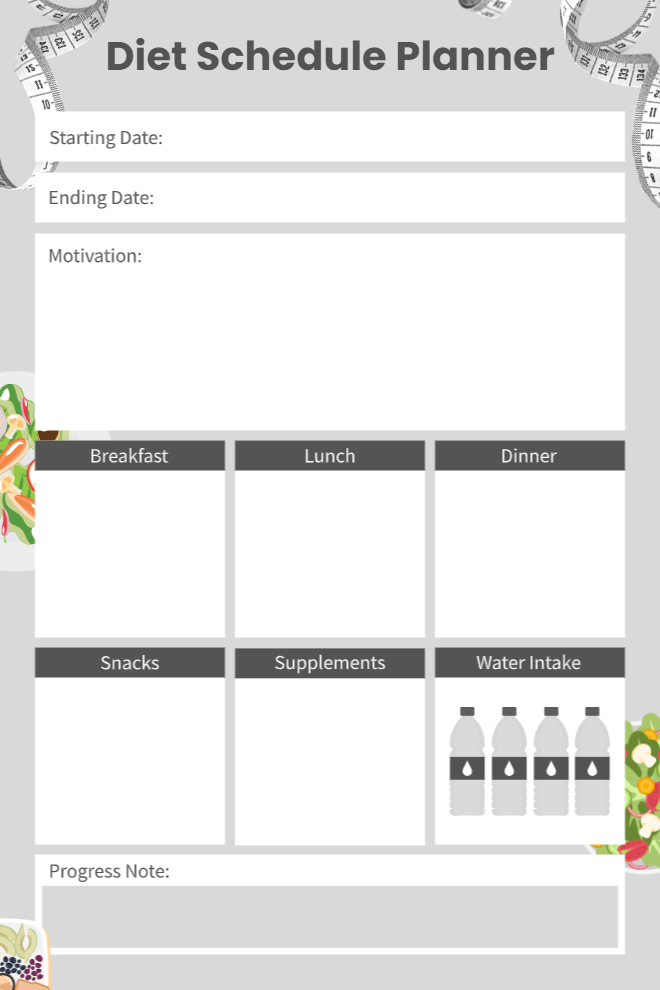
1. Daily Meal Schedule with Water & Progress Tracker
This template is an easy, to, use tool for recording meals, supplements, and water intake of your day in a very clean manner. There is also the provision of short progress notes and very clear start and end dates to keep track of your pledge. A special motivation area is always ready to support your goals and keep you going during the whole plan.
Best for: Daily structure with supplement and hydration focus
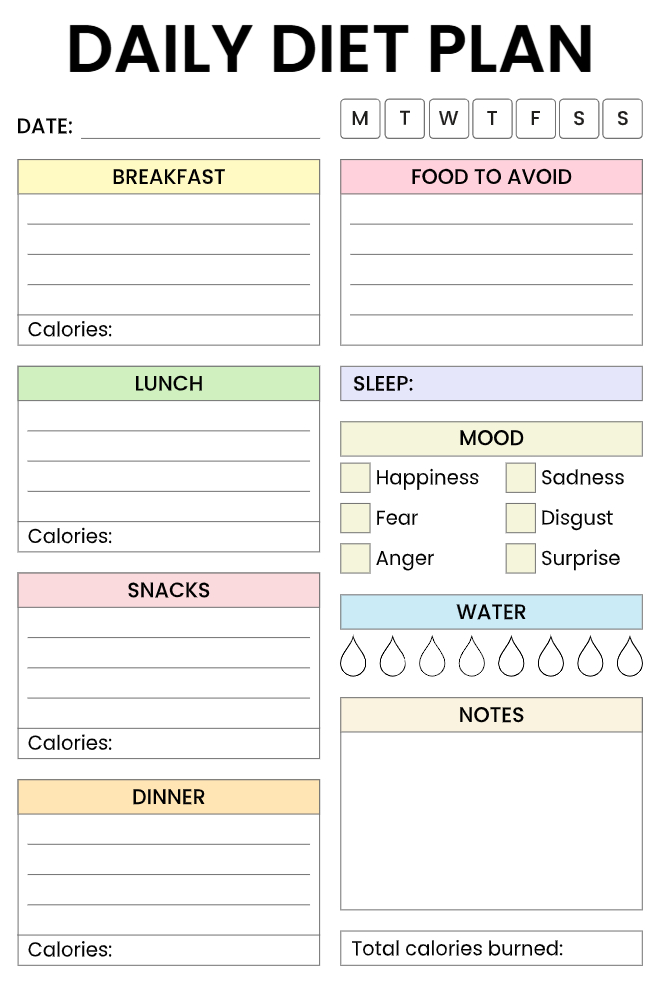
2. Complete Daily Diet Plan with Mood & Sleep Tracker
The planner will help you keep track of the number of calories in each of the meals you eat while allowing you to monitor your emotional patterns through the use of checkboxes. The planner also has a section through which you track the amount of sleep you have each day as well as the amount of water you consume in glasses.
Best for: How certain foods can impact your mood and energy levels
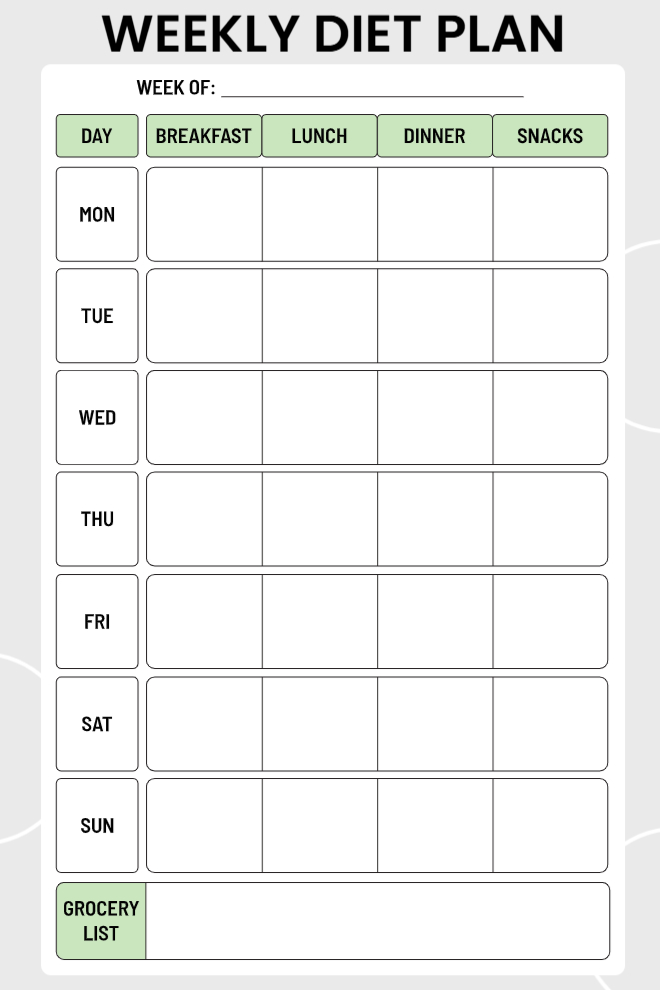
3. Weekly Diet Planner with Grocery List
This minimalist weekly planner shows meals from Monday to Sunday with separate spaces for breakfast, lunch, dinner, and snacks. Its neat grid arrangement allows you to view the whole week in one glance. An integrated grocery list area at the bottom assists you in organizing the ingredients you need in an efficient manner before your shopping trip.
Best for: No-fuss weekly planning at a glance
4. Weekly Meal Plan with Notes Section
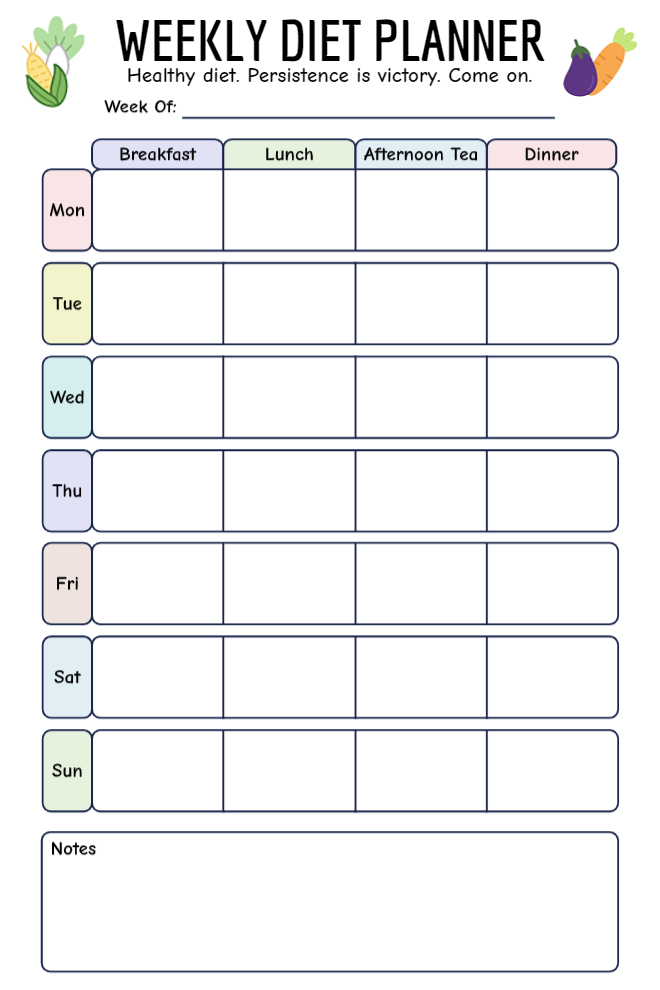
The planner has been provided with four well-structured slots in a day devoted to meals namely breakfast, lunch, afternoon tea, and dinners in a colorful and interesting way. The planner is quite enjoyable and has the ability to keep meals in order. A notes section is also provided at the end of the planner.
Best for: People eating 4 meals daily or cultural tea time
5. Weekly Nutrition Plan with Workout Tracker
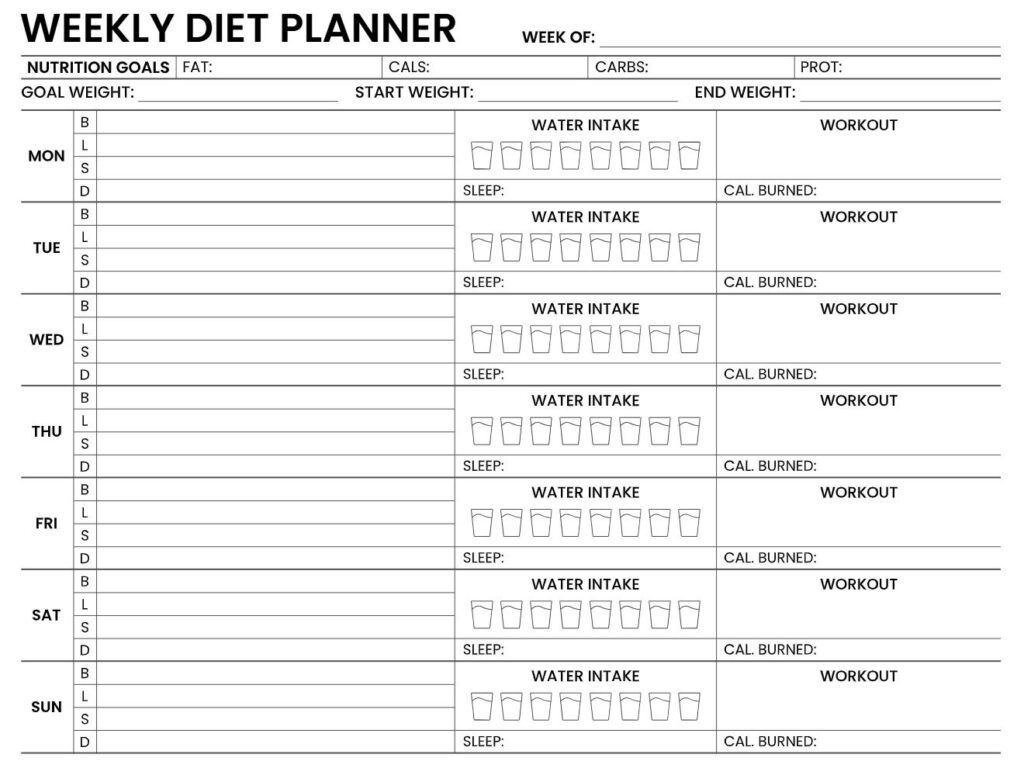
With this template, the four main daily macro nutrient goals, calorie, protein, carbohydrate, and fat, are displayed right at the top for quick reference. It also features a well, organized system for weight tracking with the start, goal, and end fields, as well as giving the user the liberty of writing down what he/she ate for breakfast, lunch, snacks, and dinner in separate spaces. Furthermore, there are places for recording water intake, sleep hours, workout details, and calories burned which, together with nutrition, make the progress of fitness easily trackable.
Best for: Athletes combining nutrition with fitness metrics
6. Daily Diet Planner with Macro & Mood Tracking
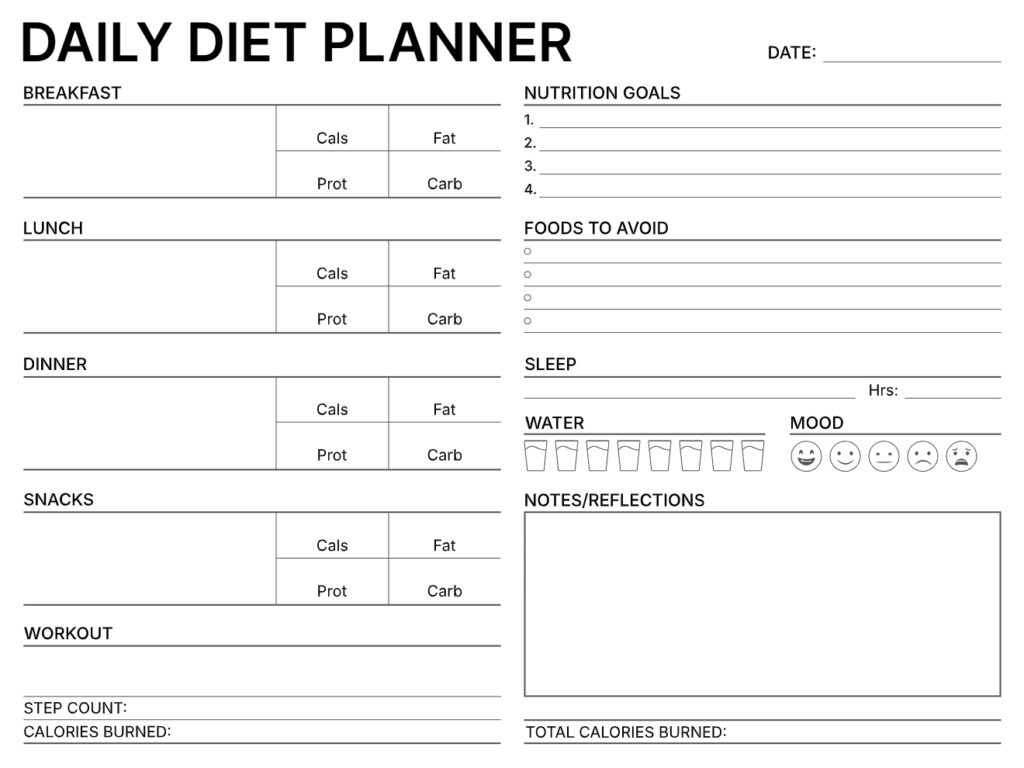
This comprehensive planner separates the macro, nutrients that are calories, fat, protein, and carbs for each meal. There are also numbered nutrition goals, a foods, to, avoid checklist, and easy trackers for sleep hours, water intake, and daily steps. The 5, emoji mood scale, reflection notes, and total calories burned section are there to assist you in keeping track of your physical progress as well as your general well, being.
Best for: Serious macro counters tracking everythings
7. Personal Diet Journal with Motivation & Progress
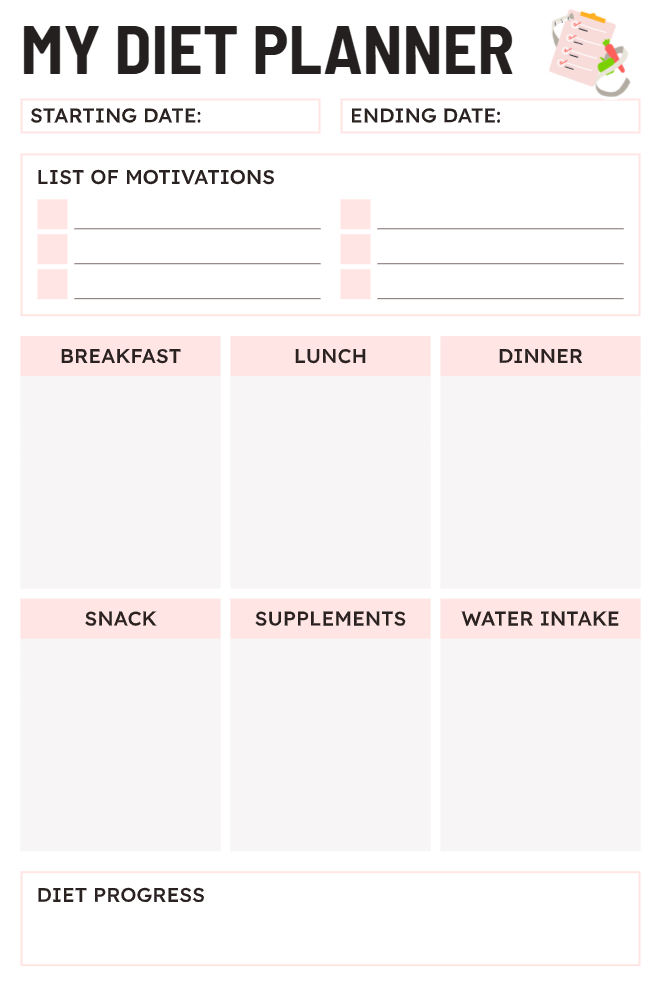
This planner is your personal helper in setting a very clear period and also choosing multiple motivations to keep your commitment strong. The six, box design is your daily chart where you can easily and orderly write down your meals, snacks, supplements, and water intake. There is also a special place for progress which will be your guide in keeping track of your consistency and getting better over time.
Best for: Staying motivated with visual reminders of why you started
8. Weekly Diet Planner with Snacks & Shopping List
This is a split planner where breakfast, lunch, and dinner for each day of the seven days is shown on the left side, making it handy to check all at once. On the right side, there is a two, column grocery list with checkboxes for easier shopping. A snacks section taking the entire width at the bottom is there to make sure that snacks are planned without taking up the space of the main meal schedule.
Best for: Shopping-focused planners who batch ingredients

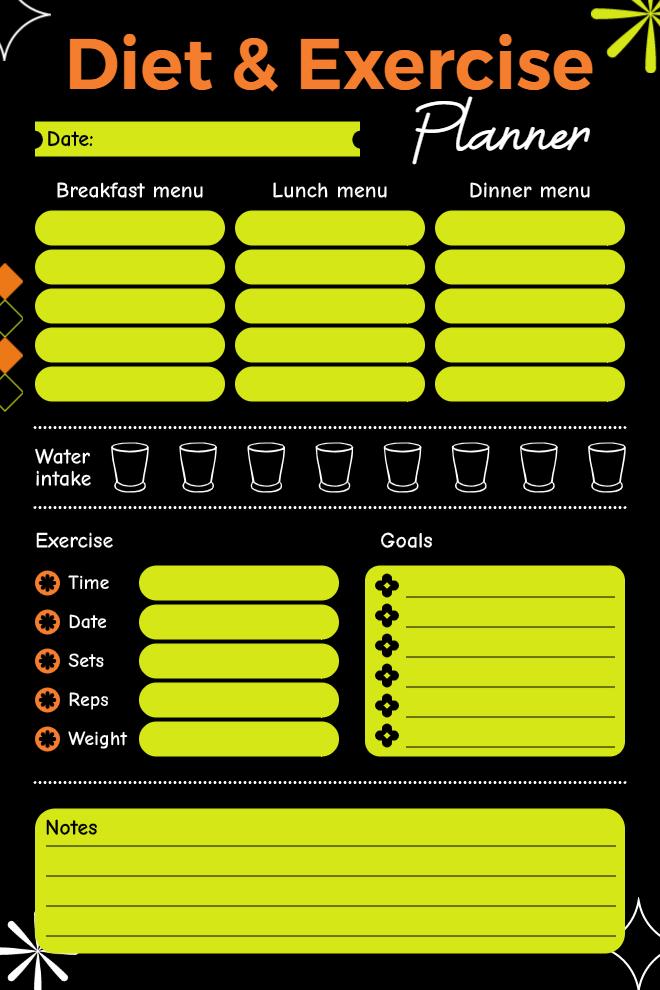
9. Diet & Exercise Planner with Workout Goals
The character of the planner is a vivid black background with neon elements to give it a trendy, energetic, from, the, inside look. It has the provision to record five meals, an 8, glass water consumption tracker, and a very detailed exercise section to write down time, sets, reps, and weight. The goals checklist along with extensive notes available here gives the user ample space for planning, reflecting, and keeping track of progress all in one place.
Best for: Fitness enthusiasts who need to gym workout and meal prep plans simultaneously
What Are the Best Diet Planner Tools & Apps?
Deciding on the correct free planning instrument is capable of either resulting in your triumph or downfall. In the year 2026, numerous apps and resources are vying for your attention, however, merely a few detachments provide substantial value without necessitating any monthly fees. This is the way that works.
Best Free Diet Planner Apps for 2026
PlanWiz Templates – Best for Diet Planning Template
Meal planning templates that are downloadable for people who like to keep things simple and without using technology. You can print calendars, grocery lists, and prep lists without the need to download another app or create another account.
That is yours: Weekly planners that can be downloaded with the shopping list templates, meal prep planners
Best for: Paper-based planning without another app cluttering your phone
MyFitnessPal – Best for Calorie Tracking
The largest food database out there, 14+ million foods with barcode scanning that makes logging stupidly easy. Free version includes calorie counting, macro tracking, and basic meal planninag without nagging you to upgrade every five seconds.
Free Features: Food logging, calorie goals, macro breakdown, exercise tracking
Who it’s for: People who want detailed tracking without the complexity
Eat This Much – Best for Automatic Meal Generation
Answer a few questions, and it creates an entire week of meals with recipes and shopping lists. Generates one automatic plan per day for free, which is honestly enough for most people.
Free Features: Daily meal plan generation, calorie customization, diet type selection, grocery lists
Who it’s for: Beginners who want meals chosen for them instead of scrolling through recipes for hours
MyPlate by USDA – Best for Reliable Information
Official government resources for meal planning, tracking, and recipes. Evidence-based nutrition advice without the health-biz fluff.
Free Features: Meal Planning Worksheets, Portion Guidelines, Recipe Database, Nutrition Education
Who it’s for: People who want science-based and trustworthy information
DIY Free Meal Planning Methods
Google Sheets / Excel
Create custom planning spreadsheets. Complete control, works on any device, free forever. Requires setup time initially, but becomes highly flexible once you’ve built your system.
Simple Notebook Method
Buy a cheap notebook-nothing fancy. Use one page to jot down your meals for the week and the next page for your grocery list. That’s it. It works anywhere, costs almost nothing, and won’t die on you when the battery does.
Bullet Journal Planning
Dedicate pages to meal planning with custom spreads. Combines planning with creativity if you’re the journaling type who likes making things look nice.
Frequently Asked Questions
Set your health goals, calculate your calorie needs, and choose 7-10 meals that match your preferences. Use a free meal planning app to auto-generate meals, track nutrition, and create shopping lists—or build your own system with templates or a notebook. The goal is creating a routine that eliminates daily “what should I eat?” decisions.
Yes, definitely. A weight loss journey becomes much more successful through the use of a planning system because it takes away the impulsive food choices and helps to stay within the calorie limits without the need of a constant battle of willpower. On average, people using meal planning tool 3, 5% of their body weight within the first six months, thus cutting their chances of diabetes and cardiovascular diseases. The framework is actually doing most of the work for you.
Initial setup takes 30-60 minutes weekly. Once you build your recipe library, this drops to just 15-20 minutes per week. You’ll save 5-10 hours weekly that would otherwise go toward meal decisions, recipe hunting, and grocery shopping.
Yes, the best free diet planning also have a facility that enables you to filter your recipes according to your dietary limitations, such as vegetarian, vegan, gluten, free, dairy, free, nut allergy, and so on. When making your meal planner, there are diet planners such as Mealime and Eat This Much that will not include the ingredients that you are restricted from using. It may also be that you make any changes in the recipes or ingredients in any diet schedule that are in line with your needs.
Final Thought
A diet planner can be put into action without the hassle of complicated and time-consuming planning. You do not have to break the bank on apps and take up higher learning or have an abundance of free time on Sundays – you simply need something that is effective in a way that applies in the way you live your day. The free options that exist in the year 2026 make this even simpler than in the past. Find one you like and do the setup in the first 30 minutes and begin with three dinners a week.
The difference between people who succeed with healthy eating and those who don’t isn’t willpower-it’s having a plan that removes daily food decisions when you’re tired, hungry, and vulnerable to easy choices. So stop overthinking it. Get a free app, find a template in the PlanWiz app, or grab a notebook. Plan out your meals for this week while the motivation is new. Future you, in front of the fridge at 7 PM on Wednesday, thank you.
Your health goals are waiting. Start planning your day today.