
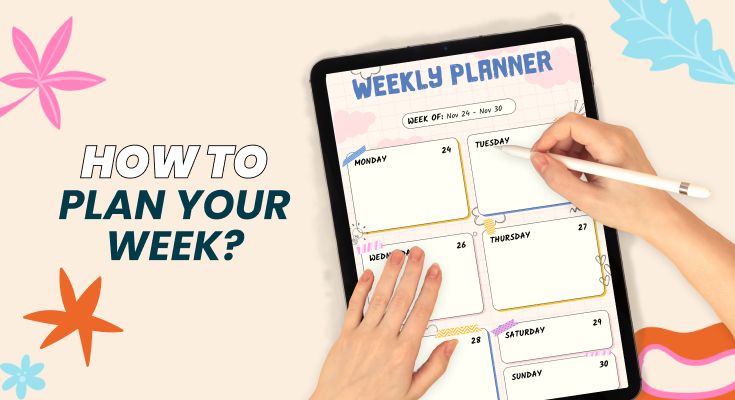
Weekly planning is one habit that can instantly make your life feel more organized, calm, and intentional. Instead of reacting to whatever comes your way, you start each week knowing exactly what matters and how to tackle it. A clear plan reduces stress, helps you prioritize better, and keeps your goals front and center.
With a structured weekly planner, you can map out your tasks, commitments, and focus areas in a way that’s simple and sustainable. In this guide, you’ll learn a practical 7-step approach to plan your week with clarity and confidence.
Why Weekly Planning Changes Everything?
Weekly planning sits at the sweet spot between daily task management and long-term goal setting. While daily planning keeps you reactive, constantly responding to whatever feels urgent, weekly planning gives you the strategic perspective to ensure your daily actions align with what actually matters.
A study published in the Journal of Applied Psychology found that employees who spent time planning their week reported 25% higher job satisfaction and were 31% more productive than those who didn’t plan.
The reason? Weekly planning reduces decision fatigue, eliminates the stress of forgetting commitments, and creates mental space for deep work.
This guide walks you through a complete weekly planning system, the same methodology used by executive coaches, productivity consultants, and high-performing professionals. You’ll learn not just what to do, but exactly how to implement each step with practical weekly planner templates and real examples.
When Should You Plan Your Week?
The best time to plan your week is Sunday evening between 6-8 PM or Monday morning before 9 AM. Here’s why each works:
Sunday Evening Planning (Recommended)
- Allows you to start Monday with complete clarity and zero ramp-up time
- Reduces Sunday night anxiety by transforming worry into action
- Takes advantage of natural reflection time at week’s end
- Creates psychological closure for the weekend
Monday Morning Planning
- Works better if your work environment changes frequently
- Allows you to incorporate any weekend communications
- Preferred by those who want complete weekend disconnection
Pro Tip: Consistency matters more than timing. Choose one time and protect it like an important meeting. Put it in your calendar maker with a recurring reminder.
The Complete Weekly Planning Method (Step-by-Step)
Weekly planning is the bridge between your long-term goals and your daily actions. When you map out your week with clarity and intention, you eliminate guesswork and decision fatigue. This method ensures you stay focused, flexible, and fully aligned with the results you want to achieve.
Step 1: Conduct a Weekly Review (5 Minutes)
Before planning forward, look backward. Open last week’s plan (or recall your week) and answer these four questions:
- What did I accomplish? List your wins, even small ones. This builds momentum and reveals patterns in when you’re most productive.
- What didn’t get done? Be honest. These items either need to move forward, get delegated, or be eliminated.
- What unexpected challenges arose? Identifying patterns helps you plan better buffer time.
- What would I do differently? This single question drives continuous improvement in your planning system.
Example: “Last week I completed the client proposal and quarterly report, but didn’t finish the budget review. I got interrupted by three unplanned meetings. Next week, I’ll block ‘no meeting’ time on Tuesday and Thursday mornings.”
Step 2: Brain Dump All Tasks and Commitments (5 Minutes)
Write down everything you need or want to do this week without filtering or organizing. This includes:
- Work projects and deadlines
- Personal errands and appointments
- Emails that require significant responses
- Phone calls to make
- Ideas you want to explore
- Recurring tasks (grocery shopping, exercise, meal prep)
- Items carried over from last week
The goal is to get everything out of your head and onto paper (or your digital planner). David Allen, author of Getting Things Done, calls this “capturing,” and research shows it reduces cognitive load and mental stress by freeing up working memory.
Step 3: Prioritize Using the Eisenhower Matrix (5 Minutes)
The Eisenhower Matrix (also called the Urgent-Important Matrix) is the most effective prioritization framework for weekly planning. It was developed based on a quote attributed to President Dwight D. Eisenhower: “What is important is seldom urgent and what is urgent is seldom important.”
Here’s how to use it:
- Crises
- Pressing deadlines
- Emergency requests
- Strategic planning
- Relationship building
- Personal development
- Most meetings
- Some emails
- Other people’s priorities
- Time wasters
- Busy work
- Excessive social media
Key insight: Most high achievers spend the majority of their time in Quadrant 2 (Important but Not Urgent). This is where strategic work, skill development, and relationship-building take place. If you’re constantly in Quadrant 1 (crisis mode), your weekly planning isn’t working.
Step 4: Identify Your Top 3 Weekly Priorities (3 Minutes)
From your prioritized list, select exactly three tasks that, if completed, would make this week a success. These become your “Big 3” or “Weekly Wins.”
Your Big 3 should be:
- Specific and measurable: Not “work on project” but “complete first draft of project proposal.”
- Achievable within the week: Break larger projects into weekly milestones
- High-impact: These should move important goals forward, not just clear busywork
Example Big 3 for a Marketing Manager: 1. Finalize Q2 campaign strategy document 2. Complete performance reviews for 3 direct reports 3. Launch A/B test for email subject lines
Step 5: Time Block Your Calendar (7 Minutes)
Time blocking is the practice of scheduling specific tasks into dedicated calendar slots. Cal Newport, author of Deep Work, calls it “the most effective productivity technique.” Here’s how to implement it:
- Block your Big 3 first: These get priority placement, ideally during your peak energy hours
- Identify your peak performance hours: Most people are sharpest 2-4 hours after waking. Protect this time for deep work.
- Group similar tasks together: Batch emails, calls, and administrative work into dedicated blocks to reduce context switching.
- Add transition time: Include 10-15 minutes between blocks for mental reset and physical movement.
- Color-code by category: Use different colors for deep work, meetings, personal time, and administrative tasks.
Sample Time-Blocked Day:
| Time | Activity | Category |
|---|---|---|
| 6:00-7:00 AM | Morning routine, exercise | Personal |
| 7:00-7:30 AM | Daily planning review (5 min) + commute | Admin |
| 8:00-11:00 AM | Deep work block: Big 3 Task #1 | Deep Work |
| 11:00-12:00 PM | Email batch processing + quick calls | Admin |
| 12:00-1:00 PM | Lunch + walk (no screens) | Personal |
| 1:00-3:00 PM | Meetings block | Meetings |
| 3:00-5:00 PM | Focused work: Big 3 Task #2 | Deep Work |
| 5:00-5:30 PM | End-of-day review + tomorrow prep | Admin |
Step 6: Build in Buffer Time (2 Minutes)
The biggest mistake in weekly planning is over-scheduling. Leave 20-30% of your calendar unscheduled to accommodate:
- Unexpected urgent tasks that inevitably arise
- Tasks that take longer than estimated
- Recovery time between intensive work sessions
- Spontaneous opportunities worth pursuing
Hofstadter’s Law states: “It always takes longer than you expect, even when you take into account Hofstadter’s Law.” Build this reality into your planning.
Step 7: Establish Daily Check-In Times (3 Minutes)
Your weekly plan is a living document, not a rigid contract. Schedule two brief check-ins each day:
Morning Check-In (5 minutes): Review your day’s plan, confirm priorities, and adjust as needed based on overnight developments.
Evening Check-In (5 minutes): Review what you accomplished, note incomplete items, and mentally prepare for tomorrow using daily planner templates.
For more guidance on structuring effective daily routines and schedules, check out how to create a daily schedule.
How Should You Plan Your Week According to Your Role?
Different lifestyles require different planning styles, and the way you structure your week should match your responsibilities and daily demands. To make weekly planning truly effective, adapt the core system to your specific role, routine, and priorities. Here’s how you can tailor it for better balance, productivity, and clarity.
Student Weekly Planning
Student weekly planning focuses on academic deadlines, study time, and personal balance. A productive plan can include:
- Map all assignment due dates at the start of each week and work backward
- Use the 2-hour rule: For every hour of class, schedule 2 hours of study/review time
- Block study sessions in 50-minute chunks with 10-minute breaks (Pomodoro Technique)
- Schedule exam prep at least one week before each test
- Include social activities, and self-care burnout undermines academic performance
Using study planner templates helps students track assignments, exams, projects, and study sessions in one organized system. These templates provide structure, reduce last-minute stress, and make it easier to break big tasks into manageable steps.
With a clear plan to follow, students stay consistent, avoid forgetting important deadlines, and study more efficiently throughout the week.
Professionals Weekly Planning
Weekly planning for professionals balances work deliverables, meetings, and career growth. Key strategies include:
- Review all meeting invitations on Sunday evening and decline or delegate those that don’t require you
- Protect at least one 3-hour deep work block daily for strategic projects
- Batch communication: Check email at designated times rather than continuously
- Include professional development: Block time for learning, networking, and skill-building
- Plan for energy management: Schedule demanding tasks during peak hours, routine tasks during energy dips
A work schedule maker approach helps professionals balance project deadlines with meeting commitments more efficiently by offering a clear, visual layout of their weekly workload.
It allows you to allocate time wisely, prevent overbooking, and ensure that high-priority tasks receive focused attention. With a structured schedule, professionals can reduce overwhelm, stay aligned with long-term goals, and maintain a healthier work rhythm throughout the week.
Parents Weekly Planning
Parents need flexible planning that coordinates family life and allows for self-care. Effective weekly planning can involve:
- Create a family command center: Shared calendar with all family members’ activities
- Plan meals and groceries weekly: This single habit saves hours of daily decision-making
- Coordinate with partners on childcare coverage before the week begins
- Build in margin for sick days and emergencies: They will happen
- Schedule “me time” like an appointment: Self-care isn’t optional for sustainable parenting
Family planner templates provide a central hub for organizing everyone’s schedules, meal plans, school events, and household responsibilities. With everything visible in one place, parents can easily coordinate activities, avoid last-minute chaos, and ensure that no important task or event slips through the cracks.
These templates also support better communication and shared planning, helping families stay aligned while giving parents the clarity they need to balance responsibilities and protect time for self-care.
Entrepreneurs & Freelancers Weekly Planning
Entrepreneurs and freelancers create their own structure without external guidance. A productive weekly plan may include:
- Designate theme days: Monday = Marketing, Tuesday = Client Work, Wednesday = Admin, etc.
- Separate revenue-generating work from business maintenance: Both need time, but revenue comes first
- Schedule client work before it’s urgent: Proactive planning prevents panic.
- Block “CEO time” for strategic thinking and business development
- Plan for feast-or-famine cycles: When busy, schedule marketing for slow periods
Using business planner templates helps entrepreneurs structure their weeks around revenue priorities and strategic growth activities. Since entrepreneurs and freelancers operate without predefined schedules, these templates create the stability needed to stay productive and intentional.
They help differentiate between urgent client tasks and long-term business development, ensuring the week is balanced between execution, planning, and high-impact activities that move the business forward.
Frequently Asked Questions
Effective weekly planning takes 20-30 minutes once you’ve established your system. Beginners may need 45-60 minutes initially as they learn the process. If you’re spending more than an hour, you’re likely over-complicating it. The goal is a sustainable practice, not a perfect plan.
Both work equally well; the best choice depends on your preferences. Research published in Psychological Science suggests that handwriting improves memory retention, making paper planners effective for those who want to remember their plans without constantly checking. Digital planners excel at reminders, syncing across devices, and quick reorganization. Many productivity experts use a hybrid: paper for weekly planning sessions, digital calendars for time-blocking and reminders.
Use the “4 D’s” framework for unexpected requests: Do it (if it takes less than 2 minutes), Delegate it (if someone else can handle it), Defer it (schedule it for later), or Delete it (if it’s not actually important). Also, build 20-30% buffer time into your schedule specifically for unexpected tasks.
Weekly planning provides strategic direction, ensuring your daily actions align with bigger goals and account for the entire week’s commitments. Daily planning is tactical execution; it determines exactly what you’ll do and when. Think of weekly planning as the map and daily planning as turn-by-turn directions. You need both: weekly planning (15-30 minutes once) plus daily planning (5-10 minutes each morning).
Conclusion: Start Your Weekly Planning Practice Today
Weekly planning isn’t about creating the perfect schedule; it’s about taking control of your time and aligning your daily actions with what truly matters. The 30 minutes you invest each Sunday evening or Monday morning will save you hours of stress, indecision, and wasted effort throughout the week.
Start simple. You don’t need fancy tools or complicated systems. Begin with the 7-step method outlined in this guide: review your previous week, brain dump your tasks, prioritize using the Eisenhower Matrix, identify your Big 3, time block your calendar, build in buffer time, and establish daily check-ins.
The first week won’t be perfect. You’ll overestimate what you can accomplish, unexpected tasks will derail your plan, and you’ll need to adjust. That’s not failure, that’s learning. Each week, you’ll refine your process, better understand your capacity, and improve your ability to protect what matters most.
Learn More:
Daily Planner Ideas & Tips: 10 Simple Ways To Transform Your DayHow to Plan Your Day for Success
How a Weekly Planner App Simplifies Your Busy Life
Creative Design Ideas for the Perfect Weekly Planner Templates



