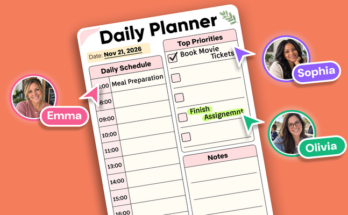
As a teacher, staying organized is key to effectively managing assignments, lesson plans, and classroom tasks. A well-structured Notes Planner for teachers can become your best tool for keeping track of everything, from grading to student feedback. By creating a system that aligns with your teaching style and workflow, you can streamline your planning process and reduce stress while ensuring you and your students stay on track.
Get Started with Notes Planner: Create a System That Works for You
As a teacher, managing assignments and classroom tasks can quickly become overwhelming without a solid organizational system. Notes planner can be your best ally in staying on top of everything, from student assignments to lesson plans and grading schedules. The key is setting up a system that aligns with your teaching style, preferences, and workflow. Here’s how you can get started and make the most out of a note planner.
Choose the Right Notes Planner
The first step in creating a system that works for you is selecting a note planner that suits your needs. There are several options available, from digital planners to traditional paper planners. When selecting a digital planner, Planwiz offers the perfect balance of organization and flexibility with:
Get Organized with PlanWiz Notes Planner
Plan your days efficiently with our feature-rich app, available on both Android and iOS devices.



Key features to look for when selecting a planner:
- Customizable Layouts – Daily, weekly, and monthly views to fit your planning style.
- To-Do Lists & Notes – Dedicated sections to manage tasks, reminders, and important notes.
- Student Information Management – Track assignments, deadlines, and academic progress with ease.
- Sync & Accessibility – Access your planner anytime across multiple devices with cloud storage.
- Interactive Features – Hyperlinks, stickers, and templates to personalize your planning experience.
Set Up Your Planner with Clear Categories
Once you’ve chosen your planner, it’s time to organize it in a way that maximizes efficiency. Start by creating clear categories to separate different aspects of your teaching.
- Assignments and Homework: Have a dedicated section for student assignments. Use this space to track due dates, submission status, and any special instructions. You can color-code or use symbols to make important deadlines stand out.
- Lesson Plans and Curriculum: Organize your lesson plans by subject, unit, and date. Include a section to note down specific teaching objectives, activities, and resources needed for each lesson.
- Grading and Feedback: A section for grading can help you stay on top of assessments, quizzes, and projects. Include columns for the student’s name, assignment scores, and any additional notes.
- Classroom Tasks and Events: Keep track of daily tasks like setting up classroom materials or preparing for upcoming school events. This can also include parent-teacher meetings, school assemblies, or special student needs.
Create a Routine for Daily and Weekly Updates
The key to an effective note planner is consistency. Make it a habit to update your planner at the beginning or end of each day, or set aside a block of time at the start of each week to review and plan. This routine will help you stay proactive so you can avoid last-minute stress. Consider the following practices:
- Daily Review: At the end of each day, review your assignments, check for any upcoming deadlines, and note any new tasks for tomorrow.
- Weekly Review: Every week, take time to assess the overall progress of your lesson plans, grading, and classroom tasks. Adjust your goals and to-do lists as necessary.
Use Color Coding and Symbols for Efficiency
Incorporating color coding and symbols into your planner can help you quickly identify important tasks. Use different colors for categories like assignments, grading, or meetings. Symbols such as checkmarks, stars, or exclamation points can indicate urgency, completion status, or tasks that need follow-up.
For example:
- Red: Urgent or high-priority tasks
- Blue: Assignments and homework
- Green: Completed tasks
- Yellow: Upcoming events or deadlines
Reflect and Adjust
Your system doesn’t need to be perfect from day one. As you get used to using your notes planner, you may find that certain categories or methods don’t work as well as you’d like. Feel free to adjust your system. The flexibility of a notes planner is one of its greatest benefits—make it work for you by refining your approach based on your experiences.
Use Notes Planners for Different Classroom Management Tasks
Note planners can help manage classroom tasks like lesson planning, tracking student progress, and communicating with parents and colleagues. With a well-organized planner, teachers can streamline their workload and stay proactive. For comprehensive task management beyond note-taking, consider using our detailed task planner template alongside your notes planner to organize all classroom responsibilities efficiently. Let’s explore how a note planner can simplify various aspects of classroom management, ensuring a smooth and efficient teaching experience.

Organizing Lesson Plans and Teaching Materials
Structure lesson plan pages with sections for objectives, materials, activities, and adjustments. Use different sections for each subject or student group, making it easier to plan across various topics. Color-code sections to keep track of different subjects or activities. This setup ensures you stay organized and can easily adjust materials or lesson plans as needed.
Tracking Student Progress
In your planner, track student grades, feedback, and learning goals. Create sections for each student with columns for assignments, scores, and personalized comments. Document student behavior and note any challenges or accommodations needed. This helps you stay organized and provides a quick reference when assessing student progress or communicating with parents about specific concerns.
Classroom Organization: Space, Supplies, and Tasks
Keep a seating chart in your planner to manage student arrangements. Use it to track classroom routines, including transitions, breaks, and supply management. You can also assign tasks like group roles or classroom duties to students, ensuring everyone knows their responsibilities. This keeps your classroom running smoothly and ensures an efficient learning environment.
Communication with Parents and Colleagues
Track parent-teacher conferences and meetings with colleagues in your planner. Include dates, topics, and follow-up actions. Use a communication log for each student to note important conversations with parents or staff. This ensures clear, consistent communication and helps keep track of student progress, concerns, or accommodations for a more collaborative approach to education.
Benefits of Visual Planning for Teachers with Notes Planner
Effective planning is the backbone of successful teaching, and in today’s fast-paced educational environment, having a clear, structured approach is more important than ever. Visual planning through tools like Notes Planners provides teachers with a powerful way to stay organized, manage their time, and enhance their teaching strategies.
Enhanced Organization
- Streamlined Scheduling: Visual planning helps teachers allocate specific times for lessons, assessments, and other activities, ensuring that their day is well-organized.
- Quick Access to Information: With a visual planner, teachers can instantly view the layout of their week, making it easier to access important dates, lesson plans, and deadlines.
- Avoiding Overlaps and Conflicts: Visual planners enable teachers to avoid scheduling conflicts, ensuring there is enough time between lessons, meetings, and prep time.
Improved Time Management
- Prioritizing Tasks: By prioritizing tasks in a planner, teachers can easily prioritize based on urgency and importance, ensuring that key tasks get the attention they need.
- Efficient Use of Time: Visual planning helps teachers allocate appropriate time for each task, minimizing wasted time and improving overall productivity.
- Meeting Deadlines: Having a clear overview of deadlines, tests, and assignments helps teachers stay on track and meet important academic milestones without stress.
Better Focus and Clarity
- Clear Visual Cues: A visual planner offers a simple and clear layout, reducing the mental clutter that comes from juggling numerous tasks and making it easier for teachers to focus on the current task at hand.
- Daily & Weekly Goals: Teachers can break down their long-term objectives into daily and weekly tasks, making their goals feel more achievable and focused.
- Reduced Stress: Having a visual plan in place reduces last-minute scrambling, which minimizes stress and improves overall well-being by helping teachers feel in control.
Effective Collaboration
- Sharing Plans with Colleagues: Visual planners allow teachers to easily share their schedules and lesson plans with colleagues, promoting collaboration and team coordination.
- Co-Planning Made Easy: Teachers can collaborate by laying out their plans visually, making it easier to align their objectives, especially when working on cross-curricular projects.
- Tracking Group Tasks: Teachers can visually track tasks shared among multiple educators, ensuring no steps are missed, and everyone is on the same page.
Tailoring the Notes Planner to Your Teaching Style
Every educator has a unique teaching style, and a one-size-fits-all approach to planning may not always be effective. Tailoring your Notes Planner to suit your specific teaching methods can significantly enhance your organization, focus, and overall classroom management. Whether you teach through projects, lectures, or a hybrid model, customizing your planner ensures it works with you, not against you.

Identifying Key Areas to Tailor
Tailoring your Notes Planner begins with understanding your teaching style, whether it’s project-based, traditional, or hybrid. Customizing key areas like lesson plans, reflection pages, task delegation, and student needs ensures your planner supports your approach. This personalization helps you manage class activities effectively, track individual student progress, and adjust to unique classroom dynamics.
Customizing Layouts and Sections
Customizing your planner layout based on your teaching approach can enhance its functionality. For project-based teaching, include sections for project timelines and collaboration. While lecture-driven teaching may benefit from a structured daily or weekly outline. Adding pages for student reflections, group activities, and long-term projects fosters organization and adaptability, improving overall classroom management.
Incorporating Your Own Needs and Preferences
Incorporating your personal needs into the planner, like teaching goals, progress reflections, and student feedback, helps refine your teaching methods. Include spaces to track professional development, set semester goals, and assess teaching effectiveness. By using notes planner templates, trackers, or inserts that suit your teaching style, you can create a more efficient and personalized planning tool that evolves with your teaching journey.
Add a Personal Touch: Making the Notes Planner Enjoyable to Use
A Notes Planner is more than just a tool for organization, it’s a space that can inspire and motivate you as an educator. By adding a personal touch, you can transform your planner into an enjoyable and creative resource. That reflects your unique style and keeps you engaged throughout the year.
- Incorporating Creativity into Planning
- Fun Elements: Add stickers, color schemes, or motivational quotes to make planning more enjoyable and visually appealing.
- Personal Designs: Use doodles, inspirational images, or custom designs to create pages that feel unique and uplifting, adding a creative touch to each section.
- Creative Layouts: Integrate elements that match your personality and teaching style, making the planner not just a tool but a reflection of your passion for teaching.
- Inspiring Motivation and Mindfulness
- Daily Affirmations: Set up pages for daily or weekly affirmations to keep you motivated and positive throughout your teaching journey.
- Personal Reflections: Create spaces for personal achievements, reflections, and gratitude, helping you stay grounded and mindful.
- Goal Tracking: Use the planner to track long-term teaching goals, small wins, and personal progress, keeping you focused on your growth and accomplishments.
- Tracking Student Milestones
- Celebrating Achievements: Design sections to track and celebrate students’ academic and behavioral milestones, helping them recognize their hard work and growth.
- Joyful Celebration Pages: Create special celebration pages for big achievements or class milestones, turning the planner into a source of pride and motivation.
- Positive Reinforcement: Use the planner as a tool for reinforcing positive behaviors and encouraging students by acknowledging their successes in a meaningful, creative way.
How to Stay Consistent with Your Notes Planner
To stay consistent with your Notes Planner, it’s essential to build a routine. Set aside specific times each day or week, such as after school or before class, to update your planner and reflect on upcoming tasks. Consistently reviewing and planning ensures you stay organized, reduces last-minute stress, and keeps your teaching goals on track.
Incorporating a habit tracker in your planner can further help you stay committed. By setting small, achievable goals, like filling in your planner every day, you reinforce the habit. Using your planner as an accountability tool also helps track progress and areas for improvement. Involving colleagues or friends to review your planning habits can provide extra motivation and support.
Conclusion
By carefully setting up and personalizing your Notes Planner, you can create a system that enhances your teaching experience. Whether through consistent routines, tracking student progress, or incorporating planning organization ideas, your planner can become a vital tool for both organization and inspiration. The flexibility of a Notes Planner ensures it adapts to your needs. That allows you to focus on what truly matters—your student’s success and growth.