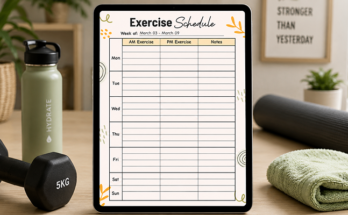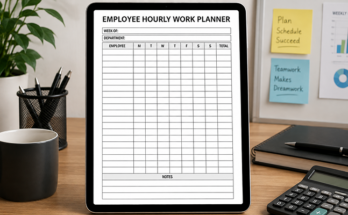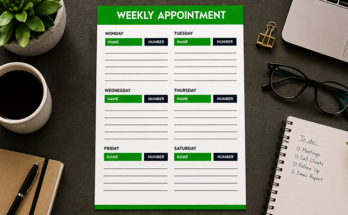
Educating the next generation is one of the most impactful responsibilities. But planning lessons? That part should be easier. iPad planner app for teachers can revolutionize lesson planning by providing structure, flexibility, and efficiency. This article explores why educators are making the switch, how to integrate lesson structures and ways to optimize teaching with a digital iPad planner.
Why Teachers Are Switching to a Digital iPad Planner for Lesson
Teachers often rely on paper planners until digital tools offer greater convenience. With iPad planners, educators can access lesson plans anytime, anywhere, eliminating the need for paper notebooks. Features like templates, drag-and-drop tools, and automation speed up planning, encouraging paperless practices. For improved workflow, teachers can explore planning organization ideas that further streamline lesson preparation and support eco-friendly teaching methods.
Teachers benefit from clear organization through efficient past lesson retrieval made possible by digital planners’ tagging and search functions and easy categorization tools. The platform works efficiently with different apps including calendars and notes and storage solutions which create a unified workflow system. The link between various platforms enables teachers to maintain awareness of teaching schedules and assignments and lesson plans which results in improved performance and minimized paper-based administration needs.
Integrate Classroom Goals and Lesson Structure into Your Planner
A digital iPad planner helps educators align lesson structures with classroom goals, ensuring consistency and student progress tracking. By setting clear objectives, organizing curriculum-based lessons, and adapting strategies in real time, teachers can enhance efficiency and engagement. This approach transforms lesson planning into a dynamic, goal-driven process that improves overall classroom success.
Set Clear Goals
Before starting a lesson, teachers should decide what they want students to learn. These goals should match the school’s curriculum and help students build knowledge step by step. A digital iPad planner allows teachers to write down these goals clearly. This helps them stay focused and ensures that each lesson contributes to students’ overall learning.
Organize the Lesson into Parts
A lesson usually has different steps:
- Warm-up – A short activity to get students interested.
- Teaching – The main part where the teacher explains the topic.
- Practice – Students do exercises to understand better.
- Assessment – A quiz or discussion to see if students learned well.
The iPad planner allows teachers to plan each step in an organized way.
Include Student-Friendly Activities
Every student learns differently, so lessons should include a variety of activities. Some students enjoy reading, others prefer hands-on activities, and some learn best through discussions. A digital iPad planner helps teachers plan group activities, games, and interactive discussions. This keeps students engaged and helps them understand topics in a way that suits their individual learning styles.
Track Student Learning
Educational monitoring reveals to educators which students require additional assistance alongside their advanced academic performance level. The digital planner enables teachers to save student performance records along with participation data which helps them modify their subsequent educational materials. The real-time monitoring system enables teachers to deliver enhanced assistance to students thereby ensuring the best educational outcomes across the board.
The Role of Digital iPad Planner in Reflective Teaching Practices
Great teachers always try to improve their teaching. Reflection helps them understand what works and what needs to change. A planwiz iPad planner makes this process easier in many ways.
- Write Down Thoughts and Experiences: After each lesson, teachers can use the planner to write about what went well and what was challenging. Keeping a digital journal helps them remember important details and learn from every class.
- Make Quick Changes to Lessons: Sometimes, a lesson doesn’t go as planned. If students struggle with a topic, teachers can update their lesson plans right away in the iPad planner. This makes it easier to adjust teaching methods to fit students’ needs.
- Use Data to Teach Better: Over time, teachers can see patterns in student performance. The planner helps them track progress, spot areas for improvement, and make better teaching decisions. This ensures students get the best learning experience.
- Share and Learn from Others: Teaching is better when educators work together. A digital planner allows teachers to share their reflections with colleagues, get advice, and learn new strategies. This helps everyone improve and create a better classroom environment.
Customize Lesson Templates for Maximize Teachers Efficiency
The customizability of an iPad planner for study planner templates brings teachers both time-saving benefits and improved organization. The ready-made templates function allows teachers to structure their lessons without starting from basic planning every session. Teaching performance improves when teachers choose ready-made lesson templates, which minimize workloads and maintain consistency between classes.

Build Ready-to-Use Templates
Teachers can create templates for daily, weekly, and unit plans. These templates provide a consistent structure, making it easier to plan lessons efficiently. With a well-organized template, teachers can quickly add lesson details without rethinking the format. This helps maintain uniformity in teaching and ensures that lessons are well-structured and easy to follow for students.
Use Checklists for Easy Planning
Adding checklists to lesson templates ensures that teachers don’t miss important details. They can include checklists for lesson objectives, required materials, and teaching strategies. These checklists serve as reminders and help teachers stay organized. With an interactive digital planner, they can mark off completed tasks, ensuring smooth lesson delivery and improving classroom management.
Add Videos, Images, and Links
Multimedia elements make lessons more engaging and interactive. Teachers can embed videos, images, and links to online resources directly into their lesson plans. This helps students understand complex topics more easily and keeps them interested. With a digital planner, all resources are stored in one place, making lesson delivery seamless and efficient.
Automate Repetitive Work
Using pre-made templates eliminates the need for repetitive writing. Teachers can save time by reusing lesson structures and only updating specific details. This lets them focus on improving lesson quality instead of wasting time on redundant tasks. By choosing the best iPad planner apps, teachers can make lesson planning faster, more efficient, and more effective overall.
Lesson Planning & Management for Teachers with an iPad Planner
A digital planner makes transitioning students between tasks easier. It helps teachers organize activities, manage time, and ensure lesson continuity. By using tools for smoother transitions, educators can focus more on instruction while maintaining classroom order. Incorporating time management tips into the planner allows for better control over daily activities and enhances overall classroom efficiency.
Set Timers and Reminders
Built-in timers and reminders help teachers manage lesson pacing. By setting timers, teachers can keep track of time spent on each activity and ensure smooth transitions between lessons. This helps prevent lessons from running too long or short, keeping students focused and the classroom running efficiently. It’s a simple solution for staying organized and on track.
Use Colors to Stay Organized
Color-coding lessons helps teachers stay organized and makes it easier to find materials quickly. By assigning different colors to subjects or activities, teachers can quickly locate what they need in the planner. This visual organization keeps lessons flowing smoothly, allowing teachers to move from one task to the next without confusion or wasted time.
Keep Resources Ready in Advance
With a digital planner, teachers can preload all lesson resources in advance. Instead of searching for materials during class, everything is already linked and ready to go. This eliminates delays and ensures that teachers can access instructional materials instantly. It saves time and ensures lessons proceed without interruptions or distractions.
Add Visual Cues for Guidance
Using digital sticky notes or visual annotations helps teachers follow lesson plans more easily. These cues act as quick reminders, highlighting important points or tasks to remember during class. Teachers can refer to these visual cues during lessons to stay on track, ensuring smooth transitions and keeping students engaged without missing essential details.
How Teachers Enhance work Life Balance with ipad Planner
A digital planner not only optimizes classroom management but also contributes to better work-life balance by:
- Cut Down on Paper Clutter: Say goodbye to piles of paper and lost notes. Everything is stored digitally, making it easy to stay organized.
- Save Time and Be More Efficient: Streamlined lesson planning means less time spent on paperwork, leaving more time for personal activities and relaxation.
- Separate Work from Personal Life: A digital planner helps teachers organize tasks, making it easier to balance work and personal time.
- Focus on Self-Care: Teachers can schedule wellness activities, like exercise or relaxation, ensuring they take care of themselves while managing their responsibilities.
Final Thoughts
Switching to a digital iPad planner app can transform the way teachers approach lesson planning, classroom management, and personal organization. By leveraging its features, educators can enhance productivity, improve student engagement, and create a more balanced work-life experience. Whether you’re new to digital planning or looking to refine your strategies, integrating an iPad planner into your routine can lead to a more efficient and fulfilling teaching journey.