
Tired of bulky notebooks or missing important dates? Go paperless with a digital planner—an eco-friendly way to stay organized and focused. This guide covers what a digital planner is, key benefits over paper, and how to begin your digital planner setup using the free PlanWiz daily planner app designed for students, professionals, and anyone seeking better structure in their day.
What Is a Digital Planner and Why Create One?
A digital planner is a virtual planning tool used on tablets, iPads, or Android devices to manage daily tasks, track goals, and organize schedules. Unlike traditional paper planners, digital planners come with hyperlinked tabs, customizable layouts, interactive features, and can be reused endlessly.
Why Create a Digital Planner?
As more people embrace paperless productivity tools, digital planners are gaining popularity for their portability, flexibility, and customizability. Unlike traditional planners that can be bulky and limited in layout, digital planners give users the freedom to design and adjust their planning experience in real time.
By creating your own digital planner, you can:
- Design pages that suit your personal or professional needs.
- Add unique design elements, such as digital stickers, widgets, or color themes.
- Build a product that reflects your style and serves a niche audience.
Whether you’re looking to boost your own productivity or start a digital product business, creating a digital planner is a smart, modern, and eco-conscious choice.
Digital Planner vs. Paper Planner: Why Go Paperless?
Digital planner offer significant advantages over traditional paper planner, making them ideal for modern, eco-conscious users. Here’s a comparison to highlight why you should switch:
| Feature | Digital Planner | Paper Planner |
| Eco-Friendliness | Paperless, reducing waste and deforestation. Reusable templates save resources. | Requires paper, contributing to environmental impact and waste. |
| Portability | Accessible on multiple devices via cloud syncing (e.g., iCloud, Google Drive). | Bulky to carry; limited to one physical copy. |
| Interactivity | Hyperlinked tabs and clickable sections for fast navigation. | No interactive features; relies on manual flipping. |
| Customization | Easily edit layouts, colors, and stickers using apps like PlanWIz or GoodNotes. | Limited to handwriting or pre-printed designs. |
| Cost | Free templates available; reusable indefinitely. No need to buy new planners yearly. | Recurring costs for new planners, pens, and accessories. |
| Durability | Stored digitally, immune to wear and tear. Backed up to prevent loss. | Prone to damage, loss, or ink fading over time. |
Why Choose Digital? Digital planners eliminate the clutter and cost of paper planners while offering superior flexibility and interactivity. They’re perfect for anyone looking to reduce their environmental footprint and streamline planning.
What Are the Benefits of Using a Digital Planner?
Digital planner provide a range of advantages that make them a game-changer for organizations. Here’s why they’re the ultimate paperless solution:
- Eco-Friendly and Sustainable: By going paperless, you reduce paper waste and contribute to environmental conservation. Reusable templates mean you never need to buy another planner.
- Seamless Portability: Access your planner on your phone, tablet, or computer via cloud syncing (e.g., iCloud, Google Drive). No need to carry heavy notebooks.
- Interactive Navigation: Hyperlinked tabs let you jump between daily tasks, monthly calendars, and goal trackers with a tap, saving time and effort.
- Endless Customization: Personalize layouts, colors, and fonts using apps like PlanWiz. Add digital stickers or widgets (e.g., habit trackers) to match your style.
- Cost-Effective: Free templates on platforms like PlanWiz and Etsy eliminate recurring costs. One digital planner can be used indefinitely.
- Data Security: Back up your planner to the cloud to prevent loss. Unlike paper planners, digital versions won’t get damaged or misplaced.
- Enhanced Functionality: Add multimedia like photos, voice notes, or links to external apps (e.g., Google Calendar) for a richer planning experience.
- Time-Saving Features: Duplicate templates, copy schedules, or use pre-designed layouts to plan faster than handwriting in a paper planner.
- Global Accessibility: Share your planner with teams or family members via digital apps, perfect for collaborative planning.
Who Should Use a Digital Planner?
A digital planner is a versatile tool designed for anyone who wants to stay organized, improve productivity, and reduce paper clutter. Whether you’re managing a busy lifestyle or simply want a more interactive way to plan your day, digital planners can be a perfect fit. Here are some common users who benefit the most:
- Students: Track assignments, deadlines, class schedules, and exams using study planner templates. Organize study sessions and semester goals efficiently.
- Professionals: Manage meetings, projects, daily tasks, and long-term goals. Use a work schedule maker with hyperlinks and widgets to streamline your work routines.
- Parents: Coordinate family activities, school events, and household tasks using family planner templates. Stay on top of appointments, meal plans, and to-do lists effortlessly.
- Content Creators & Influencers: Plan social media posts, track collaborations, and manage campaigns with social media planner templates. Use them for content calendars and goal setting.
- Entrepreneurs & Business Owners: Schedule business operations, client meetings, and financial tracking using customizable entrepreneur planner templates with brand elements and productivity layouts.
- Wellness & Fitness Enthusiasts: Log workouts, meals, water intake, sleep, and mood using fitness planner templates. Add inspiration with quotes or mental wellness trackers.
- Writers & Creatives: Track writing goals, project progress, and creative brainstorming. Use daily planner templates or weekly planner templates to schedule drafting and publishing. Teachers & Educators: Plan your lessons, grading timelines, meetings, and class schedules efficiently. Use lesson planner templates to organize content by semester, subject, or class.
Best App for Your Digital Planner Setup
Finding high-quality free templates is key to a successful digital planner setup. Below are some of the best app for beginners and advanced users alike. These tools support customizable templates, interactive features like hyperlinks, and seamless compatibility across devices.
PlanWiz Digital Planner App
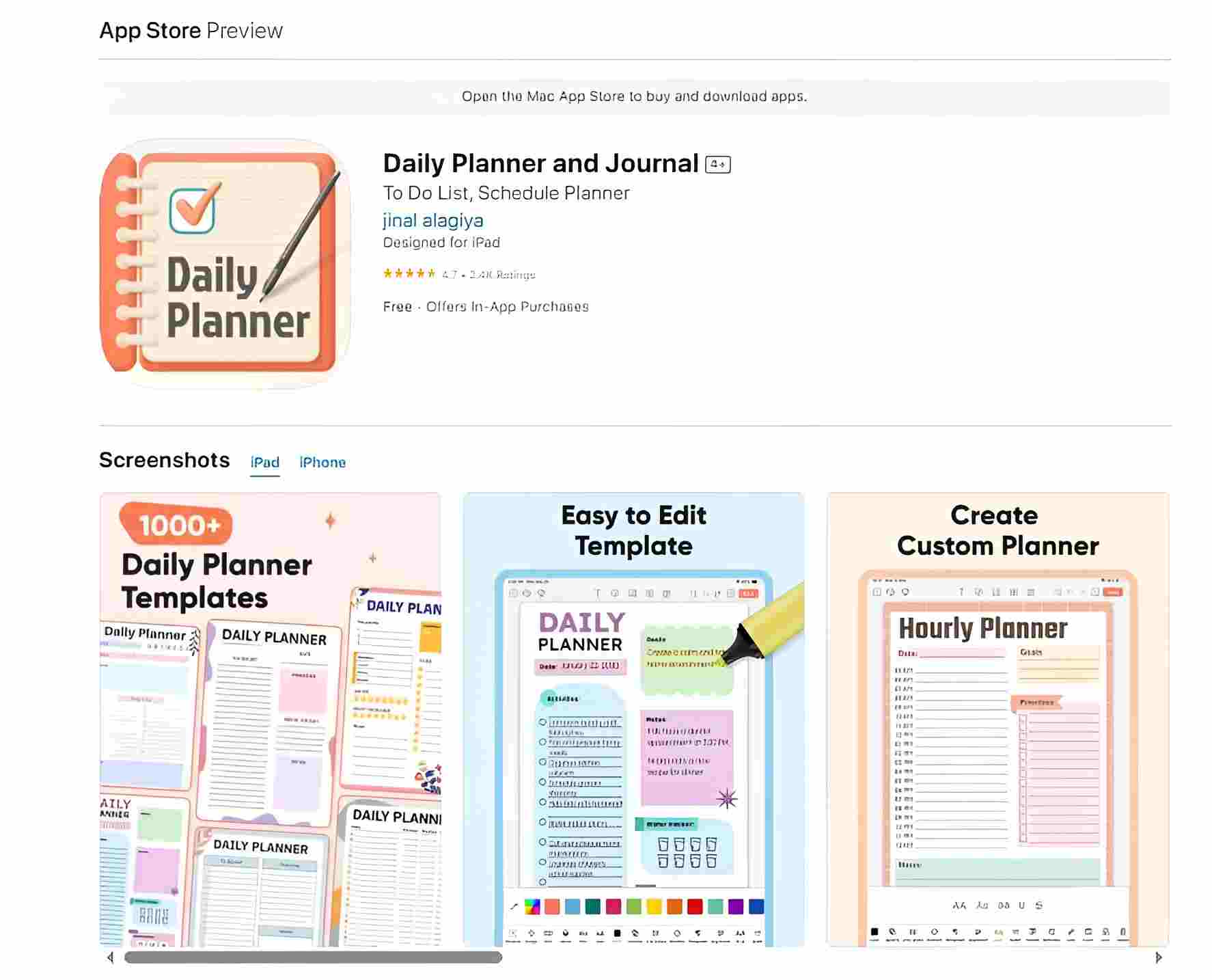
What it offers: A wide selection of free, customizable digital planner templates, including daily, weekly, monthly, and goal-specific layouts.
Features:
- Drag-and-drop editing
- Hyperlink support for easy navigation
- Export in print-ready PDF format
Ideal for:
- Beginners who want ready-to-use templates
- Professionals looking for full creative control
Why use it: Everything is beginner-friendly, and you can personalize the planner in minutes, no design experience needed.
Available platforms: planner for Android and planner for iOS
👉 Visit PlanWiz to download your first free template.
Step-by-Step Guide to Setting Up Your PlanWiz Digital Planner
Follow these beginner-friendly steps to create a digital planner that fits your style and needs. Each step is designed to be simple, even if you’re new to digital planning.
1: Choose Planner Templates
2: Customize the Template
3: Preview, Save & Print
Watch this short video to discover how PlanWiz helps you organize your daily tasks and goals effortlessly with customizable planner templates. 👇
1: Choose Planner Templates
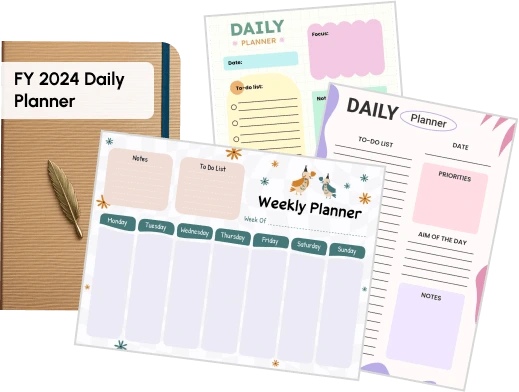
- Start by selecting a planner templates that fits your needs.
- Explore a collection of over 7,000 planner templates.
- Find layouts for daily, weekly, monthly, or goal-specific planners.
- Explore styles ranging from minimalist to colorful to professional.
- Choose templates that are easy to edit and compatible with PlanWiz.
Choose Planner Templates
2: Customize the Template
- Personalize the template to match your unique preferences and planning goals.
- Edit sections like cover pages, calendar layouts, tabs, and trackers.
- Add your branding, quotes, or images for a custom touch.
- Use tools like PlanWiz for simple drag-and-drop editing.
- Ensure the template supports hyperlinks for easy navigation between sections.

Customize The Template
3: Preview, Save & Print
- Preview the planner to verify that all links and layouts function properly.
- Save your planner as a high-quality PDF document.
- Download and store your planner on your device or cloud drive.
- Optionally print the planner if you prefer a physical copy.
- Keep everything organized and in sync across work, school, and personal life.

Preview, Save & Print
Tips for Personalizing Your Digital Planner
Additionally, personalizing your digital planner makes it more enjoyable to use and helps you stay motivated. Here’s how to make your planner uniquely yours:
Choose a Theme
- Select colors that align with your taste or mood.
- Opt for calming tones like pastel blues or greens for a serene vibe, or bright, energizing colors like yellow or orange for a boost of energy.
- Ensure the theme complements your planner’s purpose (e.g., a minimalist theme for productivity or vibrant hues for creativity).
Use Digital Stickers
- Decorate your planner with digital stickers that fit your style, from motivational quotes to decorative icons.
- Stickers can enhance your planner’s look without adding clutter, maintaining a clean and organized appearance while still expressing your personality.
- You can find free stickers on various digital planner sites or use apps like PlanWiz to add your own.
Add Hyperlinks
- Create smooth navigation within your planner by adding clickable tabs or links.
- Use hyperlinks to connect sections like daily tasks, goals, and calendars.
- This makes jumping from one part of the planner to another quick and easy, improving usability.
Incorporate Widgets
- Add widgets to give your planner more functionality, such as weather updates, mood trackers, or inspiring quote boxes.
- Mood trackers can help you monitor your emotions, while weather widgets keep you updated and allow you to plan accordingly.
- Quote boxes can provide daily inspiration, keeping you motivated and on track.
Remember: The more you personalize your planner, the more likely you are to use it consistently. In addition, creating a planner you love is key to maintaining motivation and achieving your goals.
Common Mistakes to Avoid When Setting Up a Digital Planner
However, beginners often make simple mistakes that can hinder their digital planner setup. Here’s how to avoid them:
- Overcomplicating Designs: Cluttered layouts reduce usability. Stick to minimalist designs with 2-3 colors.
- Skipping Hyperlinks: Non-clickable tabs make navigation tedious. Always add and test hyperlinks.
- Wrong File Format: Exporting as JPEG instead of PDF breaks interactivity. Use PDF Print settings in PlanWiz.
Avoiding these pitfalls ensures a smooth, functional planner.
Final Thoughts
A well-set digital planner setup can transform the way you organize your life, making it easier to manage tasks, set goals, and boost productivity across personal and professional routines. Whether you’re a student, a parent coordinating family schedules, digital planners offer flexibility and customization that paper planners can’t match. By using free, editable templates from platforms like PlanWiz, you can start your digital planning journey today without needing any design skills.
People Also Ask
A digital planner helps organize tasks, schedules, and goals using tablets or smartphones. Moreover, it offers easy navigation, personalization, and eco-friendly benefits.
You can use free tools like PlanWiz to select a template, customize it, add hyperlinks, and export it as a PDF. Additionally, it’s beginner-friendly, with drag-and-drop editing.
Yes, digital planners work on Android tablets, smartphones, and laptops, and also iPads using apps like PlanWiz.
Digital planners offer cloud syncing, hyperlinks, and portability. On the other hand, paper planners provide a tactile feel. The best choice depends on personal preference.
You can find free templates on PlanWiz, Pinterest. Moreover, PlanWiz offers editable, hyperlinked layouts ready for download.






