

Teaching requires sharing knowledge, being creative, and staying organized. A planwiz planner app helps teachers stay organized and on track. When both teachers and students follow the weekly plan, everyone knows exactly what to do each day. In this post, we will explain why planning lessons each day is important for teachers and show how a weekly planner app helps them balance their workday.
What Is a Weekly Lesson Plan?
A weekly planner app helps teachers know in advance what they need to teach during the week. It shows what students will learn and how teaching methods, tests, and resources will support their learning. A good lesson plan helps teachers stay on schedule, cover important topics, and keep students engaged all week.
The plan breaks lessons and subjects into smaller parts so both teachers and students can track progress and make changes when needed. It also helps teachers spot potential issues early and come up with solutions.
Why Is It Important for Teachers to Plan Their Lessons?
Effective lesson planning is crucial for several reasons:
- Consistency and Structure: When teachers plan their lessons, students can see how different topics are connected and understand why their studies are important. Planning the week helps teachers move smoothly from one lesson to the next without feeling rushed.
- Maximizing Instructional Time: Students learn better when teachers plan their class time well. When teachers focus on the main points they need to teach, the class stays on track and moves smoothly.
- Adapting to Student Needs: Planning organization ideas helps teachers create lessons that meet all students’ learning needs by using different teaching methods. By reviewing past lessons, teachers can make better choices about the lesson flow and decide what students need to learn next.
- Assessment and Feedback: Teachers use lesson plans to align their evaluation methods with the specific subject lessons. The tests help show how much students have improved, allowing teachers to use that information to provide targeted support and help students learn more effectively.
How Does a Lesson Planner Benefit Teachers?
The lesson planner is an essential tool for teachers. It organizes lessons and makes education more effective. It also helps teachers save time and ensures students get the support they need to grow.

Time-Saving Through Efficient Organization
A lesson planner allows teachers to prepare their lessons in advance, saving time throughout the week. The daily plan helps them organize their day by showing exactly what to teach. With a lesson planner, teachers can focus fully on teaching, improving classroom organization, and making the most of learning time.
Reducing Stress and Gaining Control
A weekly lesson planner reduces teacher stress by outlining their work in advance. When teachers plan, they have a clearer idea of the week’s events, which helps reduce worries about last-minute tasks. Having control over their schedule makes teachers feel confident and in control during class, as they don’t need to switch between tasks constantly.
Ensuring Accountability with Educational Goals
Teachers use lesson plans to ensure they meet school standards. A lesson plan helps teachers organize their schedule, ensuring key topics are taught at the right time. It also helps teachers document their teaching goals and shows they are following curriculum standards while working towards long-term student success.
Encouraging Reflective Practice and Growth
Using lesson planners allows teachers to reflect on their weekly lessons. After each class, teachers can evaluate what went well and what needs improvement for future lessons. By reviewing their work, teachers become better at their jobs and develop new methods to help students learn more effectively.
Promoting Flexibility in Lesson Planning
No matter how well teachers design their plans, they must stay flexible to teach effectively. Lesson planners allow teachers to adjust their curriculum as needed. They can modify their plans better to suit students’ needs, personalizing lessons without difficulty. This flexibility ensures teachers can adapt and provide the best learning experience for their students.
Enhancing Collaboration Among Teachers
The weekly planner app helps teachers collaborate by allowing them to share and review their plans with colleagues. Teachers can work together to design a curriculum that connects different subjects and create team-based student projects. Collaboration helps teachers build better lesson strategies and exchange useful teaching materials, making the learning experience richer for students.
Improving Classroom Efficiency and Transitions
Time management tips in lesson planning help teachers stay organized and efficient. Setting clear time limits for each activity, using timers for transitions, and sticking to the schedule ensure smooth progress throughout the lesson. This approach not only keeps students focused but also maximizes their study time, helping teachers deliver effective lessons without feeling rushed.
Supporting Student Progress and Monitoring
The weekly lesson planner helps track students’ progress over time. Teachers can monitor how well students are learning by observing their responses to lessons and identifying areas for improvement. This allows teachers to adjust their teaching methods for immediate results while keeping each student’s progress visible in a supportive learning environment.
How to Make a Teacher’s Weekly Planner
Setting up a weekly lesson schedule is simple and doesn’t require complex routines. Here’s a step-by-step guide to help teachers get started:
- Set Clear Learning Objectives: Clearly define the skills and knowledge students should have by the end of the week. These goals should be specific, measurable, and achievable, aligning with curriculum standards. This ensures students can easily meet the objectives and their progress can be effectively assessed.
- Break Down Content: Divide the weekly content into daily learning sections. For each day, list the specific topics or skills students need to learn. Include the teaching methods you’ll use, such as discussions, activities, or demonstrations, and assign any take-home work or practice exercises to reinforce the lesson. This structure keeps lessons organized and ensures steady progress throughout the week.
- Choose Instructional Materials: List all the resources needed for each lesson, such as textbooks, worksheets, multimedia, and digital tools. Preparing these materials in advance ensures your lessons run smoothly and stay on schedule, giving you more time to focus on teaching.
- Incorporate Activities: Engage students with activities that keep them mentally active. Encourage participation in group discussions, hands-on experiments, and team projects. These interactive methods help students learn better by making lessons more engaging and fostering collaboration.
- Allow Time for Reflection: Include space in your planner to record lesson outcomes and note any classroom challenges. Use this section to write down improvement ideas, helping you refine future lessons and address any difficulties effectively.
- Assess and Adjust: Monitor student progress multiple times a week using assessments. Review the outcomes of your lessons to identify areas for improvement and make adjustments to your upcoming teaching activities as needed.
Effective Weekly Planner Templates for Teachers
A well-organized weekly planner templates help teachers to manage their schedules efficiently. These templates assist with lesson planning, task management, and note-taking, ensuring teachers stay on track and prepared throughout the week.
Weekly Teacher’s Priority Management Planner Template
The Weekly Teacher’s Priority Management Planner Template helps teachers prioritize tasks, manage deadlines, and focus on essential duties for a productive week.

Teacher’s Weekly Notes Planner Templates
This planner allows teachers to jot down important notes, reminders, and reflections, helping them stay organized and prepared for each class.
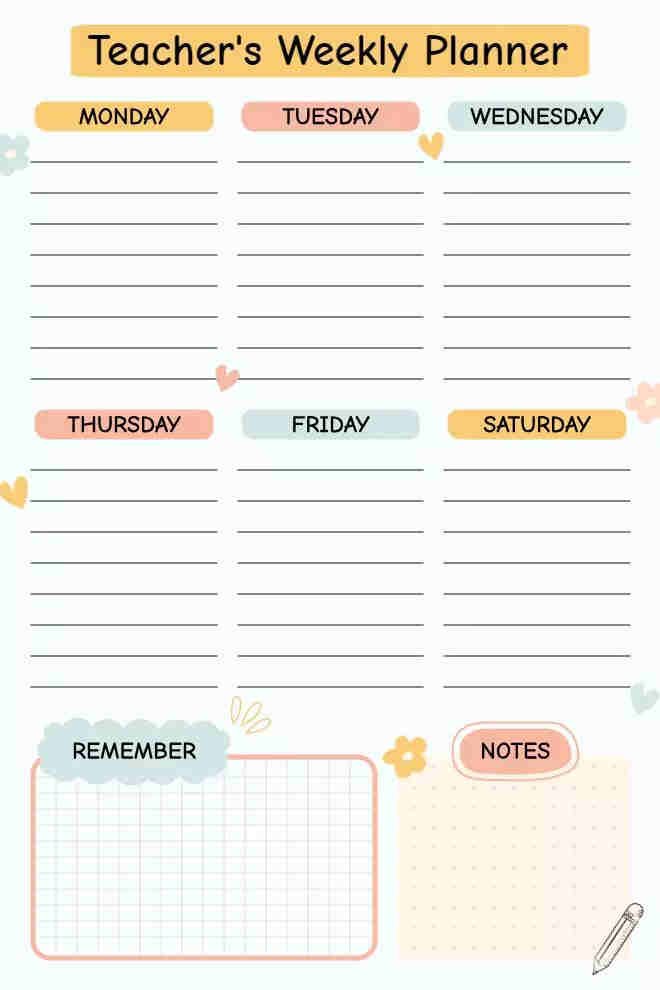

Teacher’s Weekly Lesson Planner Template
A weekly lesson planner template outlines the week’s lessons, objectives, and activities, keeping teaching goals organized and on track for success.

How Weekly Planner App Helps Teachers Achieve Work-Life Balance
Teaching can be stressful, and maintaining a work-life balance is often challenging. Weekly planning apps help reduce teacher workload and prevent burnout. Here’s how they make a difference:
- Remote Accessibility: The weekly planner app allows teachers to access their lesson plans from anywhere. This flexibility makes classroom management easier, as teachers can use spare moments—whether commuting or at home—to review or update their plans efficiently.
- Integrated Calendar: In addition to managing lesson plans, teachers can include school and personal schedules in planner apps, which sync with calendar systems. This allows teachers to view all their work and personal tasks in one organized and convenient display.
- Automated Reminders: With planner apps, students receive automatic alerts about upcoming academic events, helping them stay organized. These apps also allow teachers to shift their time from planning tasks to engaging in activities that recharge and restore their energy.
- Collaboration Features: Teachers can use special apps to collaborate with colleagues, discuss lesson plans, and share educational materials. Planning becomes more efficient when teachers work together through these apps, as they simplify common tasks and streamline the process.
How to Enhance Teaching Strategy Using Planner App
The Planner app offers a variety of tools to enhance teaching strategies:
- Data Analytics: The apps track student outcomes, helping teachers make decisions based on data analysis. By recording student results, teachers can monitor progress and adjust their teaching methods when necessary to better meet students’ needs.
- Customizable Templates: The weekly planner app provides easy-to-use weekly planner template formats that align with their teaching methods. Each template includes key lesson planning elements, such as learning goals, assignments, and evaluation tasks, making lesson preparation more efficient and organized.
- Incorporating Multimedia: Through these apps, teachers can easily embed various learning resources into their plans, such as digital worksheets and online videos. This tool simplifies the process of adding different types of instructional content, making lessons more engaging and diverse.
- Feedback Tools: Certain apps allow teachers to receive direct student feedback about their classes, enabling them to adjust their teaching methods immediately. This real-time feedback helps teachers continuously improve and adapt to students’ needs.
Enhancing Student Engagement with Smart Lesson Planning
When teachers plan their lessons effectively, they enhance student interest and participation. Here are a few strategies to make lessons more interactive and impactful:
Incorporating Active Learning into Lessons
Teachers boost student involvement by using methods like group work, simulations, and real-world problem-solving sessions. These approaches allow students to actively practice their learning while participating in the lessons. Interactive teaching methods create a dynamic classroom environment, helping students engage more with the material and leading to better retention of information.
Utilizing Technology to Boost Engagement
Students become more engaged in class when modern technology is incorporated into teaching. Tools like quizzes, games, and multimedia help capture students’ attention while supporting various learning styles. Teachers use digital tools to create exciting lessons, allowing students to respond and receive instant feedback. By leveraging technology, teachers can design unique learning methods that improve student understanding.
Connecting Learning to Real-world Contexts
Learning becomes more meaningful when teachers connect ideas to real-life examples. By showing students how subject matter relates to their daily lives through stories and practical examples, teachers bring learning to life. Students begin to see the value of their education, which motivates them to learn more deeply. When teachers make these connections clear, students better understand and appreciate what they are learning.
Differentiating Lessons for Diverse Needs
Using a variety of activities and study materials helps keep all students engaged in their learning. Teachers design tasks at different levels to support students with varying abilities, ensuring everyone can succeed. A differentiated approach makes learning more interesting by offering challenges that match students’ skills, boosting their engagement and success. Custom-made learning materials make each student feel included and motivated to learn.
Conclusion
Weekly lesson planning helps teachers create better learning environments while enhancing productivity and organization. The weekly planner app allows teachers to work more efficiently in the classroom while maintaining a healthy work-life balance. When teachers plan lessons thoughtfully and use digital tools, they improve their teaching methods, leading to better results for their students.






