
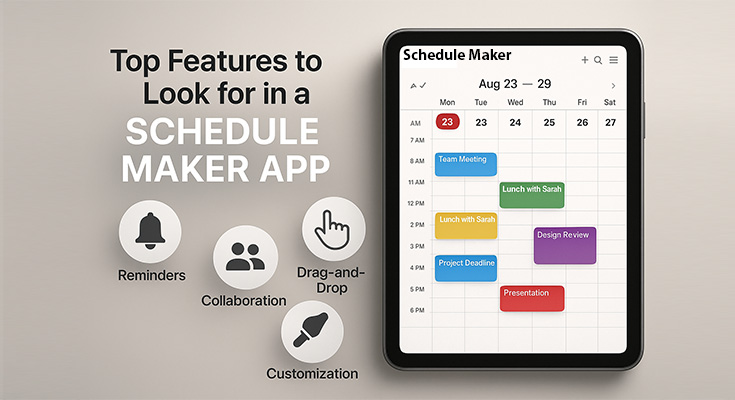
Finding the right schedule maker app can transform how you manage your time and boost your productivity. With hundreds of options available, knowing which features truly matter will help you choose an app that fits your unique needs and workflow.
The best schedule maker apps seamlessly combine essential functionality with a user-friendly design, offering features such as calendar integration, customizable layouts, and intelligent task management. Whether you’re a busy professional, student, or entrepreneur, the right features of a schedule maker app can streamline your daily planning and help you stay organized.
What Are the Essential Core Features Every Schedule Maker App Must Have?
To truly boost productivity and streamline daily planning, every digital scheduler should offer a core set of reliable, user-friendly features. From calendar syncing to intelligent task automation, these essentials form the backbone of an effective scheduling experience.
Calendar Integration and Synchronization
The foundation of any effective schedule maker app is seamless calendar integration. You shouldn’t have to choose between your existing calendar system and a new scheduling tool – the best apps work with what you already use.
Key calendar integration features include:
- Two-way sync with Google Calendar, Outlook, Apple Calendar, and other major platforms
- Real-time updates across all connected devices and services
- Event import/export capabilities for easy data migration
- Multiple calendar support for separating work, personal, and project schedules
Why this matters: Calendar integration eliminates the need to maintain separate systems, reducing the risk of double-booking and ensuring you have a complete view of your commitments. PlanWiz offers robust integration with all major calendar platforms, automatically syncing your existing events while adding powerful scheduling enhancements. One of the most essential features of a schedule maker app is seamless calendar integration, ensuring users never miss an event.
Intuitive Drag-and-Drop Interface
A truly user-friendly schedule maker app should make rearranging your day as simple as dragging and dropping. This feature transforms scheduling from a tedious task into an intuitive experience.
Essential drag-and-drop capabilities:
- Task repositioning – Move activities to different time slots instantly
- Duration adjustment – Extend or shorten events by dragging edges
- Day-to-day moving – Easily reschedule tasks to different dates
- Visual feedback – Clear indicators showing where items will be placed
Modern users expect this level of interactivity. PlanWiz’s drag-and-drop UI goes beyond basic functionality, offering intelligent suggestions as you move tasks, helping you optimize your schedule automatically.
Recurring Tasks and Event Management
One of the most time-saving features of a schedule maker app is the ability to Setting up recurring tasks becomes even easier when you start with templates designed for common routines. Check out our work schedule maker templates that include pre-configured recurring tasks for different professions and work styles. Whether it’s daily workouts, weekly meetings, or monthly reports, automation is key to efficient scheduling.
Advanced recurring task features:
- Flexible recurrence patterns – Daily, weekly, monthly, yearly, or custom intervals
- Exception handling – Skip specific dates without breaking the pattern
- End date options – Set automatic stop dates for temporary recurring events
- Batch editing – Modify all instances of a recurring event simultaneously
Pro tip: Look for apps that offer intelligent recurring task suggestions based on your scheduling patterns. This feature can identify routine activities you haven’t automated yet and recommend setting them up as recurring events.
What Advanced Features Should You Look For That Set Apps Apart?
Beyond the basics, the best scheduling apps offer intelligent, customizable tools that adapt to your unique workflow. These advanced features of a schedule maker app can dramatically enhance productivity, personalization, and planning precision.
AI-Powered Scheduling Recommendations
The next generation of scheduling apps leverages artificial intelligence to provide personalized scheduling recommendations. This technology analyzes your habits, preferences, and productivity patterns to suggest optimal scheduling strategies. AI-driven planning is becoming a crucial part of the modern features of a schedule maker app, improving productivity with smarter suggestions.
AI features to look for:
- Smart time blocking – Automatically suggests ideal time slots for different types of tasks
- Productivity insights – Identifies your peak performance hours and energy levels
- Conflict resolution – Provides alternatives when scheduling conflicts arise
- Habit tracking integration – Learns from your completed tasks to improve future suggestions
PlanWiz stands out in this area with its advanced AI-based recommendations engine. Unlike basic scheduling apps, PlanWiz learns from your behavior patterns and proactively suggests schedule optimizations, helping you work more efficiently and maintain a better work-life balance.
To maximize the effectiveness of AI-powered scheduling, combine these smart recommendations with proven strategies from our guide on how to organize your day effectively for optimal productivity results.
Customizable Planner App Layouts and Views
Many users find it helpful to start with pre-designed layouts rather than building from scratch. Explore our collection of customizable schedule planner templates designed for different industries and use cases – from daily schedules to project timelines.
Essential view options:
- Daily view – Hour-by-hour breakdown with detailed task information
- Weekly view – Seven-day overview perfect for planning ahead
- Monthly view – Big-picture perspective for long-term planning
- List view – Simple task lists organized by date or priority
- Timeline view – Gantt chart-style visualization for project management
Customization features:
- Color coding – Assign different colors to task categories or priorities
- Custom fields – Add location, notes, or other relevant information
- Theme options – Choose from light, dark, or custom color schemes
- Layout flexibility – Adjust column widths, time intervals, and display density
Advanced Notification and Reminder Systems
Smart notifications go beyond simple time-based reminders. The most effective schedule maker apps utilize context-aware notifications that take into account your location, current activity, and personal preferences.
Intelligent notification features:
- Location-based alerts – Reminders triggered when you arrive at or leave specific places
- Progressive reminders – Multiple alerts at different intervals before important events
- Smart snoozing – AI-suggested snooze durations based on task importance and your schedule
- Do Not Disturb integration – Respects your focus time and sleep schedules
Among the lesser-discussed but powerful features of a schedule maker app are smart reminders that work based on user context rather than just the clock.
How Important Are Collaboration and Sharing Capabilities?
Effective collaboration is a cornerstone of successful scheduling, whether at work or home. Discover how the best schedule maker apps simplify sharing and coordination for teams and families alike.
Team Scheduling and Shared Calendars
Modern work often requires coordination with colleagues, family members, or project teams. The best schedule maker apps include robust collaboration features that make group scheduling effortless.
Essential collaboration features:
- Shared calendar creation – Set up calendars that multiple users can view and edit
- Permission management – Control who can view, edit, or manage different aspects of your schedule
- Meeting scheduling – Find available time slots across multiple team members’ calendars
- Real-time updates – Instant synchronization when team members make changes
Advanced collaboration tools:
- Conflict detection – Automatic identification of scheduling conflicts across team members
- Voting on meeting times – Polling features to find the best meeting times for groups
- Assignment tracking – Monitor who’s responsible for specific tasks or events
- Communication integration – Connect with messaging apps like Slack or Microsoft Teams
Family and Personal Sharing Options
Beyond professional collaboration, many users need to coordinate personal schedules with family members or roommates. Look for apps that handle both professional and personal sharing needs.
Family-friendly features:
- Kid-safe sharing – Simplified interfaces and appropriate content filtering for children
- Household coordination – Share chores, appointments, and family events
- Permission levels – Different access rights for parents, children, and other family members
- Emergency contacts – Quick access to important contact information
Why Is Cross-Platform Compatibility and Sync So Crucial?
Cross-platform compatibility ensures your schedule remains consistent and accessible, regardless of the device you’re using. Learn how top schedule maker apps offer seamless synchronization, import/export tools, and secure access across all platforms.
Multi-Device Access and Synchronization
Your schedule maker app should work seamlessly across all your devices – smartphone, tablet, laptop, and desktop computer. True cross-platform compatibility means more than just having apps for different operating systems.
Cross-platform essentials:
- Native apps for iOS, Android, Windows, and macOS
- Web-based access for any device with a browser
- Instant synchronization across all connected devices
- Offline capabilities with automatic sync when connectivity returns
Sync reliability factors:
- Conflict resolution – Intelligent handling of simultaneous edits from different devices
- Version control – Ability to recover from sync errors or accidental deletions
- Bandwidth optimization – Efficient data transfer that doesn’t drain battery or data plans
- Security protocols – Encrypted synchronization to protect your sensitive scheduling data
Import and Export Capabilities
Flexibility in data management is crucial for users who may need to switch between different scheduling tools or integrate with other productivity systems.
Data portability features:
- Standard format support – Import/export via ICS, CSV, or other universal formats
- Backup options – Regular automatic backups with easy restoration
- Migration tools – Guided processes for switching from other scheduling apps
- API access – Integration with third-party tools and custom applications
Users evaluating the full scope of features of a schedule maker app should ensure data export, import, and integration options are robust and easy to use.
How Does PlanWiz Compare to Other Schedule-Maker Apps?
| Feature Category | Basic Apps | Premium Apps | PlanWiz |
|---|---|---|---|
| Calendar Integration | Limited platforms | Major platforms | All platforms + advanced sync |
| AI Recommendations | None | Basic suggestions | Advanced ML-powered insights |
| Drag-and-Drop UI | Basic | Standard | Intelligent repositioning |
| Recurring Tasks | Simple patterns | Advanced patterns | Smart pattern recognition |
| Collaboration | Basic sharing | Team features | Enterprise-grade collaboration |
| Customization | Fixed layouts | Multiple views | Fully customizable interface |
| Cross-Platform | 2-3 platforms | All major platforms | Universal access + offline sync |
| Notifications | Time-based only | Location-aware | Context-intelligent alerts |
| Data Security | Basic encryption | Standard security | Enterprise-level protection |
| Customer Support | Email only | Email + chat | 24/7 support + dedicated success manager |
For a comprehensive analysis of how PlanWiz stacks up against specific competitors in real-world scenarios, read our detailed PlanWiz vs other schedule maker apps comparison.
What Security and Privacy Features Should You Consider?
When choosing a schedule maker app, safeguarding your data should be a top priority. This section examines essential security features and privacy controls that safeguard your information and provide peace of mind.
Data Protection and Privacy Features
Your schedule contains sensitive information about your daily activities, meetings, and personal commitments. The best schedule maker apps prioritize data security and give you control over your privacy settings.
Essential security features:
- End-to-end encryption – Your data is protected both in transit and at rest
- Two-factor authentication – An Additional security layer for account access
- Data residency options – Choice of where your data is stored geographically
- GDPR compliance – Adherence to international privacy regulations
Privacy control features:
- Granular sharing permissions – Control exactly what information others can see
- Anonymous usage analytics – Opt-in data sharing for app improvement
- Data deletion options – Complete removal of your information when needed
- Audit trails – Logs of who accessed your schedule and when
Backup and Recovery Options
Losing your carefully crafted schedule can be devastating. Look for apps that provide multiple backup options and easy recovery processes.
Backup essentials:
- Automatic daily backups – Scheduled backups without user intervention
- Multiple restore points – Ability to recover from different periods
- Export capabilities – Download your data in standard formats
- Cloud redundancy – Multiple backup locations for maximum reliability
How Do You Evaluate Cost-Effectiveness and Value?
Evaluating the cost-effectiveness of a schedule maker app goes beyond just price—it’s about the value delivered. This section compares free vs. premium features and highlights the return on investment through productivity gains.
Free vs. Premium Features
Understanding the value proposition of different schedule maker apps helps you make an informed decision about whether to use free versions or invest in premium features. For users prioritizing budget-friendly options, our comprehensive review of the top free schedule maker apps provides a detailed analysis of what’s available without subscription costs.
Typical free tier limitations:
- Limited calendar integrations (usually 1-2 platforms)
- Basic notification options
- No AI-powered features
- Limited collaboration capabilities
- Reduced customization options
- Basic customer support
Premium tier advantages:
- Unlimited calendar integrations
- Advanced notification systems
- AI-powered scheduling recommendations
- Full collaboration and sharing features
- Complete customization options
- Priority customer support
- Advanced security features
PlanWiz value proposition: Unlike many competitors that heavily restrict free features, PlanWiz offers a generous free tier that includes essential scheduling features and cross-platform sync. The premium tiers add enterprise collaboration tools and dedicated support, providing exceptional value for both individual users and teams.
Return on Investment for Schedule Maker Apps
Productivity gains:
- Average time savings: 2-3 hours per week through better organization
- Reduced stress from missed appointments and forgotten tasks
- Improved work-life balance through better time management
- Enhanced team coordination and reduced meeting conflicts
For a detailed analysis of how these time savings translate into real-world benefits, see our comprehensive guide on the benefits of schedule maker apps.
Cost consideration factors:
- Monthly subscription costs vs. one-time purchases
- Per-user pricing for team accounts
- Additional costs for integrations or premium features
- Hidden costs like data export fees or storage limits
What Makes for Excellent User Experience and Interface Design?
A well-designed schedule maker app goes beyond functionality—it ensures every user can navigate, plan, and manage time with ease. This section highlights mobile responsiveness and inclusive design features that enhance usability for all.
Mobile Optimization and Responsive Design
Since most people access their schedules throughout the day on mobile devices, excellent mobile optimization is non-negotiable.
Mobile-first design elements:
- Touch-friendly interface – Buttons and controls sized for finger navigation
- Gesture support – Swipe actions for common tasks like marking complete or rescheduling
- Quick entry methods – Voice input, quick templates, and smart suggestions
- Offline functionality – Core features available without an internet connection
Responsive design features:
- Adaptive layouts – Interface adjusts to different screen sizes and orientations
- Context-aware features – Different feature sets for mobile vs. desktop use
- Performance optimization – Fast loading times and smooth animations
- Battery efficiency – Minimal battery drain through optimized code
Accessibility and Inclusive Design
The best schedule maker apps are designed to be usable by everyone, including users with disabilities or different technology preferences.
Accessibility features:
- Screen reader compatibility – Full support for assistive technologies
- Keyboard navigation – Complete functionality without mouse/touch
- High contrast modes – Options for users with visual impairments
- Text scaling – Adjustable font sizes for better readability
- Voice control – Hands-free scheduling and task management
Inclusive design considerations:
- Multi-language support – Interface available in multiple languages
- Cultural calendar support – Recognition of different cultural holidays and events
- Time zone intelligence – Automatic handling of travel and remote work scenarios
- Simplified modes – Reduced complexity options for users who prefer minimal interfaces
How Important Are Performance and Reliability?
For any schedule maker app to truly support productivity, it must perform quickly and reliably. This section explores performance benchmarks and the importance of responsive support and thorough documentation.
Speed and Responsiveness
A schedule maker app that’s slow or unresponsive defeats the purpose of efficient time management. Performance should be consistently excellent across all devices and usage scenarios.
Performance benchmarks:
- App launch time – Should open in under 3 seconds
- Synchronization speed – Changes should sync across devices within 10 seconds
- Search functionality – Instant results as you type
- Large dataset handling – Smooth performance with years of scheduling data
Reliability factors:
- Uptime statistics – Look for 99.9% or higher availability
- Error handling – Graceful recovery from network issues or system errors
- Data consistency – No lost or corrupted schedule information
- Update frequency – Regular improvements and bug fixes
Customer Support and Documentation
When you’re relying on an app to manage your time, excellent customer support becomes essential.
Support channel options:
- 24/7 availability – Support when you need it, regardless of time zone
- Multiple contact methods – Email, chat, phone, and in-app support
- Response time guarantees – Clear expectations for support response times
- Escalation procedures – Access to senior support staff for complex issues
Self-service resources:
- Comprehensive documentation – Detailed guides for all features
- Video tutorials – Step-by-step visual instructions
- FAQ database – Answers to common questions and troubleshooting
- Community forums – User-to-user support and feature discussions
Frequently Asked Questions
Yes, the best schedule maker apps are designed to integrate seamlessly with existing calendar systems like Google Calendar, Outlook, and Apple Calendar. This integration typically works both ways – events from your existing calendar appear in the schedule maker app, and new events created in the app sync back to your original calendar. This ensures you don’t have to abandon your current system or maintain separate schedules.
Reputable schedule maker apps implement enterprise-level security measures, including end-to-end encryption, two-factor authentication. However, security levels vary between providers, so it’s important to review the security features and compliance certifications of any app you’re considering for business use. Look for apps that offer data residency options and detailed security documentation.
Quality schedule maker apps provide data export capabilities that allow you to download your information in standard formats like ICS (iCalendar) or CSV files. This exported data can then be imported into most other scheduling applications. Some apps also offer migration tools or services to help transfer data to competing platforms. Always verify export capabilities before committing to a particular app, especially for business use.
Start by exporting your existing calendar data (most apps support ICS export), then import this data into your chosen schedule maker app. Begin by using basic features that mirror your current workflow, then gradually explore advanced features like AI recommendations, drag-and-drop scheduling, and recurring task automation. Many users find it helpful to run both systems in parallel for a week or two during the transition period.
Conclusion: How Do You Choose Your Ideal Schedule Maker App?
Selecting the right schedule maker app can significantly impact your productivity, stress levels, and overall work-life balance. While the most valuable features of a schedule maker app may vary based on individual needs, essential capabilities like calendar integration, drag-and-drop functionality, and recurring task management benefit nearly every user. PlanWiz brings all these core features together with cutting-edge AI technology and an intuitive user experience.
Before diving into app selection, it’s crucial to understand the fundamentals of effective time management. Learn how to create a daily schedule that maximizes productivity, then choose an app that supports and enhances your scheduling methodology.
Key takeaways for choosing your ideal app:
- Start with your core needs: Identify whether you need basic scheduling, team collaboration, AI-powered optimization, or specialized features for your industry or workflow.
- Prioritize integration: Choose an app that works seamlessly with your existing tools and systems rather than requiring you to change your entire productivity setup.
- Consider long-term value: While free apps may seem attractive initially, investing in a premium schedule maker app often pays dividends through improved productivity and reduced stress.
- Test before committing: Take advantage of free trials to thoroughly test an app’s features, performance, and user experience before making a long-term commitment.
- Growth plan: Choose an app that can scale with your needs, whether that means adding team members, integrating new tools, or handling increased scheduling complexity.






