
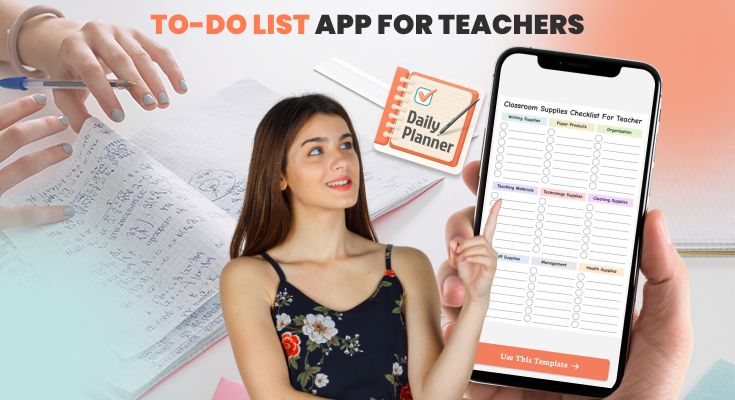
Teachers juggle more responsibilities than almost any other profession lesson planning, grading, parent communication, meetings, and administrative tasks, all compete for limited time. A to-do list app for teachers helps you capture, organize, and complete these demands without relying on memory or scattered sticky notes.
The right app doesn’t just store tasks, it helps you prioritize what matters, automate recurring responsibilities, and create mental space for what you became a teacher to do: connect with students. This guide covers everything you need to know about using a to-do list app effectively as an educator.
What Daily Struggles Make a To-Do List App for Teachers Essential?
Teaching is both deeply rewarding and genuinely demanding. Before exploring solutions, it helps to understand the specific challenges that make a bes to-do app essential for educators.
| Challenge | How a Task Management App Helps |
|---|---|
| Lesson Planning: Hours of research and prep extending into evenings | Break preparation into daily tasks; set recurring weekly planning reminders |
| Grading Overload: Stacks of assignments piling up, especially during exams | Schedule dedicated grading blocks; track progress across multiple classes |
| Competing Priorities: Parent emails, meetings, and admin deadlines colliding | Capture everything in one place; prioritize by due date and importance |
| Forgotten Tasks: Important follow-ups slipping through the cracks | Automatic reminders ensure nothing gets missed |
| Work-Life Blur: Carrying mental to-do lists home, unable to disconnect | Capture tasks in a trusted system so your brain can genuinely rest |
Using time management strategies alongside a task management app multiplies these benefits significantly, allowing teachers to stay organized, reduce stress, and handle their daily responsibilities with far greater clarity and control.
Why Every Teacher Needs a To-Do List App?
A to-do list app isn’t just a digital notepad. When properly used, it becomes a trusted system that holds your professional commitments so your brain doesn’t have to. Here’s what makes it indispensable:
- Organization at Your Fingertips: Teachers juggle dozens of responsibilities simultaneously. A to-do list app provides one place for everything accessible on phone, tablet, and computer. Unlike paper lists that get lost, your digital list syncs automatically across all devices.
- Prioritization Made Easy: Not all tasks carry equal weight. A to-do list app lets you assign priority levels, set due dates, and flag urgent items. When you have 20 tasks and only 2 hours of prep time, you’ll know exactly what matters most.
- Time-Saving Automation: Much of teaching follows predictable patterns: attendance reports every Friday, lesson plans updated weekly, progress reports each quarter. A to-do list app with recurring tasks regenerates these obligations automatically. Set it once, and the app remembers forever.
- Reduced Stress: Without a system, tasks exist as ambient anxiety. With a to-do list app, tasks become concrete items in a trusted system. You can mentally “release” them because you know nothing will be forgotten.
Core Features Teachers Need
- Recurring Tasks: Auto-generate weekly lesson planning, Friday attendance reports, and monthly newsletters
- Quick Capture: Add tasks via voice, widgets, or shortcuts when ideas strike mid-lesson
- Cross-Device Sync: Access your list from a classroom computer, phone during lunch, or tablet at home
- Due Dates + Reminders: Get notified before deadlines arrive, not after you’ve missed them
- Projects/Categories: Separate grading from lesson planning from parent communication
- Calendar Integration: See tasks alongside your scheduled classes and meetings
How a To-Do List App for Teachers Helps in Managing Daily Responsibilities?
Managing daily responsibilities as a teacher can often feel overwhelming. Between lesson planning, grading, communicating with parents, and completing administrative tasks, it’s easy for important duties to slip through the cracks.
A to-do list app for teachers provides a simple, reliable system and also provides to-do planner templates to organize all these tasks in one place. By prioritizing work, tracking progress, and setting reminders, teachers can stay on top of their daily responsibilities without feeling stressed. This not only improves productivity but also supports a healthier work-life balance.
Stay Organized and Save Time
The to-do list app enables teachers to sort tasks by priority and category, preventing important duties from slipping through the cracks. Key organizational features include:
- Due date notifications that alert you before deadlines arrive
- Task progression tracking so you can see what’s complete and what remains
- Recurring task management that automates weekly and monthly obligations
- Cross-device sync ensures your list is always current and accessible
Task Categorization for Teachers
Instead of one overwhelming master list, organize tasks into categories that reflect your actual work:
| Category | Tasks to Include |
|---|---|
| Lesson Planning | Write plans, prepare materials, create activities, gather resources, and align to standards |
| Grading | Check assignments, grade tests, track student progress, enter grades, write feedback |
| Classroom Activities | Plan experiments, organize discussions, set up games, and prepare hands-on learning |
| Communication | Parent emails, conference scheduling, staff meeting prep, and IEP documentation |
| Administrative | Attendance reports, supply orders, PD logs, compliance paperwork |
By grouping similar tasks, you can focus on one category at a time rather than constantly switching mental contexts. This batching approach significantly improves efficiency. Teachers wanting additional structure can use a task planner template for detailed organization.
Reduced Stress and Better Work-Life Balance
Teachers often carry work home mentally, even when they’re not grading papers. A digital to-do list provides what productivity experts call “closing the loop.” Once a task is captured in a trusted system, your brain can release it.
| Without a System | With a To-Do List App |
|---|---|
| Tasks float in your head, creating constant low-level anxiety | Everything is captured; your brain can let go |
| You wonder “what am I forgetting?” during evenings and weekends | You know the app holds everything; nothing is lost |
| Work feels infinite and never-ending | Work becomes visible and finite |
| Deadlines sneak up and create last-minute crises | Reminders give a warning; you stay ahead |
How to Use a To-Do List App in Your Daily Routine?
Having a to-do list app installed means nothing if you don’t use it consistently. These practices help integrate the app into your teaching workflow.
Morning Review (5-10 Minutes)
Before students arrive, open your to-do app and answer three questions:
- What’s due today that cannot be postponed? : Identifies non-negotiable priorities
- What should I accomplish during prep periods? : Creates intentional focus for available time
- Do I have everything needed to complete these tasks? : Prevents mid-task obstacles
This brief but focused review transforms your list from a passive reminder into an active, actionable daily plan, helping you start the day with clarity and confidence.
Breaking Down Big Tasks
A to-do list works best when tasks are specific, actionable, and achievable. Vague entries are easy to ignore, while concrete steps create momentum and visible progress.
❌ Too vague: “Plan History Lesson.”
✅ Actionable steps:
- Research primary sources for the Industrial Revolution unit
- Create a PowerPoint for Day 1 introduction
- Design a student worksheet for factory conditions analysis
- Write discussion questions for a class debate
By breaking larger projects into smaller, clearly defined steps, you can track progress continuously and reduce the mental overwhelm that often comes with big tasks. You can also use daily planner templates to manage your tasks.
Setting Realistic Daily Goals
The number of tasks you assign to your daily list greatly influences whether you’ll stick to the system or feel frustrated. Here’s a guideline for sustainable planning:
| Daily Tasks | Likely Result |
|---|---|
| 1-2 tasks | Underutilizing your capacity |
| 3-5 tasks | Sustainable completion, building confidence |
| 8-15 tasks | Frequent rollover, growing frustration |
| 15+ tasks | System abandonment within weeks |
The rule: If you finish early, consult your larger master list for additional tasks rather than overloading your daily plan. The goal is steady, manageable progress, not attempting to complete everything at once.
End-of-Day Review (5 Minutes)
Before leaving school, spend five focused minutes closing loops and preparing for the next day. This simple routine helps you wrap up your work mentally and ensures nothing falls through the cracks.
- Check off completed tasks: Reviewing what you’ve accomplished gives a sense of progress and satisfaction. Celebrating these small wins reinforces productivity and motivation.
- Reschedule anything undone to a specific future date: Assign unfinished tasks to a realistic date in the app. This prevents mental clutter and stops incomplete work from lingering in your mind.
- Add new tasks that emerged during the day: Capture any new assignments, reminders, or ideas immediately so nothing is forgotten. Keeping everything in one trusted system reduces anxiety.
- Confirm tomorrow’s top 3 priorities: Identify the most important tasks for the next day. Starting with a clear focus helps you begin the morning with purpose and direction.
This “shutdown ritual” provides psychological closure. By systematically capturing and planning tasks, you allow your brain to fully disconnect from work, reducing stress and helping maintain a healthier work-life balance, and you can also use work planner templates to balance your work. Over time, this habit trains you to trust your digital to-do app as the central hub for all responsibilities.
Tips for Getting the Most Out of Your To-Do List App for Teachers
A to-do list app for teachers is only as effective as the way you use it. By implementing smart strategies and customizing the app to your workflow, you can maximize productivity, reduce stress, and keep all teaching responsibilities organized.
1. Use Color-Coding for Quick Scanning
Develop a consistent color-coding system to quickly identify different types of tasks at a glance. This visual organization helps you prioritize without having to read every entry in detail. For example:
- 🔴 Red: Urgent, deadline-driven tasks requiring immediate attention
- 🔵 Blue: Grading-related tasks
- 🟢 Green: Lesson planning and preparation
- 🟡 Yellow: Communication with parents or colleagues
- ⚫ Gray: Administrative and paperwork tasks
Color-coding also helps during weekly or monthly reviews, allowing you to see at a glance which areas of your work need the most focus.
2. Set Up Recurring Tasks
Many teaching tasks repeat on a daily, weekly, or monthly basis. Automating these in your app ensures you never forget them and saves time:
| Frequency | Tasks to Automate |
|---|---|
| Daily | Check parent emails, review tomorrow’s lessons, and update attendance |
| Weekly | Submit attendance report, grade collected work, update gradebook, prep next week |
| Monthly | Parent newsletter, review supplies, professional development log |
| Quarterly | Progress reports, curriculum review, parent conference prep |
3. Additional Best Practices
To get the most out of a to-do list app for teachers, consider incorporating these additional best practices into your daily workflow:
- Sync Across All Devices: Make sure your task list is accessible on your phone, tablet, and computer. This allows you to check or update tasks anytime, whether you’re in the classroom, at home, or commuting. Real-time syncing ensures your list is always current, so you never worry about missing or duplicating tasks.
- Attach Notes and Files: Keep everything related to a task in one place. Rubrics, lesson plans, agendas, student resources, and reference materials can be attached directly to their respective tasks. This reduces time spent searching for documents and keeps your workflow seamless.
- Use Voice Commands: Many apps support voice input, which is perfect when your hands are busy or you’re on the move. Simply speak commands like, “Remind me to call Jordan’s parents at 3:30” or “Add lab prep for tomorrow”. This makes task capture faster, easier, and less likely to be forgotten.
- Collaborate with Colleagues: Many to-do list apps allow team collaboration alongside personal task management. You can share task lists with co-teachers, assign responsibilities for group projects, and track collective progress. This feature reduces the need for constant emails or meetings and ensures that everyone stays on the same page.
4. Use Customizable Templates
A to-do list planner app with customizable planner templates can accelerate setup. Pre-built structures for grading workflows, lesson planning cycles, or meeting preparation save time and ensure consistency.
Create your own templates for recurring situations, new unit preparation, exam week workflow, and end-of-quarter procedures, and reuse them throughout the year.
Frequently Asked Questions
The best to-do list planner app depends on your school’s technology environment and personal preferences. Teachers using Google Workspace often prefer Google Tasks for its native integration. Those in Microsoft 365 schools find Microsoft To Do convenient. Apps like Todoist offer 70% education discounts. PlanWiz combines task management with daily planning and journaling features suited to teacher workflows.
A to-do list planner app helps with grading by breaking large grading loads into manageable sessions, setting deadlines that create accountability, sending reminders so grading doesn’t get postponed indefinitely, and tracking progress across multiple assignments. Some apps include focus timers for concentrated grading sessions.
Yes, most to-do list planner apps support shared lists and task assignment. Create a shared project where both co-teachers add, complete, and comment on tasks. This is valuable for coordinating lesson preparation, tracking shared student concerns, and managing joint responsibilities.
This is personal preference. Some teachers want everything in one place for a complete picture of their obligations. Others prefer separation to maintain work-life boundaries. Neither approach is wrong. Choose what helps you feel organized rather than overwhelmed.
Yes. A digital to-do list planner app makes workload visible, helping you see exactly what exists rather than feeling like work is infinite. It enables scheduling tasks during school hours, protecting evenings and weekends. The “shutdown ritual” of reviewing your list and confirming nothing urgent remains creates psychological permission to stop working.
Conclusion
A to-do list app won’t eliminate teaching’s demands, but it fundamentally changes how you manage them. Without a system, tasks exist as ambient anxiety, a constant sense that something needs doing, somewhere, somehow. With a to-do list app properly configured and consistently used, tasks become concrete items with due dates and priorities, living in a trusted system that remembers so you don’t have to.
Getting started is simple:
- Create 3-5 categories matching your responsibilities
- Set up recurring tasks for routine obligations
- Build the capture habit, which adds tasks immediately when they arise
- Review daily (5 min) and weekly (15-20 min)
Your students deserve a teacher who’s present and focused rather than mentally juggling untracked obligations. Your family deserves time with you that isn’t shadowed by work anxiety. You deserve evenings and weekends where you can genuinely rest.
A to-do list app makes all of that more achievable, not by adding to your workload, but by organizing what already exists into a system you can manage. Try one today and experience the difference.






