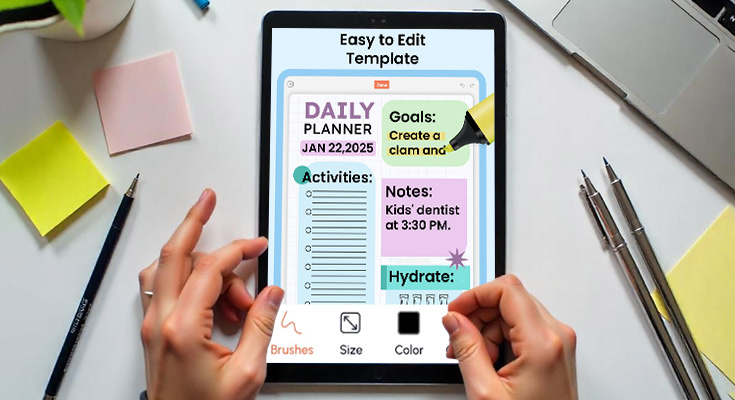
The idea of a daily planner app is invaluable to creative workers who require effective management of projects. PlanWiz is an efficient and easy-to-use daily planner that provides functionality to correct workflows and concentration on goals and tasks. In this guide, learn how this app allows one to boost efficiency and work wonders on elaborate project management.
Design Your Perfect Project Blueprint for Seamless Execution
In project management, it is crucial to have a project blueprint we can accomplish with the help of a planwiz daily planner app. Start with your overall goals and then create sub-goals and set achievable times for those goals. The Good Day Planner app lets you view how your project is laid out. Moreover, great planner apps include such features as templates that can be tailored to individual needs and progress.
Setting Up Project Goals and Milestones
Following a daily planner app create SMART criteria-based goals for the overall project. Building effective chunks of a structure within the flow of the app, with the help of which a person can determine essential intermediate markers of achievement. Subdivide large projects into easy working sections to make tasks more manageable. Last of all, actively measure goal accomplishment with a good day planner app.
Choose the Right Planner App for Project Blueprinting
Choose the daily planner that has more features regarding projects and their management as a daily assignment. Search for goal-setting resources and ways of tracking them. To make a proper choice of a good daily planner application for your personal use, the options should be compared with each other to find the one for the kind of project you are working on.
Visual Organization Techniques for Managing Projects
Specific means of visual organization of information within planner applications improve project outcomes and task scheduling. For instance, the use of mind maps, flow charts, and diagrams as a way of showing the ideas or concepts being developed. Tasks and due dates can be assigned specific colors and, in the case of the dashboard, users get to choose where each task goes.
Leverage Visual Tools for Project Clarity
Use special accented colors for tasks and deadlines to make them easily searchable. Organizing phases of the project with the help of graphics makes structuring easier, or by dividing top levels at the first stage. Finally, tailor the general and frequent-access web interfaces for a visual working environment that is preferable and increases general system efficiency.
Consider using a digital day planner with interactive boards and or canvas options for a more engaging project experience. The best app planner freezes media files and knowledge references and steps up creative work involvement. This is a tool for the visual presentation of project timelines as well as monitoring of how tasks are being accomplished.
Project Timeline Management in the Daily Planner
Project scheduling is particularly important because it helps in evaluating and controlling the timeline of a given project to facilitate a smooth run of the project to a successful completion. There are daily planner apps to help with this because users can create phases of the project and goals to work on, and to keep track of the progress.
Create and Manage Timelines
The work of creating and maintaining timelines is very important especially when it comes to project completion. Choose timeline views and calendars for presenting project flow in detail. Both, the short and long periods should be dedicated to using your time blocks to set your goals. Further, set activity dependencies and progress checkpoints to track an uncluttered movement of tasks.
- Utilizing Timeline Views and Calendars: Employ timeline views and calendars to increase the number of detail phases within the projects and make the picture more visible. This will enable the combination of different views- daily, weekly, or monthly depending on the different tasks and schedules at hand.
- Setting Short-term and Long-term Goals with Time Blocks: Activities have to be divided into more workable outcomes and this involves coming up with both the short-term and the long-term objectives. Schedule your day to give identical time slots to integrate into the work schedule to improve focus and productivity. From time to time, compare these goals with the general project objectives and modify them where necessary.
- Establishing Task Dependencies and Sequential Milestones: To make visible relationships between activities you can set up the links called task dependencies that can enhance your performance. Find out contingencies that make you order tasks and activities in terms of their importance to your program. Further, use progress points to note key accomplishments toward the objectives of the project.
- Adjusting Timelines in Real-Time: Expect that you will be able to revise your timelines within a very short period of time due to changes in the projects’ scope or specifications. In case the tasks cannot be in a single sequence, one should use the drag-and-drop features that exist in most planner apps.
Perfecting Client Project Execution and Oversight
Planwiz Daily planner apps are used to schedule client project management thus enhancing effective management of the same. Thereby, the fact that the project professional creates subprojects for different clients must be acknowledged as well as it allows for efficient control over various milestones and the proper number of checkpoints. Client update on progress is another aspect, by having the features for real-time collaborations.
Setting Up Client-Specific Projects
Integration with planwiz daily planner apps helps the management of several client projects with interaction possibilities regarding the creation of additional project spaces per client. Follow up with milestones and checkpoints to solve the issues that will cause realignment to occur. Sharing the progress is important so that the client trusts the work being done.
Planner App Features for Client Collaboration
Through sharing and posting tasks in real-time, daily planner applications improve how users interact with clients. Using shared calendar views helps to share dates and achievements with clients. Export options of the project progress and milestones summary can be done for enhanced transparency. Also, filtered settings of available client rights make it possible to keep the necessary openness to allow clients to interact with a project.
Manage Your Client Communications
The use of the daily planner app boosts projects as it provides the means to manage client communication. It is swift to utilize the app to insert client feedback and notes for revisions. Furthermore, contractors can easily schedule meetings with the clients and other project reviews. Separating the work according to the needs of the client helps keep the progression of the project on track.
Financial Planning for Projects in Daily Planner App
Managing financial resource plans is central to project management. Uploads that are made to a daily planner app can be useful in tracking expenses and revenues expected. You will be able to sort the financial data about each project, track the cash flow, and set up notifications on payment due dates. This simplified process improves the management of finances.
Budgeting and Expense Tracking
For projects, daily planner applications help with creating the budget and accommodating the expenses. The latter should also incorporate some means of tracking the financial performance of the established revenues. Since project-specific budgets enable slice-up categories, it is easy to monitor and manage. Furthermore, the effects of financial progress with the help of monthly summaries give insights into money flows and outcomes.
Daily Task Management for Projects
Time management of day-to-day work is crucial, especially in creative fields. This daily planner app enables users to sort tasks by due date, time, and level of difficulty—organizing them into morning, afternoon, and evening slots. With time management tips integrated throughout, the app empowers users to optimize their schedules effectively. Scaled checklists help track performance, while flexible task adjustments ensure alignment with project requirements.
- Prioritizing Tasks by Deadline and Complexity: This way targeting important activities enhances the efficiency of creative work exponentially. You have to wake up and look at your to-do list to identify tasks that need urgent attention. Group tasks according to how you foresee them to be so that proper time is assigned to each of them.
- Using Daily Checklists to Track Progress: Checklists used daily help effectively monitor task accomplishment in creative productions. When you list all the activities, you’ll be able to capture the scope of work, which makes it easier to handle them.
- Setting Daily Reminders and Alerts for Task Completion: Regarding the task/ time management/ organizational skills, it said that it is necessary to set daily reminders and alerts. It reminds me of the timely completion of tasks, and will not let minor issues go unnoticed.
- Reviewing and Adjusting Tasks Daily to Stay on Track: The last change should be made to a task list, since it is crucial to make regular process reviews and updates. This is because several activities may take several hours or even days to complete, and at the end of the day or a week.
Optimize Your Project Deadline
All work should therefore be properly planned to avoid failure to meet the intended deadlines for the project or parts thereof. A daily planner app allows the users to give start and end dates to any work that they intend to do which will help them to prioritize their work. This way, it is easy to visualize deadlines when a person plans backward toward the right time to complete the projects.
Utilize Deadlines to Structure Daily Work
Using deadlines helps in organizing your daily work in a daily planner app; start by setting down start and end dates to give the task. It is advisable to schedule work based on sensible deadlines. Determined from these milestones in order to fit daily chores correspondingly. When using the views, you can color-code them to check the progress thus compelling you to work harder to ensure that the project’s.
Managing Stress Through Deadline Planning
Leaders and employees, therefore, need to plan for deadlines to manage stress levels. Most importantly, schedule buffer days to be used in the iconographic probability that there will be an upset in the planned duration. Schedule some leisure time during which a person is free to think and relax. Sort tasks to prioritize those that should be completed as soon as possible and plan.
Balancing Project Deadlines
The management of the project schedules is well understood by every project manager and is one of the most important keys to properly managing a project. Organize them by the project phase first to ensure that you do not get confused. When you get most alert, assign busy jobs to extend your concentration turn around.
Explore Different Project Planner Templates for Project Management
Project template systems in a planner app offer an efficient way to organize and manage projects. These templates reduce effort by providing standardized structures for tasks and phases, streamlining project execution. Tailored templates can be developed to suit specific project types, ensuring consistency and helping users stay on track with deadlines, goals, and milestones.
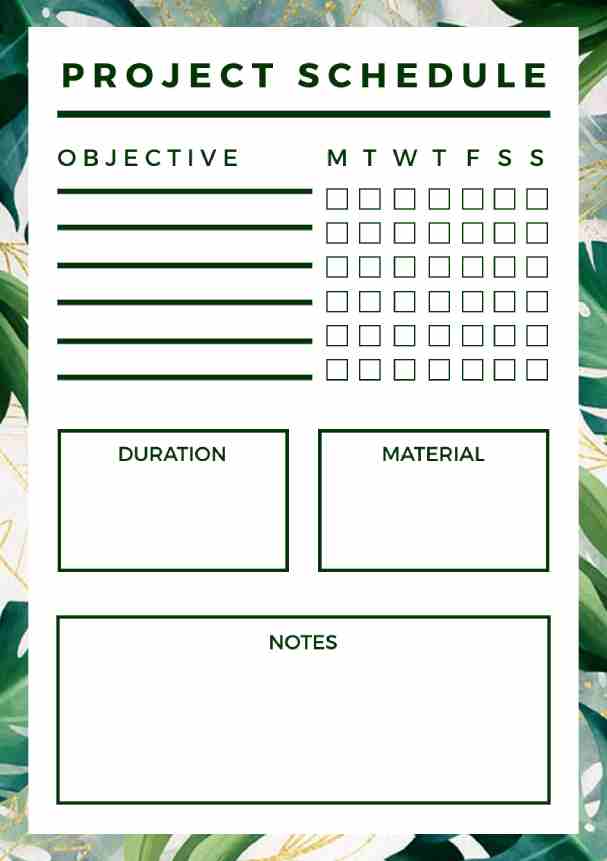
Project Schedule Planner Templates
Efficiently organize tasks, deadlines, and milestones for streamlined project execution and enhanced productivity.

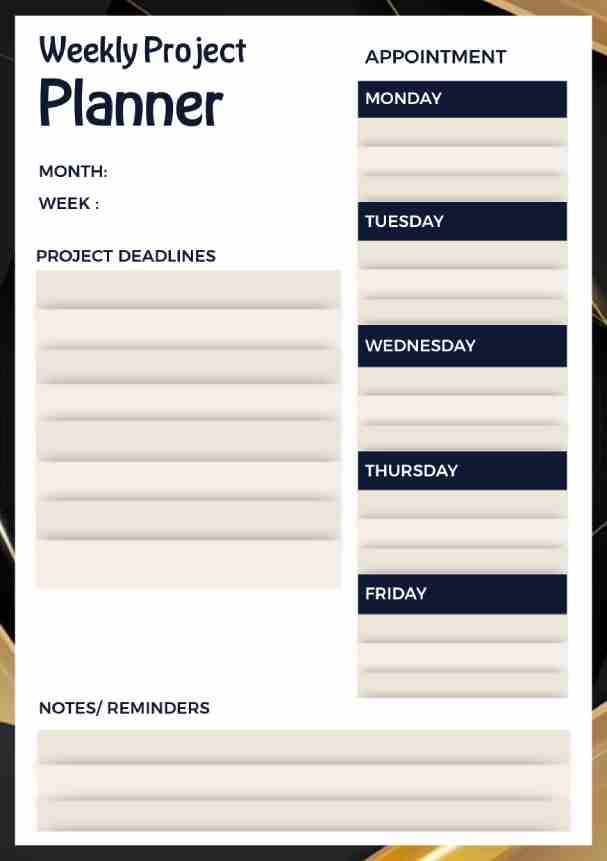
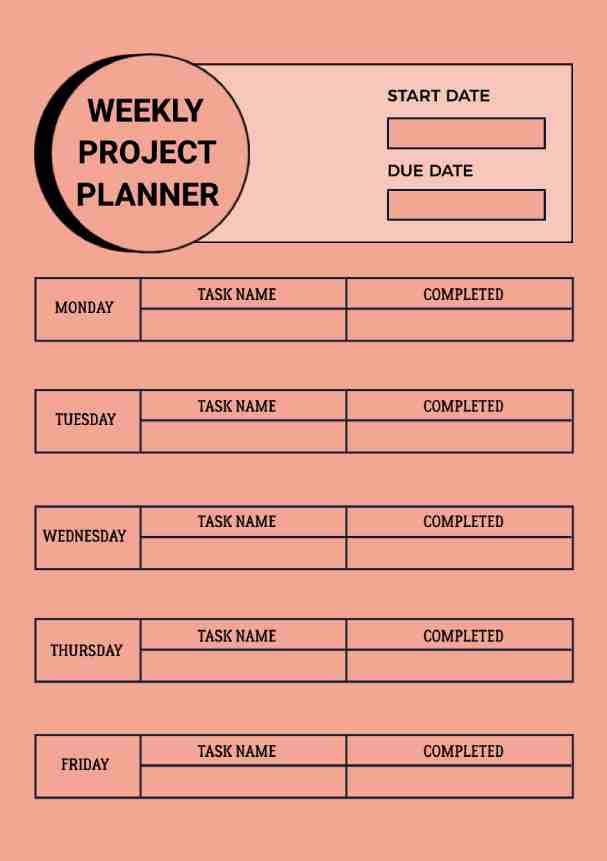
Weekly Project Planner Templates
Plan tasks for the week, prioritize goals, track progress, and maintain focus on short-term deliverables.
Academic Project Planner Templates
Manage assignments, deadlines, and research tasks effectively with structured planning for academic success.


Key Benefits of Daily Planner App for Project Workflow
A daily planner app improves the productivity of the creative process to a great extent. In addition, it replaces emails and notes for organizing the project, making task tracking and time management more efficient. It creates inspiration and provides necessary order by offering pictures and adjusting templates based on current tasks.
- Streamlines Project Planning and Organization: One of the essential features of a daily planner app is that every project management process is unified in one application. That organized in one place with all the necessary tasks, deadlines, and related resources. It saves the time that people spend trying to find information for themselves and lets creative people get on with their jobs.
- Enhances Focus Through Structured Digital Planning: As apps that describe all work activities, planner applications reduce interferences. Also, daily planner app establish a specific perspective on all tasks. From the time management site, users can distinguish which tasks are more important and how much time has to be devoted to them. This type of planning helps focus in a deeper more intense manner, which creates a more suitable atmosphere for creativity.
- Provides Tools for Goal-Setting and Tracking Progress: Life planner applications empower users with basic usability options that make it easy to set quantifiable objectives and monitor the achievement achieved over a given period. The tools help those involved in creativity to reduce the objectives into smaller parts and set responsibilities. Users, therefore, use them to track progress and make necessary changes.
Build Productive Daily Routines for Managing Projects
An app for daily use can be planned to assist the users in planning out their day. Assessing and organizing their next steps. Regular morning and evening checking of the plan makes it more consistent. The activities of the day while reminders help to keep the tasks on course.
Tools and Features for Daily Routine Support
Applications used for daily planners play an important role in providing necessary tools for the working day. Therefore, there is no disruption of planner apps to the devices to guarantee that tasks can be easily accessed. Included in the concept of the interface are quick access features that can be changed easily, widgets, and notifications.
Optimize Daily Routines with Planner Insights
Specifically, the best daily planner apps offer important information for improving habits during the day. Observing the task completion process shows which activities are performed effectively or ineffectively. Tracking productivity results enable users to set new goals since they can identify productivity loopholes. Using project requirements to change working schedules for more flexibility. That data helps to optimize projects further and more efficiently.
Conclusion
As it has been described in this article PlanWiz daily planner app provides critical values to developers and artists. Such as organization, focus, and goal setting. To get the most out of an app, try out functions that will be useful to you in the task. Openness to feedback and tips regarding the application of a daily planner encourages creativity and innovation. Embracing daily planner ideas can enhance organization and productivity, making the project management experience more successful and enjoyable.