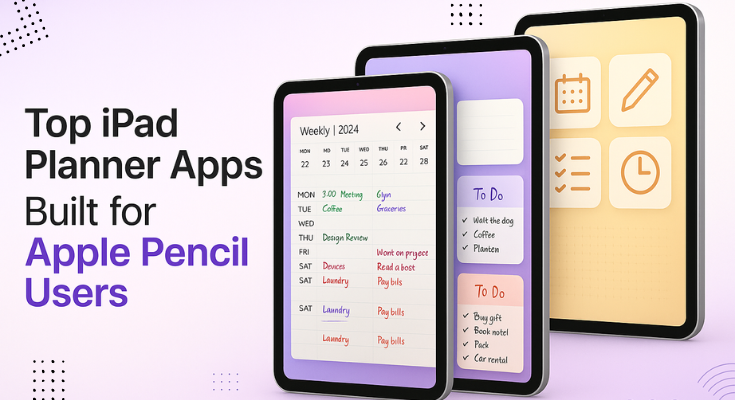
If you’re an Apple Pencil user searching for the best iPad pencil planner app, you’re in the right place. This guide will help you find the perfect digital planner for iPad that works smoothly with your Apple Pencil.
Using an iPad planner app with pencil lets you write and organize your daily tasks easily, just like a paper planner, but smarter. You can plan your day, set goals, track habits, and keep everything in one place without carrying notebooks around.
To make the most of your Apple Pencil, it’s important to choose a planner app that’s built with handwriting in mind. That’s why we’ve curated the best pencil iPad planner apps designed to give you a natural writing experience and easy-to-use features.
Whether you’re a busy professional, a student juggling tasks, or someone who loves planning their life beautifully, this blog is your perfect starting point. Keep reading, you might just find the best pencil planner app for iPad that transforms the way you organize your life.
Table of Contents
- Top 10 iPad Planner Apps for Apple Pencil Users
- What Makes a Great iPad Planner App for Apple Pencil?
- How to Start Planning on Your iPad with Apple Pencil
- How to Choose the Right iPad Planner App for Your Needs
- Conclusion
Top 10 iPad Planner Apps for Apple Pencil Users
In this part, we’ll look at the top iPad planner apps you can use with your Apple Pencil. Each app has something different to offer. This will help you pick the one that works best for your planning needs.
List of 10 Top iPad Planner Apps for Apple Pencil Users
1. PlanWiz
2. Any.do
3. Todoist
4. Goodnotes
5. Noteful
6. Microsoft OneNote
7. Notes
8. Pencil Planner & Calendar Pro
9. Trello
10. Notability
1. PlanWiz
PlanWiz iPad Planner App is your all-in-one digital planning solution, built for iPad and fully optimized for Apple Pencil. Whether you’re a student, parent, teacher, or professional, this app helps you stay organized, focused, and creative every day.
Plan your schedule, write your to-do lists, journal your thoughts, and track goals, all in one easy-to-use app. With beautiful customizable planner templates and smooth Apple Pencil support, planning feels just like writing on paper, but smarter.
No confusing setup. No boring layouts. Just pick a style you love and start planning right away. From daily planning to deep journaling, PlanWiz helps you organize your life and stay calm in the chaos.
Why Use PlanWiz?
- Combines a daily planner, journal, and to-do list in one app
- Offers 10,000+ ready-to-use templates for every lifestyle
- No setup needed—just choose your style and go
- Works great for people with ADHD or focus issues
- Easy to plan your tasks, schedule, and personal goals
- Helps you track your mood, habits, and wellness
- Includes templates for meal planning, travel, events, and fitness
- Syncs across phone and tablet
- Let you customize colors, fonts, and graphics
- Allows you to print or share your planners as a PDF
Pricing: $15 per year (with a free version available)
App Store Rating: ⭐️ 4.7 / 5
Best For: Parents, students, teachers, freelancers, creatives, entrepreneurs, wellness seekers, and anyone who wants an easy way to plan, journal, and stay organized, all in one beautiful, Apple Pencil-friendly app.
2. Any.do
Any.do is a popular task manager and planner app used by millions around the world. It combines to-do lists, calendars, reminders, and grocery lists in one clean interface. With real-time sync across devices, it’s built for people who want to keep things simple and stay productive on the go.
Why use Any.do?
- Clean interface for easy task and calendar management
- Works across iPad, iPhone, web, and desktop
- Smart reminders, recurring tasks, and location-based alerts
- Voice input and file attachments
- Collaborative task lists for teams or families
Pricing: Yearly: $59.99 (with 7-day free trial)
App Store Rating: ⭐️ 4.6/5
Best For: Users who want a simple to-do list and calendar in one place, those who need cross-device syncing, and task-focused planners who prefer typing over handwriting and don’t need deep journaling or custom layouts.
3. Todoist
If you’re an iPad user looking for a clean and flexible planner app, Todoist offers a powerful way to manage daily tasks, organize projects, and stay productive. It’s especially great for those who prefer typing over handwriting.
Why Use a Todoist?
Todoist is a digital planner built for simplicity and speed. Whether you’re managing personal goals, work tasks, or team projects, Todoist helps you get things out of your head and into action.
- Quickly add tasks using natural language input
- Organize tasks using labels, filters, and color priorities
- Switch between list, board, or calendar views
- Sync across iPad, iPhone, Apple Watch, and Mac
- Collaborate with others by assigning tasks and sharing projects
- Connect Todoist with tools like Gmail, Slack, Outlook, and Google Calendar
Pricing: Yearly: $47.99 (with free trial)
App Store Rating: ⭐️ 4.8/5
Best For: iPad users who prefer typing over handwriting, professionals managing work and life in one place, anyone needing cross-platform sync, and users who love minimal design with simple, clean workflows.
4. Goodnotes
If you’re an Apple Pencil user looking for a seamless digital planner experience on iPad, GoodNotes is one of the top choices. It gives you the feel of real handwriting with the flexibility of digital tools, perfect for note-takers, students, planners, and professionals.
Why Use GoodNotes?
GoodNotes turns your iPad into a powerful and interactive digital notebook. Whether you’re planning your day, journaling your thoughts, or organizing class notes, GoodNotes makes handwriting and creativity seamless with Apple Pencil.
- Combine handwriting and typing on the same page for flexible note-taking
- Use custom templates like planners, to-do lists, Cornell notes, and more
- Add stickers, washi tape, and images to make planning visually fun
- Record audio notes that sync with your handwriting—perfect for meetings or lectures
- Navigate easily using outlines or auto-imported PDF sections
- Sync your notebooks across iPad, iPhone, and Mac with iCloud
- Find anything fast, even your handwritten notes, is searchable
Pricing: Yearly: $11.99 (with free trial)
App Store Rating: ⭐4.8 / 5
Best For: Students organizing notes and study plans, creatives who enjoy designing layouts with Apple Pencil, professionals who present and collaborate in one app, and anyone who wants a stylish, handwriting-friendly iPad planner.
5. Noteful
Noteful is a feature-rich, modern note-taking app designed specifically for iPad and Apple Pencil users. Whether you’re annotating PDFs, taking class notes, or building your knowledge system, Noteful helps you go paperless smartly and powerfully.
Its minimalist design, precision handwriting engine, and tag-based organization make it one of the best digital note-taking apps for planning and productivity on iPad.
Why Use Noteful?
Noteful stands out as a digital notebook and annotation tool, great for planners, students, and professionals who rely on Apple Pencil for everyday productivity.
- Natural Handwriting: Enjoy a smooth, responsive writing experience powered by Noteful’s custom InfiniteStroke engine
- PDF & File Markup: Annotate directly on PDFs, Office files, or slides
- Smart Tagging: Organize with #tags instead of folders, great for multi-topic planning
- Audio Notes: Record and sync voice with your handwritten notes, perfect for lectures or meetings
- Shapes & Layers: Use shapes, layering, and vector ink to create advanced page layouts
- iCloud Sync: Seamless syncing between iPad and iPhone (Pro feature)
Pricing: Noteful Pro: $5.99
App Store Rating: ⭐4.7 / 5
Best For: Students annotating slides or lecture notes, planners who prefer a clean, distraction-free interface, professionals managing meeting notes or knowledge hubs, and Apple Pencil users who want precise, smooth handwriting control.
6. Microsoft OneNote
Microsoft OneNote brings together everything you need to capture thoughts, sketch ideas, plan events, and collaborate on the go. Designed with flexibility and ease of use in mind, it’s one of the best free apps for digital note-taking and planning on iPad, especially when used with the Apple Pencil.
From writing personal memos to planning big projects, OneNote turns your iPad into a smart, organized notebook that syncs across all your devices via OneDrive.
Features That Make OneNote a Top Pick
OneNote is a flexible digital notebook designed for capturing ideas, organizing information, and collaborating effortlessly. Whether you’re a student, professional, or planner, OneNote helps you bring structure and creativity together across all your devices.
- Write naturally, sketch, or annotate freely with Apple Pencil
- Scan documents and whiteboards cleanly using built-in Office Lens integration
- Keep private notebooks secure with password protection and Touch ID
- Sync notes across iPad, iPhone, Windows, and the web seamlessly
- Capture quick thoughts with colorful sticky notes that sync instantly
- Organize smarter with sections, pages, tags, and pin your favorites
- Share notebooks and collaborate in real-time with classmates or teams
Pricing: 365 Personal: $11.99
App Store Rating: ⭐4.7 / 5
Best For: Students organizing lecture notes, professionals managing team meetings and projects, families syncing life events, and creatives planning, sketching, or brain-dumping ideas in one flexible space.
7. Notes
Apple Notes is the default note-taking app built into every iPad, and it’s evolved into a powerful tool for both quick jots and long-form organization. From to-do lists and checklists to handwritten sketches, scanned documents, and attachments, Notes makes it easy to capture and organize thoughts, especially when paired with the Apple Pencil.
With iCloud sync, everything stays up to date across all your Apple devices, ensuring you never miss a thought or lose a note.
Why Use Apple Notes?
Apple Notes is a fast, intuitive note-taking app that’s built right into your Apple devices. Whether you’re jotting down ideas, sketching, or organizing a project, Apple Notes keeps everything in sync and secure, no downloads needed.
- Start writing instantly, no setup, no downloads, just open and go
- Use Apple Pencil to draw diagrams, freeform notes, or sketches directly in your notes
- Record audio, transcribe it, or scan documents and save everything in one place
- Organize effortlessly with folders, subfolders, Smart Folders, and hashtags
- Link related notes together to easily connect your ideas
- Share notes or folders with others and track updates with activity logs
- Lock private notes using Face ID or Touch ID for extra security
Pricing: free
App Store Rating: ⭐4.9 / 5
Best For: Apple ecosystem users, students needing a fast and flexible note-taking app, professionals balancing text, audio, and sketches, and anyone seeking a simple yet powerful free note solution on iPad.
8. Pencil Planner & Calendar Pro
Pencil Planner Pro merges the charm of a handwritten paper planner with the convenience of your digital calendar. Designed specifically for iPad and Apple Pencil, it lets you write directly on top of your synced Calendar app events, offering a truly hybrid planning experience.
From detailed daily plans to big-picture yearly overviews, you can customize every aspect of your agenda using natural handwriting, intuitive tools, and multiple calendar views.
Why Use Pencil Planner Pro?
This hybrid digital planner blends the flexibility of handwriting with the power of digital scheduling. Perfect for iPad users with Apple Pencil, it’s designed to give you total control over your planning, anytime and anywhere.
- Combine digital calendars with handwritten notes for a true hybrid planning experience.
- Sync effortlessly with Apple Calendar and Reminders for up-to-date scheduling.
- Access your planner across iPhone and iPad with smooth multi-device sync
- Write, sketch, and highlight using Apple Pencil or any stylus
- Toggle between daily, weekly, monthly, and yearly views based on your needs
- Move, resize, or erase handwritten content like digital ink, no mess
Pricing: Yearly: $19.99
App Store Rating: ⭐4.7 / 5
Best For: Digital bullet journal lovers, Apple Pencil users who miss the feel of paper planning, students and professionals who prefer visual, handwritten scheduling, and anyone who wants calendar syncing with freeform note-taking in one app.
9. Trello
Trello is a visual collaboration tool that helps you organize tasks, projects, or anything else with boards, lists, and cards. Whether you’re planning a marketing campaign, managing a remote team, or even organizing a vacation, Trello gives you the flexibility to map out your ideas and track progress, all in one place.
Trello simplifies team productivity and project management with a drag-and-drop interface that works across web, iOS, and Android.
Why Use Trello?
Trello is a powerful visual project management tool that helps you organize work, streamline collaboration, and track progress from start to finish, all in a flexible, user-friendly interface.
- Visualize your workflow with boards, lists, and cards for every project
- Add checklists, due dates, attachments, and comments to keep tasks clear and actionable
- Collaborate in real-time by assigning tasks and sharing instant feedback
- Boost productivity with Power-Ups like Calendar view, Map view, Google Drive, and Slack
- Customize workflows for agile boards, content calendars, event planning, and more
Pricing: free
App Store Rating: ⭐4.4 / 5
Best For: Remote teams managing workflows, freelancers organizing projects, content creators planning editorial calendars, students handling class schedules, and anyone ready to swap sticky notes for a smarter digital planning board.
10. Notability
Notability is a powerful and beautifully simple note-taking app trusted by students, professionals, and creatives alike. With tools like handwriting, typing, audio recording, AI-powered summaries, and even math conversion, Notability helps you capture ideas, annotate documents, and study smarter—all in one place.
Whether you’re attending a lecture, working on a project, or sketching ideas, Notability’s blend of functionality and fluid design makes it feel like your brain’s digital extension.
Why Use Notability?
Notability is an all-in-one digital note-taking app designed for power, creativity, and focus. Whether you’re in class, a meeting, or planning your next big idea, Notability gives you the tools to capture and organize your thoughts, your way.
- Combine handwriting, typing, highlighter, images, and audio—all on one flexible page.
- Use AI-powered tools to generate summaries, quizzes, and flashcards with the Learn feature.
- Annotate PDFs, textbooks, and lecture slides with smooth, precise tools
- Record audio and sync it with your notes, perfect for lectures, interviews, or brainstorming
- Enjoy ultra-responsive handwriting with Apple Pencil and Logitech Crayon
- Instantly clean and convert handwritten math equations into typed form
Pricing: Notability Plus: $24.99
App Store Rating: ⭐4.7 / 5
Best For: Students, professionals, and creatives who want an all-in-one app for notes, sketches, markups, and organized, searchable digital notebooks.
What Makes a Great iPad Planner App for Apple Pencil?
If you’re using an iPad planner app with your Apple Pencil, chances are you’re not here for a plain old checklist. You want a planner that actually feels good to use. One that lets you write, sketch, and plan just like you would on paper. But with the bonus of digital tools that keep everything neat, synced, and super flexible.
That’s the magic of today’s best iPad planner apps. They combine the freedom of handwriting with the power of smart planning features. So instead of flipping through notebooks or juggling reminders, you’ve got everything in one place, right on your iPad.
Let’s break it down:
Smooth & Natural Handwriting Experience
First things first, the writing has to feel good. The great iPad planner apps for Apple Pencil should offer ultra-responsive, lag-free handwriting so your Apple Pencil glides just like a real pen.
No awkward delay, no uneven strokes, just buttery-smooth writing that feels effortless. The best apps also support pressure sensitivity and tilt functions, so they react to your hand just like a traditional pen or pencil.
If smooth, natural writing matters to you, choosing the best digital planner for iPad can completely change how enjoyable and productive your planning sessions feel. This makes everything from note-taking to doodling feel incredibly natural and satisfying.
Easy-to-Use Layouts & Templates
Let’s face it, nobody wants to spend hours designing layouts from scratch. The best planner app for iPad with Pencil offers pre-designed, easy-to-use templates for daily, weekly, monthly, or even goal-based planning.
Whether you’re organizing your study schedule, managing client work, or planning meals, the right template should be just a tap away. Look for apps that let you switch between formats easily and don’t require a steep learning curve.
Simplicity is key; open the app, choose a layout, and start planning instantly.
Beautiful, Minimal Design
Visual appeal matters more than you think. If your planner looks clean, calm, and beautiful, you’re far more likely to use it consistently. The best iPad planner apps strike a perfect balance; they’re visually minimal so you’re not overwhelmed, but still give you room to express your style. Whether that’s through color-coded labels, elegant fonts, or themed stickers, your digital planner should feel inviting and stress-free.
Apple Pencil-Friendly Tools
Your Apple Pencil isn’t just for writing; it’s your highlighter, eraser, sketch tool, and idea catcher. The best planner for iPad should make full use of those capabilities.
You should be able to switch between pen types (like fountain, gel, or brush pens), pick from a wide range of colors, highlight text, and even move handwritten elements around with a lasso tool.
If you’re looking for something that brings all of this together, a good pencil planner can make your planning feel more like creative expression than a chore. The more flexible the app is with Pencil support, the more creative and productive your planning sessions will be.
Organization Meets Creativity
The great ipad planner apps don’t just help you manage tasks, they should also be a creative space. You might be writing a to-do list one moment, then doodling a new idea or journaling about your day the next.
The best apps let you mix structure with spontaneity. Whether you’re starting from scratch or using a ready-made task planner template, it helps you stay organized while keeping things flexible.
The best apps let you mix structure with spontaneity. You can add stickers, mind maps, mood trackers, vision boards, or even gratitude lists, all in the same place. It’s not just about getting things done; it’s about enjoying the process of organizing your life.
Cross-Device Syncing
We love the iPad, but life happens across multiple devices. Whether you’re out with just your phone, a great ipad planner app makes it easy to pick up where you left off.
Cross-device syncing means your schedules, notes, and goals are always up to date, no matter where you are. And if it syncs with your existing calendars (like Google Calendar or Apple Calendar), that’s a huge bonus for staying on top of everything.
Performance & Reliability
Nothing breaks focus like an app that freezes, crashes, or drains your battery. A great planner app should be smooth, stable, and optimized for the iPad. It should load quickly, respond instantly to Pencil strokes, and handle large files without lag.
Regular updates, good customer support, and data backup options also add peace of mind, so you can trust your app to keep up with your busy day, every day.
How to Start Planning on iPad with Apple Pencil
So, you’ve got a digital ipad planner, an Apple Pencil, and you’re ready to ditch paper planning. But now what?
Here’s a simple, no-stress guide to get you started with digital planning using your Apple Pencil.
- Download a Planner App That Feels Right
Start by choosing an ipad planner app designed for Apple Pencil. Look for something with smooth handwriting, easy-to-use templates, and a clean interface. Apps like PlanWiz are perfect for beginners, with no learning curve, just open and start planning. - Pick a Layout That Matches Your Lifestyle
Whether you like planning your day by the hour or just want a weekly overview, choose a template that feels natural to you. Most planner apps offer daily, weekly, monthly, and goal layouts, so try one and adjust as needed. Don’t overthink it! - Write Naturally with Your Apple Pencil
The beauty of iPad planning is how it mimics real handwriting. Just start writing—tasks, reminders, journal entries, anything. Your Apple Pencil gives you that pen-to-paper feel, but with the flexibility of digital planning. - Personalize It with Stickers, Highlights & Color
Make planning enjoyable by adding your own flair. Use digital stickers, highlight important notes, and add color codes. These small touches make your planner more fun to use and way more motivating. - Sync Everything & Set Smart Reminders
Connect your ipad planner app with your calendar and set reminders for key tasks or events. This helps you stay organized without needing to constantly check your planner. Everything stays in sync, even across your devices. - Make It a Quick, Daily Ritual
You don’t need to spend hours planning. Just 5–10 minutes in the morning or evening can help you feel more in control of your day. Over time, this small habit can make a big difference in your productivity and mindset.
How to Choose the Right iPad Planner App for Your Specific Needs
Let’s be honest, there are a lot of iPad planner apps out there. And while that’s great, it also makes it hard to pick the one that fits your life. So, how do you find the best digital planner for iPad with Apple Pencil that matches your planning style? Here’s a simple way to figure it out:
1. Start With Your Planning Style
Ask yourself: How do I like to plan?
- Do you prefer typing or handwriting?
- Do you like visual layouts or simple lists?
- Are you more of a daily planner, or do you just want a weekly overview?
If you love writing by hand and enjoy creative layouts, go for an app that works well with the Apple Pencil, like PlanWiz.
2. Think About What You’re Planning
Different apps work better for different goals:
- Students may want note-taking, class schedules, and study trackers
- Parents need family calendars, reminders, and meal plans
- Professionals might prefer project boards, meeting notes, and task timers
- Creatives often look for sketch space, idea boards, or a digital journal
Make a quick list of the things you want to manage, then see which app matches that, and if note-taking is part of your routine, don’t miss our guide to the best note-taking apps for iPad to find one that fits your needs perfectly.
3. Decide How Much Flexibility You Want
Some planner apps come with fully structured templates. Others let you design everything from scratch. If you want something ready to go, choose an app with pre-built templates so you can just tap and start (PlanWiz is great for that).
If you love customizing every little detail, look for apps that let you create your own layouts.
4. Consider Cross-Device Syncing
Do you plan only on your iPad, or do you want access on your phone or other devices too? Make sure your app offers syncing across devices. Bonus if it connects with Apple Calendar, Google Calendar, or task apps like Notion.
5. Try Before You Commit
Most good apps offer a free version or a trial. Try it out for a few days. If it feels fun, helpful, and easy to use, you’ve probably found your match. Curious to see what else is out there? Take a look at our handpicked list of the best iPad planner apps; it’s packed with tools, features, and styles to explore.
How to Choose the Perfect iPad Planner App: A Step-by-Step Guide
Free iPad Planner Apps: 7 Amazing Tools That Cost Nothing
iPad Organization App: The Complete Guide to Digital Order
The Digital Handwriting: Master Your iPad Planner with These Pro Tips
Conclusion
After checking out all the iPad pencil planner apps out there, the truth is, everyone plans differently, and that’s okay. What works perfectly for one person might not click for someone else, and that’s why finding the right app is really about finding what fits your style and needs.
Some ipad planner apps are perfect if you love handwriting, sketching, or journaling with your Apple Pencil. Others focus more on productivity, offering clean templates, task lists, and seamless syncing across all your devices. So, before choosing, it’s worth thinking about how you like to stay organized and how you can increase productivity with a digital iPad planner.
Because in the end, planning should help you, not stress you out. A good ipad planner app makes life smoother, helps you feel more in control, and might even add a little fun to your day. Once you find the right one, you’ll wonder how you ever managed without it.
If you’re ready to experience that kind of ease in your daily routine, why not give digital planning a try? We recommend starting with PlanWiz. It’s easy to use, designed for beginners, and yes—it provides a free version also. A perfect way to jump into digital planning with zero pressure.
FAQs
Digital planners let you undo mistakes, rearrange your schedule, duplicate pages, and back everything up to the cloud. It’s more flexible and clutter-free compared to carrying around a paper notebook.
Yes. With Apple Pencil support, you can handwrite your notes, sketch out ideas, highlight tasks, and even decorate your planner, making planning feel both personal and productive.
PlanWiz includes over 10,000 ready-to-use templates, from time-blocked days and goal-setting pages to habit trackers and wellness logs, perfect for building a daily routine that works for you.
You can plan anytime, anywhere. Even without the internet, your planner works offline, and when you’re back online, your changes sync across your iPad and other connected Apple devices.
Many apps offer a mix of free and premium options. PlanWiz includes a free version with all core features and lets you upgrade only if you want access to premium designs or extras.
While most planners focus on handwriting and templates, you can export tasks to Apple Calendar or Reminders for notifications and alerts, keeping everything synced and on time.
Yes, especially apps designed with simplicity in mind. With PlanWiz, you can get started right away, just pick a template, drag and drop what you need, and plan your day without any confusion.